Ensemble Epaq Hardware Manual Installation and Configuration
2.2.1. Brushless Motor Connections
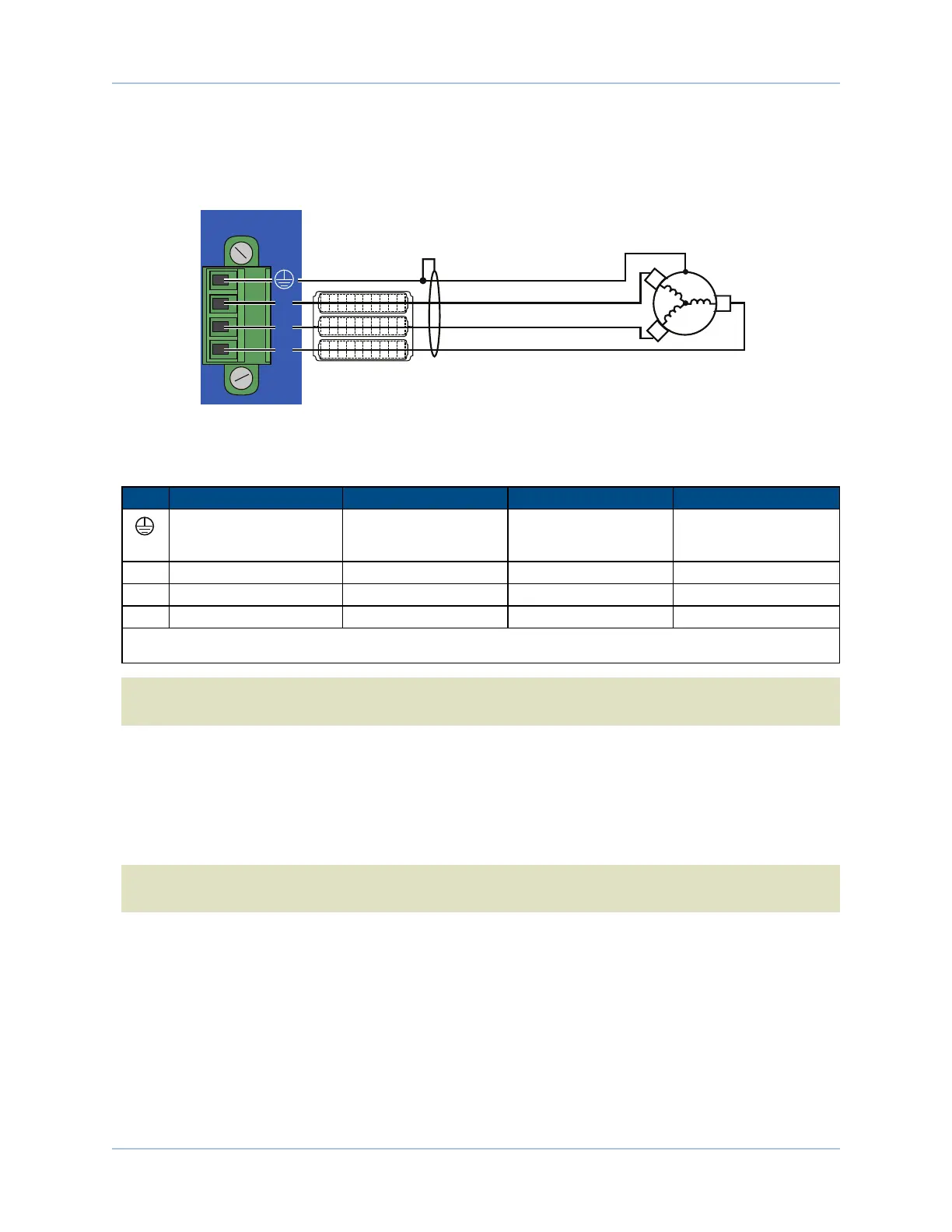
The configuration shown in Figure 2-5 is an example of a typical brushless motor connection.
MOTOR
NOTE:
Listed wire colors are for Aerotech supplied cables.
Install Aerotech FBF-1 or FBF-2, or 10 Beads per wire at drive
(Elna Fair-Rite #2643002402, or #2643250402)
AC
Brushless
Motor
Motor Frame
Green/Yellow & Shield
Black
Red
White
A
B
C
A
B
C
Figure 2-5: Brushless Motor Configuration
Table 2-5: Wire Colors for Aerotech Supplied Cables (Brushless)
Pin Wire Color Set 1
(1)
Wire Color Set 2 Wire Color Set 3 Wire Color Set 4
Green/Yellow &
Shield
(2)
Green/Yellow &
Shield
Green/Yellow &
Shield
Green/Yellow &
Shield
A Black Blue & Yellow Black #1 Black & Brown
B Red Red & Orange Black #2 Red & Orange
C White White & Brown Black #3 Violet & Blue
(1) Wire Color Set #1 is the typical Aerotech wire set used by Aerotech.
(2) “&” (Red & Orange) indicates two wires; “/ ” (Green/White) indicates a single wire
N O T E :Brushless motors are commutated electronically by the controller. The use of Hall effect devices
for commutation is recommended.
The drive requires that the Back-EMF of each motor phase be aligned with the corresponding Hall-effect
signal. To ensure proper alignment, motor, Hall, and encoder connections should be verified.
There are two methods for verifying motor connections: powered, through the use of a test program; and an
unpowered method using an oscilloscope. Both methods will identify the A, B, and C Hall/motor lead sets
and indicate the correct connections to the drive.
N O T E :If using standard Aerotech motors and cables, motor and encoder connection adjustments are
not required.
22 Chapter 2 www.aerotech.com



 To Next Page