The image is acquired from the DR detector and displayed in a new
thumbnail in the lower half of the Image Overview pane.
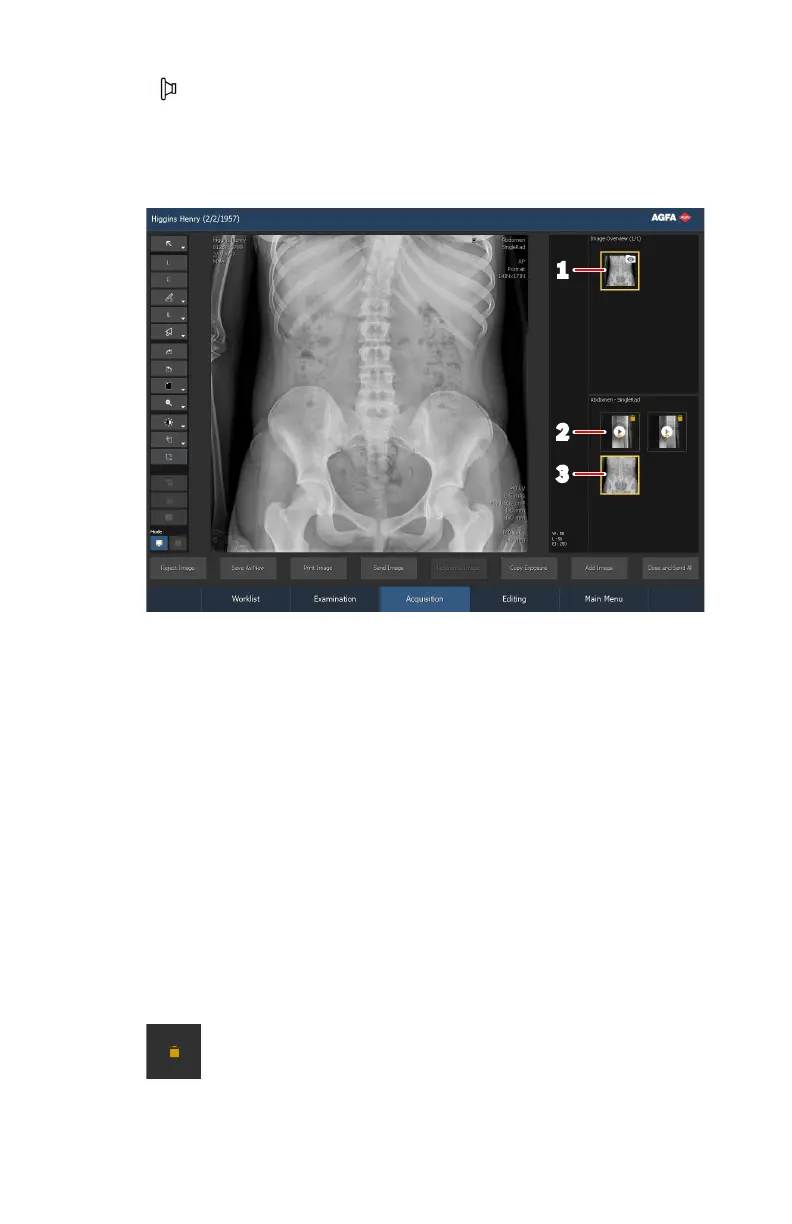
After the exposure is made, the Acquisition window looks as follows:
1.
Fluo group thumbnail
2.
Fluo sequence thumbnail
3.
Image thumbnail
Figure 73: Result of the exposure
After making the exposure, no more fluo sequences or static images can be
added to the fluo group.
7. Perform quality control.
8. If all images in the examination are OK, click Close and Send All.
If configured, the image is sent to the printer and/or PACS archive. The
exam is placed in the Closed Exams pane.
Fluo sequences are by default deleted after the examination is closed and
not stored and not sent to a PACS archive. This is indicated by the yellow
icon in the top right corner of the fluo sequence thumbnail. To store and
archive a selected fluo sequence, click the Store Sequence button before
clicking Close and Send All.
Figure 74: Icon indicating that the fluo sequence will not be saved
Related Links
DR 800 | Basic Workflow |
115
0392C EN 20210309 1049



 To Next Page