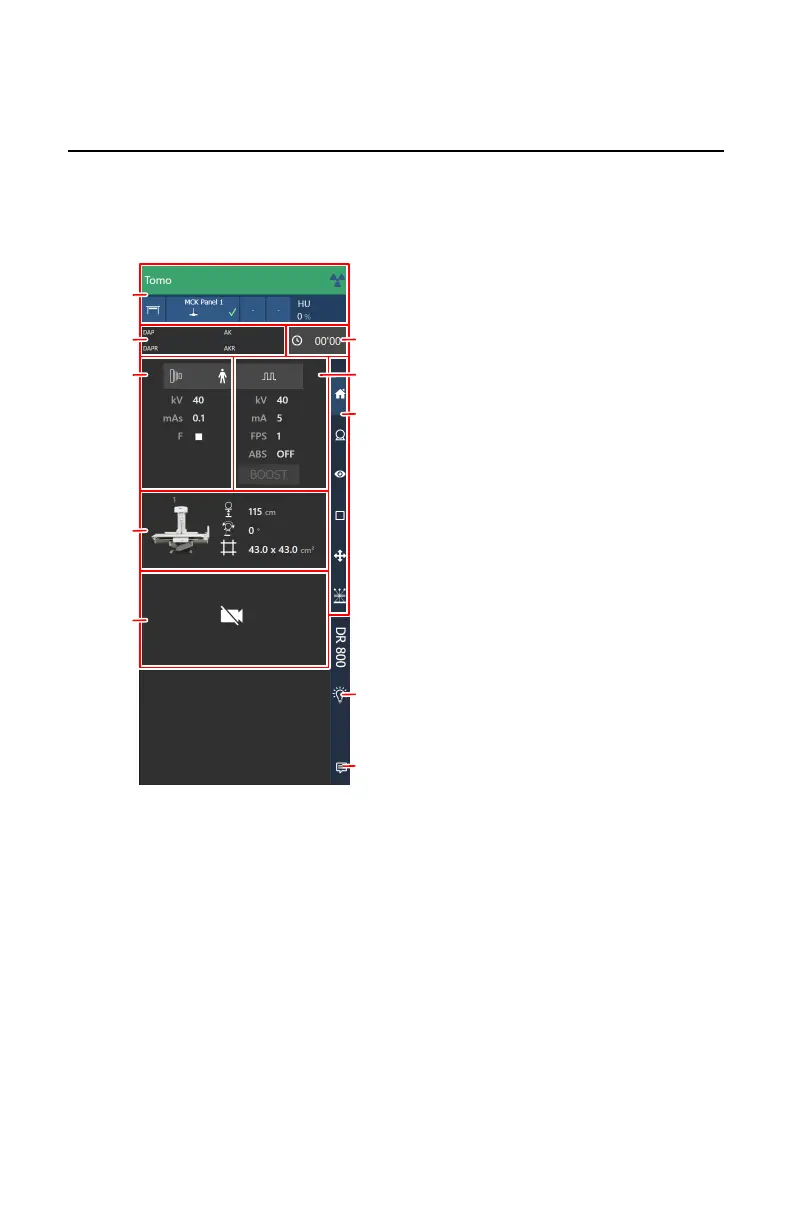
Examination overview
In the examination overview the most important parameters are displayed. To
display more detailed parameters or to modify the parameters, navigate to the
screens with detailed controls by pushing the navigation buttons or the
corresponding area on the examination overview screen.
1.
X-ray modality status frame
(navigate to the X-ray modality controls by pushing this area)
2.
DAP value
3.
Fluo timer
4.
Generator controls for static image or rapid sequence
(navigate to the detailed controls by pushing this area)
5.
Generator controls for fluoroscopy
(navigate to the detailed controls by pushing this area)
6.
Positioning controls
(navigate to the detailed controls by pushing this area)
7.
Collimator camera image
8.
Navigation buttons
9.
Collimator light
188
| DR 800 | Software Console
0392C EN 20210309 1049



 To Next Page