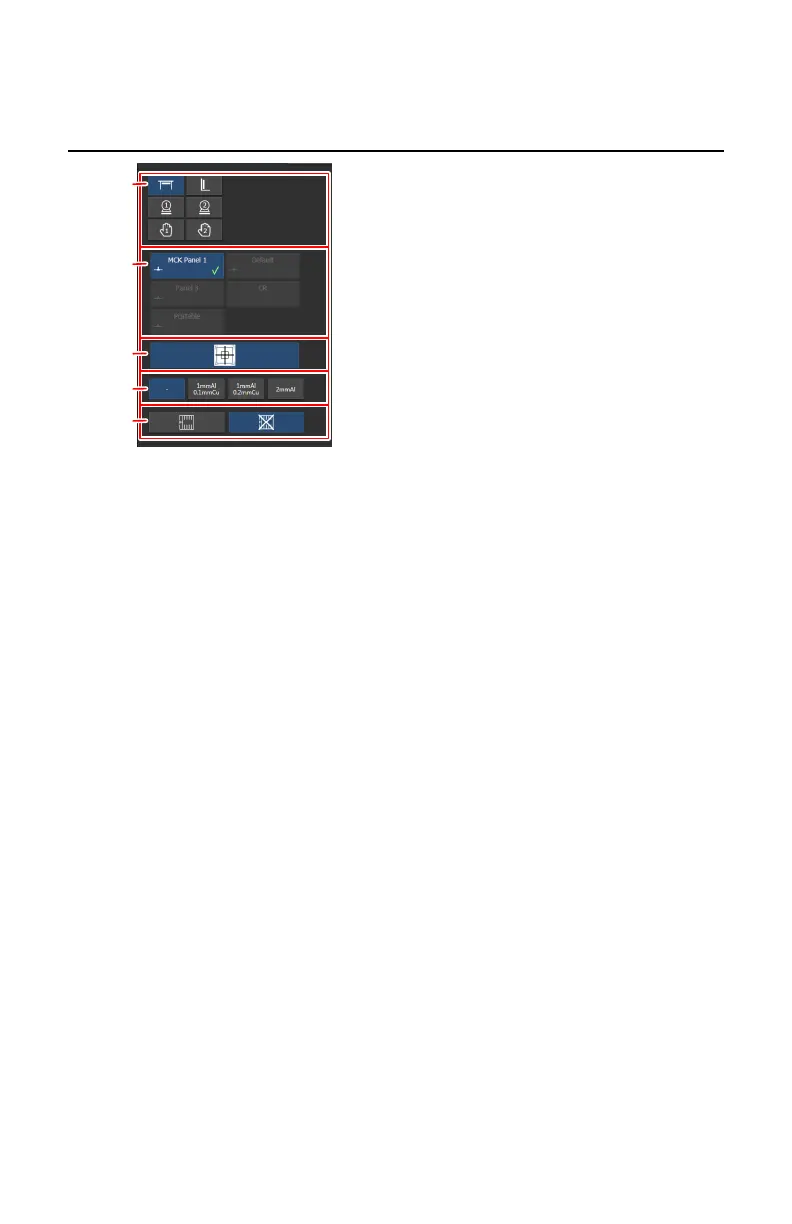
X-ray modality controls
1.
Select the modality position.
All configured modality positions are displayed. Only the allowed
modality positions can be selected.
2.
Select the DR detector or switch to CR.
All configured detectors are displayed. Only the detectors that can be used
with the selected modality position, can be selected.
3.
Start the offset calibration.
The button is enabled when the DR detector for dynamic imaging is
selected. Push the button to manually trigger the offset calibration.
4.
Select the filter.
5.
Enable or disable the grid.
Figure 165: X-ray modality controls
Related Links
Modality Position on page 192
DR detector switch on page 35
Filter Status on page 197
Grid Status on page 198
Offset calibration on page 81
228 | DR 800 | Software Console
0392C EN 20210309 1049



 To Next Page