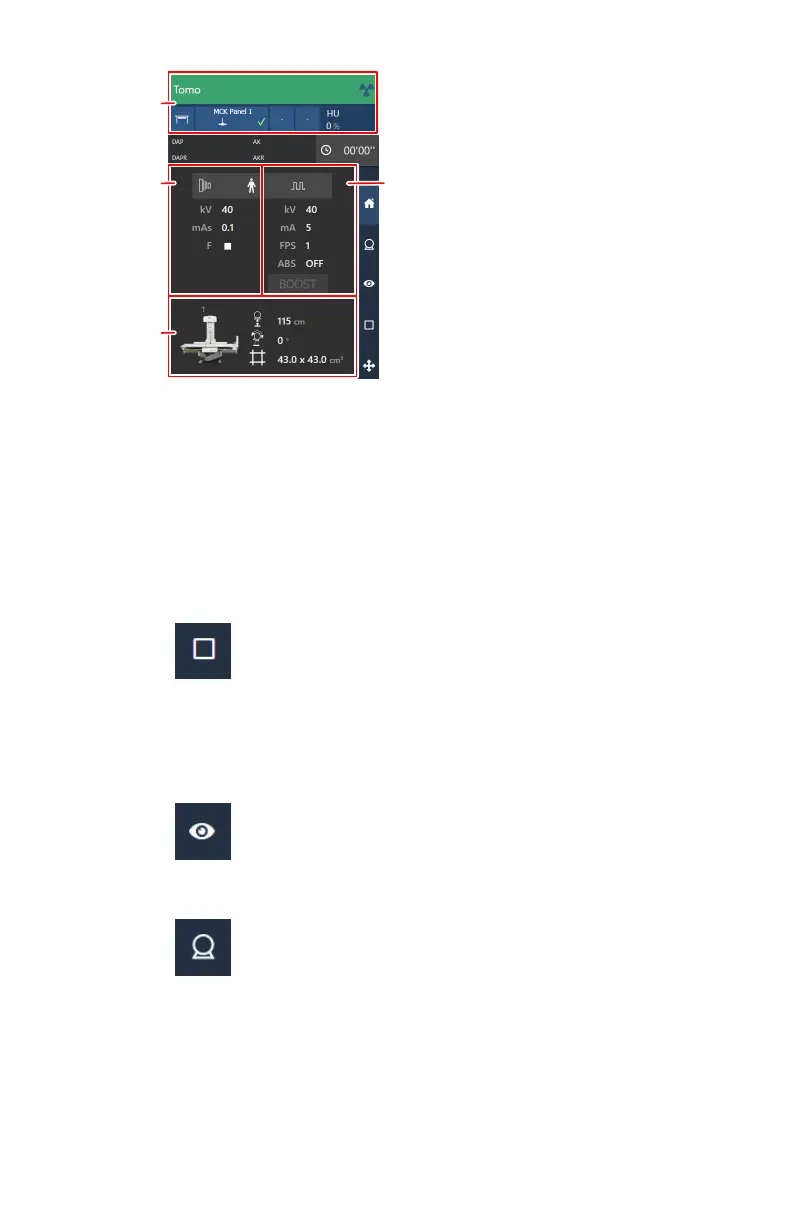
1.
X-ray modality settings
2.
Generator settings for the static exposure or the rapid sequence
exposure, depending on the mode that is selected in the generator
controls screen of the software console
3.
Generator settings for fluoroscopy
4.
Automatic position
Figure 77: Examination overview
a) Check the X-ray modality settings.
Figure 78: X-ray modality controls on the software console
b) Check the exposure settings.
The fluo group contains settings for fluoroscopy, for static images and
for rapid sequence exposures.
Figure 79: Generator controls for fluoroscopy
Figure 80: Generator controls for static images and for rapid sequence
exposures
3. Move the X-ray system to the right position.
a) Check if a correct automatic position is selected.
118 | DR 800 | Basic Workflow
0392C EN 20210309 1049



 To Next Page