The image processing to create the reconstruction sequence is started
automatically and may take up to a minute.
Figure 99: Progress indicator for the image processing to create the
reconstruction sequence
The reconstruction sequence is displayed as a reconstruction sequence
thumbnail in the lower half of the Image Overview pane.
The middle slice of the sequence is visible in the thumbnail. An acquisition
sequence thumbnail is indicated with a white Play icon in the center.
Figure 100: Thumbnail of the reconstruction sequence
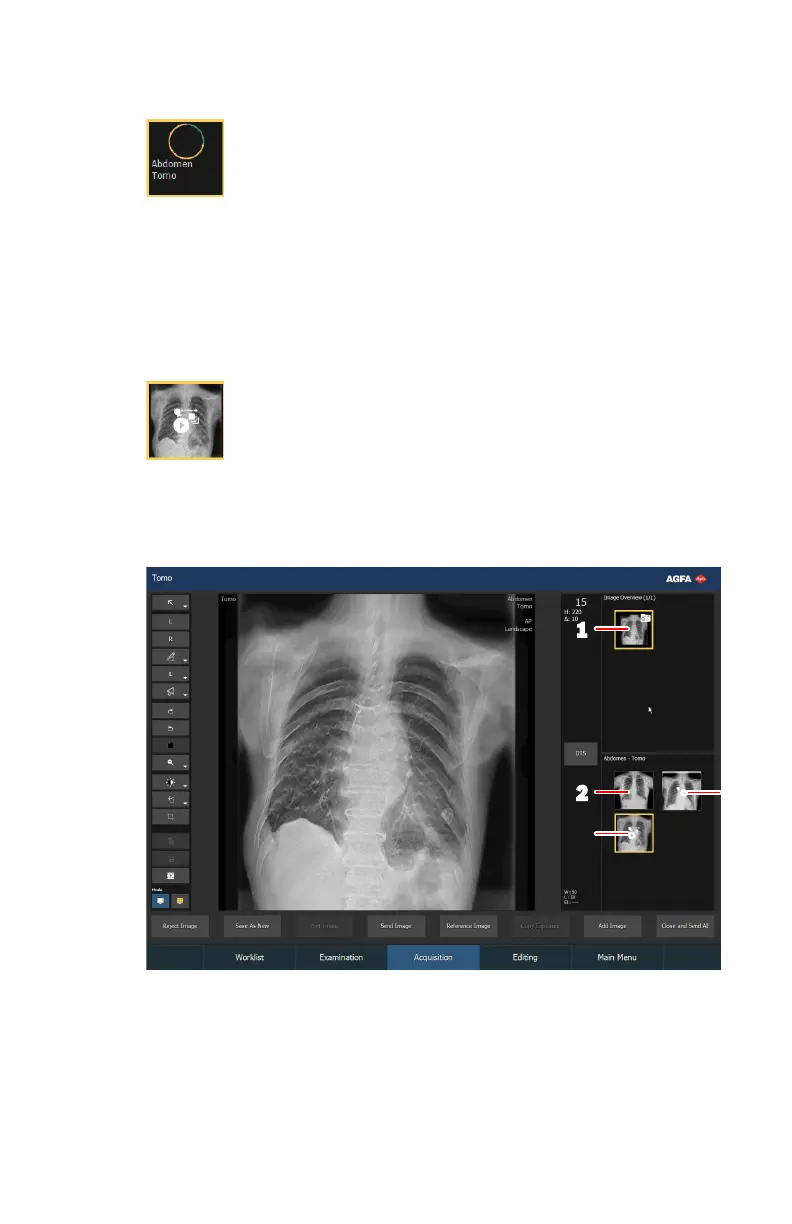
After the reconstruction sequence becomes available, the Acquisition
window looks as follows:
1.
Digital tomosynthesis group thumbnail
2.
Image thumbnail (if a reference image is acquired)
3.
Acquisition sequence
4.
Reconstruction sequence
Figure 101: Result of the exposure
128 | DR 800 | Basic Workflow
0392C EN 20210309 1049



 To Next Page