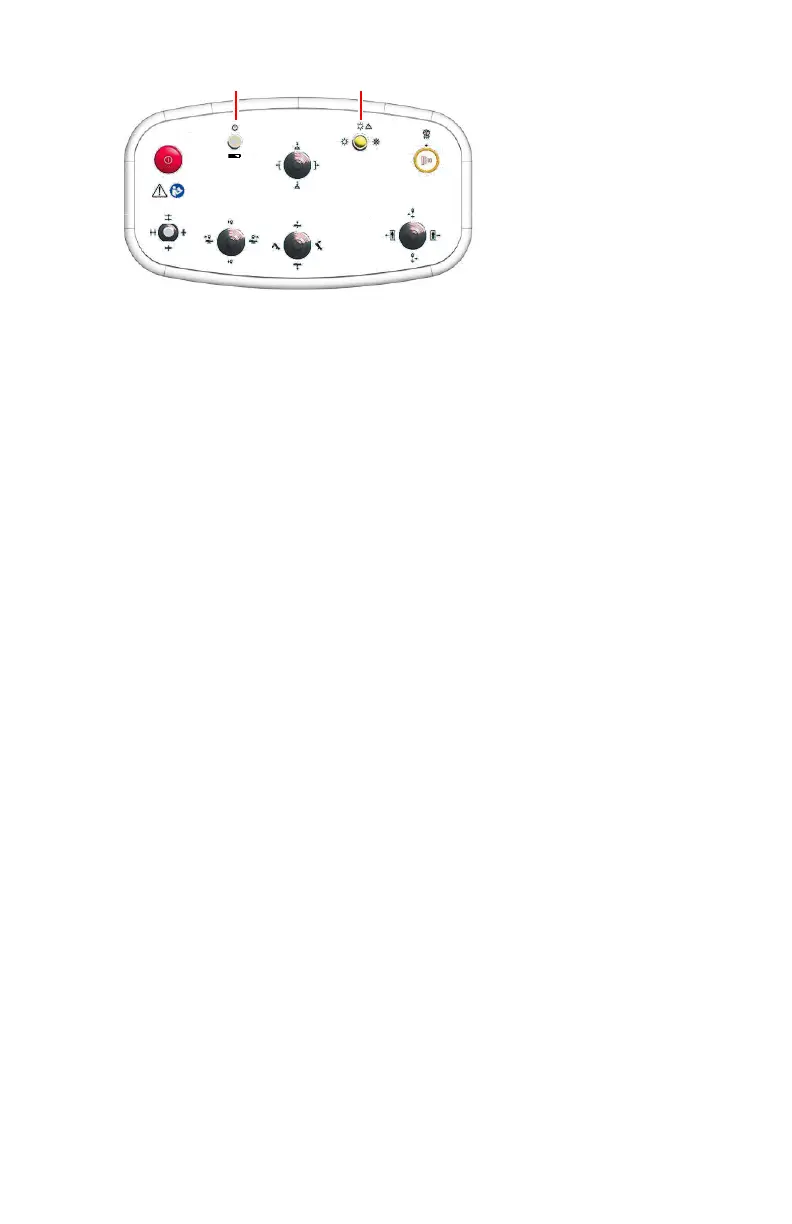
1.
On/off button with a multi-functional indicator light that indicates the
on/off status of the console and the status of the battery charge.
To turn on the wireless console, press and release the on/off button.
To turn off the wireless console, press and hold the start up button for 3
seconds until the indicator light turns off.
2.
Indicator light for the status of the wireless connection. The indicator light
is on when the wireless connection is active. The indicator light blinks
when the connection is lost.
To activate the wireless connection, move the wireless console within the
bluetooth communication range of the radiographic table.
Figure 8: Wireless console
At the foot of the wireless console, a power socket and a main power switch
are available to connect the console to the mains power and charge the
battery.
Related Links
Wireless console status on page 234
Wireless console with position controls cannot restore connection on page 272
24 | DR 800 | Introduction
0392C EN 20210309 1049



 To Next Page