EasyManua.ls Logo

Allen-Bradley Kinetix 300 - User Manual

Allen-Bradley Kinetix 300
230 pages
Print Icon
To Next Page IconTo Next Page
Loading...
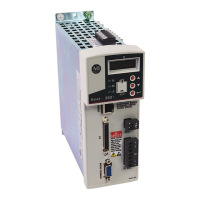
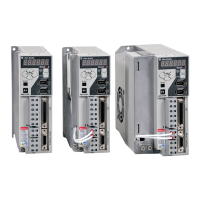
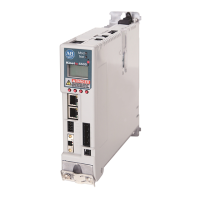
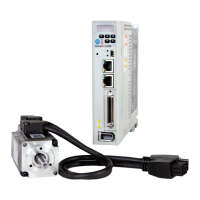
Kinetix 300 EtherNet/IP Indexing Servo Drives
Catalog Numbers 2097-V31PR0, 2097-V31PR2, 2097-V32PR0, 2097-V32PR2, 2097-V32PR4, 2097-V33PR1, 2097-V33PR3,
2097-V33PR5, 2097-V33PR6, 2097-V34PR3, 2097-V34PR5, 2097-V34PR6
User Manual

Table of Contents

Questions and Answers

  • P
    pskinnerSep 17, 2025
    What causes operating system failed error on Allen-Bradley Servo Drives?
    • E
      elizabethcopelandSep 17, 2025
      If your Allen-Bradley Servo Drive reports 'Operating system failed', cycle the power. Also, check configuration settings to be sure that drive tags setting are valid and your program to ensure there are not explicit messages to internal drive variables which have been noted as unpublished or reserved.
  • N
    Nichole KelleyAug 25, 2025
    Why is motor overtemperature occurring in Allen-Bradley Kinetix 300 Servo Drives?
    • J
      jessica04Aug 25, 2025
      If your Allen-Bradley Servo Drive motor is overheating, it could be due to several reasons. Operate within the continuous torque rating for the ambient temperature (40 °C (104 °F) maximum). If the ambient temperature is too high, lower it and increase motor cooling. Also, check the motor wiring and verify that the proper motor has been selected.
  • W
    Wanda HartAug 25, 2025
    What causes drive thermal protection fault in Allen-Bradley Kinetix 300?
    • A
      Antonio FrederickAug 26, 2025
      If your Allen-Bradley Servo Drive shows a 'Drive Thermal Protection' fault, try the following: * Reduce acceleration rates. * Reduce the duty cycle (ON/OFF) of commanded motion. * Increase the time permitted for motion. * Consider using a larger Kinetix 300 drive and motor. * Check the tuning.
  • F
    fletchermichelleAug 27, 2025
    What causes bus overvoltage in Allen-Bradley Kinetix 300 Servo Drives?
    • M
      Micheal FergusonAug 27, 2025
      If you are experiencing a bus overvoltage error with Allen-Bradley Servo Drives, it could be due to excessive regeneration of power or excessive AC input voltage. Try changing the deceleration or motion profile. You might need a larger system (motor and Kinetix 300 drive) or a resistive shunt. If a shunt is connected, verify the wiring is correct. Also, verify the input voltage is within specifications.
  • L
    Lisa LewisSep 18, 2025
    Why is drive temperature too high in Allen-Bradley Kinetix 300?
    • C
      Charles ReedSep 18, 2025
      If your Allen-Bradley Servo Drive's temperature is too high, check for clogged vents or a defective fan. Ensure cooling is not restricted by insufficient space around the unit and check the ambient temperature in the enclosure. Also, reduce acceleration rates, reduce the duty cycle (ON/OFF) of commanded motion, and increase the time permitted for motion.
  • L
    Lisa ReidSep 23, 2025
    What does wrong indexing mode mean on Allen-Bradley Kinetix 300 Servo Drives?
    • N
      Nicole DanielsSep 23, 2025
      If your Allen-Bradley Servo Drive displays 'Wrong Indexing Mode', change the Index Type or ReferenceSource to values that are supported by selecting Linear or Rotary Unwind mode. This issue occurs when the Index Type or ReferenceSource is not supported in the configured Linear/Rotary Unwind mode.
  • K
    Katie MartinezSep 9, 2025
    What does bad battery mean on Allen-Bradley Kinetix 300 Servo Drives?
    • H
      Holly RaymondSep 9, 2025
      If you're getting a 'Bad battery' error on your Allen-Bradley Servo Drive, it indicates that the Tamagawa absolute feedback battery voltage is low or missing. Replace the battery. A battery error is set at drive powerup when main power to the encoder is not present or the battery voltage is below 2.75V.
  • A
    Anna GibsonSep 10, 2025
    How to troubleshoot status indicator not displaying messages on Allen-Bradley Kinetix 300?
    • K
      Karen RossSep 10, 2025
      If the status indicator on your Allen-Bradley Kinetix 300 Servo Drive isn't displaying any messages, first check that AC power or back-up power is applied to the drive. If the power is present and the indicator remains blank, it may indicate an internal power supply malfunction. In that case, contact your Allen-Bradley representative.
  • B
    Brian StephensSep 3, 2025
    What causes absolute move fault on Allen-Bradley Kinetix 300?
    • M
      Miranda CampbellSep 3, 2025
      If your Allen-Bradley Servo Drive shows an 'Absolute move fault', it means you initiated a move without being homed. When using an absolute encoder, home the axis before attempting an absolute move.
  • K
    Kyle ThomasSep 1, 2025
    What to do if software overtravel occurs on Allen-Bradley Kinetix 300 Servo Drives?
    • D
      David ManningSep 1, 2025
      If your Allen-Bradley Servo Drive is experiencing a 'Software overtravel' issue, it means that the programmed overtravel limit has been exceeded. Verify the motion profile and ensure the overtravel settings are appropriate.

Summary

Chapter 1 Start

Chapter 2 Installing the Kinetix 300 Drive System

Electrical Noise Reduction

Best practices to minimize noise-related failures in Kinetix 300 installations.

Mount Your Kinetix 300 Drive

Procedure for mounting the Kinetix 300 drive within an enclosure.

Chapter 3 Kinetix 300 Drive Connector Data and Feature Descriptions

Kinetix 300 Drive Connectors and Indicators

Details the location of connectors and indicators on the Kinetix 300 drive.

Control Signal Specifications

Describes Kinetix 300 drive I/O, communication, and power connectors.

Motor Feedback Specifications

General specifications for encoders compatible with Kinetix 300 drives.

Chapter 4 Connecting the Kinetix 300 Drive System

Basic Wiring Requirements

Contains basic wiring information for the Kinetix 300 drive.

Grounding Your Kinetix 300 Drive System

Information on grounding the Kinetix 300 drive and system subpanel.

Power Wiring Requirements

Specifies wire requirements, phasing, and earth ground connection.

Chapter 5 MotionView Software Configuration

Drive Organizer and Identification

Describes the Drive Organizer and how to display drive identification information.

Motor Category

Details how Allen-Bradley motors and actuators are populated into motor configuration.

General Category

Provides access to basic motion configuration parameters.

Chapter 6 Configure and Start Up the Kinetix 300 Drive

Chapter 7 Troubleshooting the Kinetix 300 Drive System

Chapter 8 Kinetix 300 Drive Safe Torque-off Feature

Appendix C Kinetix 300 Drive ID Tag Numbers

Appendix D MicroLogix Explicit Messaging

Appendix E Overtravel Inputs

Allen-Bradley Kinetix 300 Specifications

General IconGeneral
Drive TypeServo Drive
SeriesKinetix 300
Communication ProtocolEtherNet/IP
CommunicationEtherNet/IP
Control ModesTorque, Velocity, Position
Operating Temperature0...50 °C (32...122 °F) without derating, 50...60 °C (122...140 °F) with derating
Protection RatingIP20
Control MethodPosition, Velocity, Torque
Motor CompatibilityAllen-Bradley Kinetix motors
SafetySafe Torque-Off (STO)
FeedbackIncremental Encoder
Feedback TypeIncremental Encoder
DimensionsVaries by model
Storage Temperature-40°C to 85°C
Humidity5 to 95% non-condensing
Vibration5 to 500 Hz, 2 g
Shock30 g for 11 ms
Input Voltage230V AC, 400V AC
Power Supply Voltage230V AC, 400V AC

Related product manuals