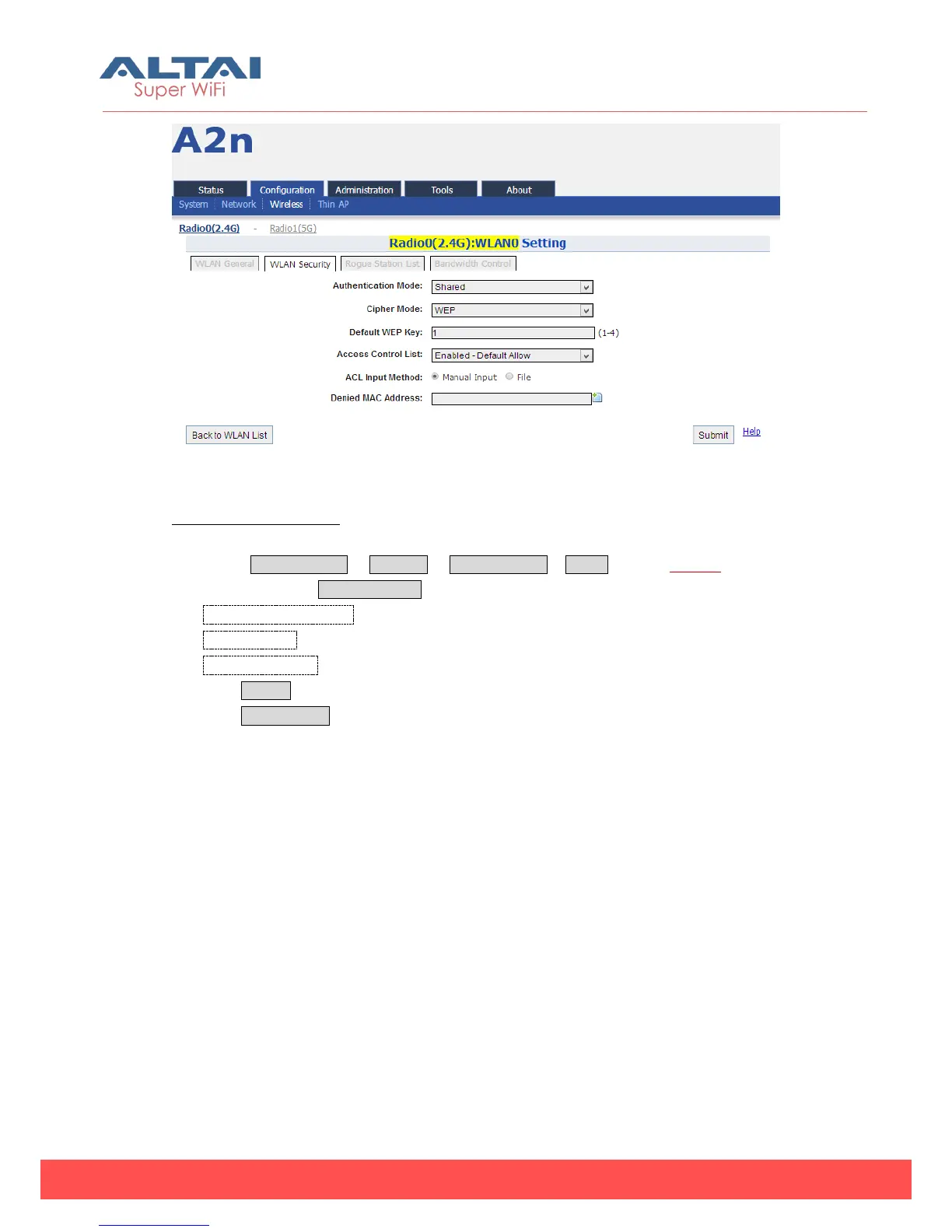
Figure 5-29 Shared Key
Shared key Procedures:
1. Select Configuration -> Wireless -> Radio0 (2.4G)-> WLAN to edit “More…” WLAN,
and then select WLAN Security to access to security configuration page.
2. Authentication Mode choose Shared
3. Cipher Mode choose WEP
4. Default WEP Key set the password
5. Click Submit
6. Click Save&Apply to apply
3) WPA/WPA2
WPA/WPA2 can be enabled by selecting WPA, WPA2 for Authentication Mode. The
AES and TKIP are the two available options for Ciper mode.



 To Next Page