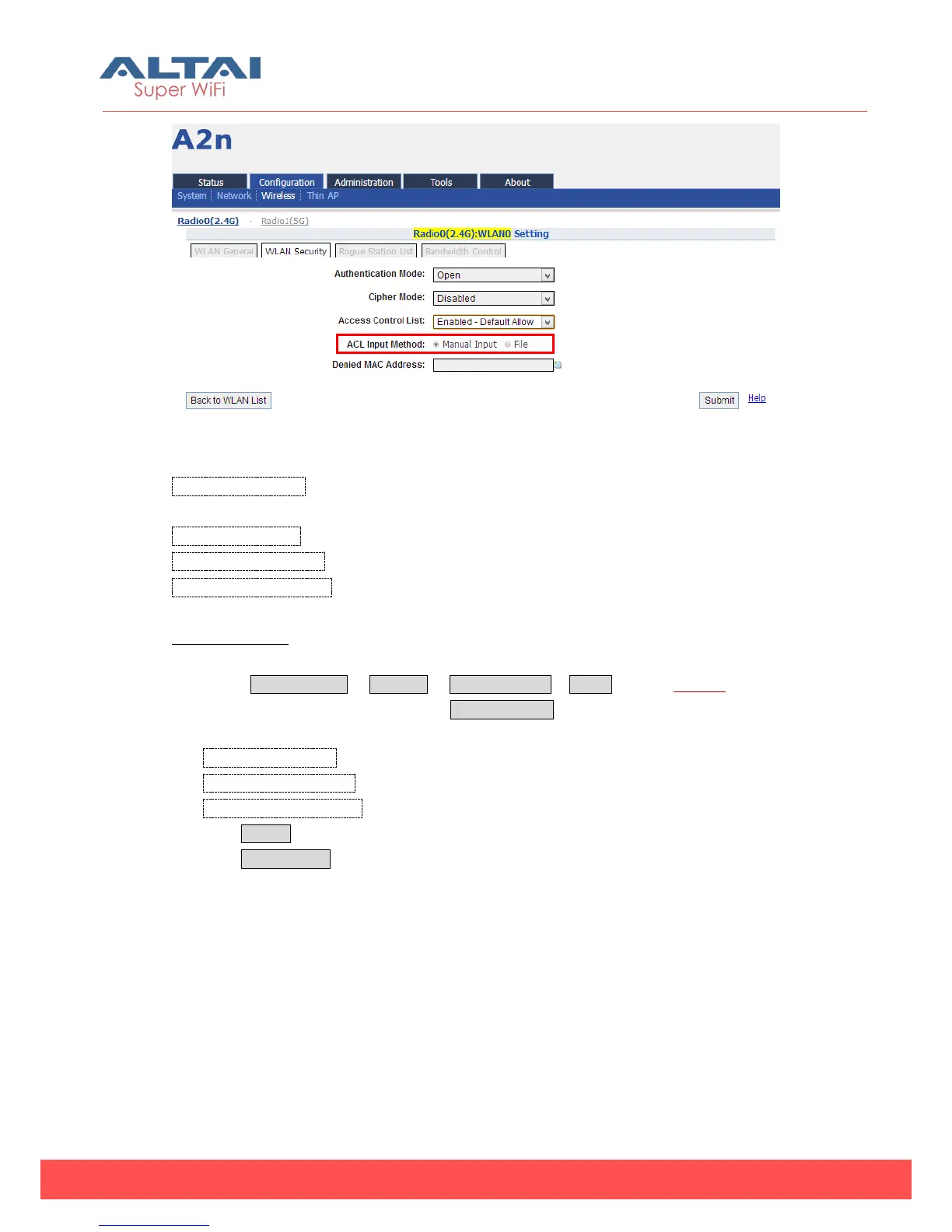
Figure 5-34 ACL – ACL Input Method
Access Control List:There are 3 modes: Disabled, Enabled-Default Allow, and
Enable-Default Deny.
ACL Input Method: There are two options including manual input and file upload.
Denied MAC Address:All MAC address in the list will be blocked.
Allowed MAC Address:Only MAC address in the list can access.
ACL Procedures:
1. Select Configuration -> Wireless -> Radio0 (2.4G) -> WLAN to edit “More…”
behind the WLAN, and then select WLAN Security to access to security
configuration page
2. Access Control List choose the control mode.
3. Denied MAC Address input MAC address
4. Allowed MAC Address input MAC address
5. Click Submit
6. Click Save&Apply to apply



 To Next Page