Operating
119
0000010038-003- GB
Operating
6.4.6 Scoring saw
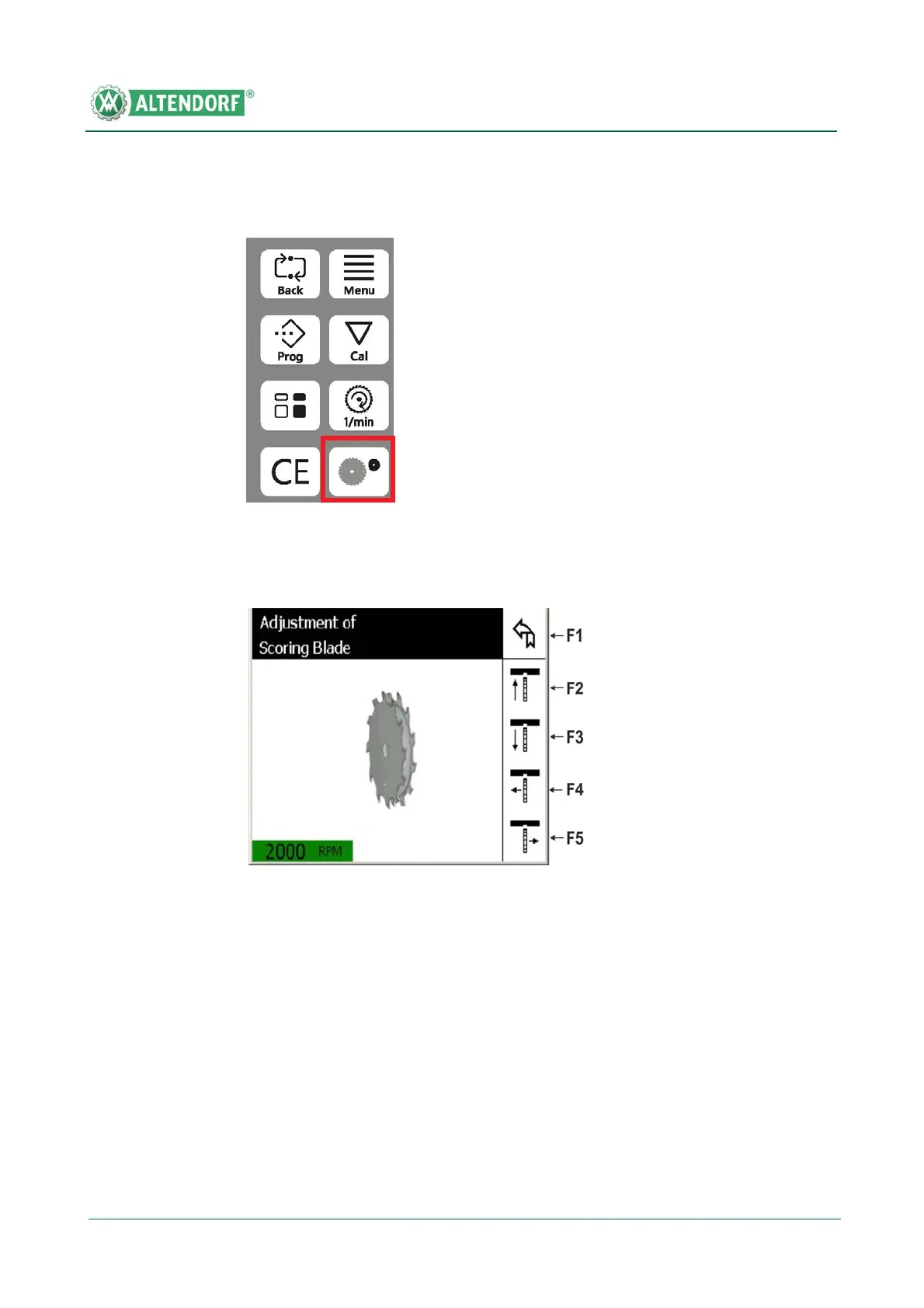
• Press the axis selection button for the scorer; the following display
appears:
Side adjustment:
• Briefly touching the F4 / F5 buttons causes minimal adjustments of approx.
0.03 mm.
• Holding these buttons down causes bigger adjustments.
Fig. 6-41 Selection button for scorer adjustment
Fig. 6-42 Adjusting the scorer
[1] The cutting height of the scorer and the side position can now be defined with the
aid of buttons F2 - F5.
[2] When this function is exited (F1 button), the scorer travels down if the motor is off.
Otherwise it moves down when the scorer motor is switched off, on returning from
an EMERGENCY STOP, and when the machine is switched on. The height position
that has been set is saved.


 To Next Page