Operating
137
0000010038-003- GB
Operating
6.6 Optional modules
6.6.1 Scorer, tilting to one side
When processing boards coated on both faces, the scoring unit makes it possi-
ble to cut without breakouts on the underside of the board. The scorer cuts into
the material from below approx. 1-2 mm; then the main saw blade cuts through
it. Make sure that the scoring blade is exactly in line with the main blade and is
set to the corresponding width. To achieve optimum cutting results, the scoring
blade runs in the workpiece advance direction, i.e. the opposite direction to the
main saw blade.
The scoring saw can only be started once the main saw has reached its opera-
ting speed (after approx. 5 sec.). It is started by pressing push-button I labelled
with the scoring saw symbol on the panels.
Saw blades
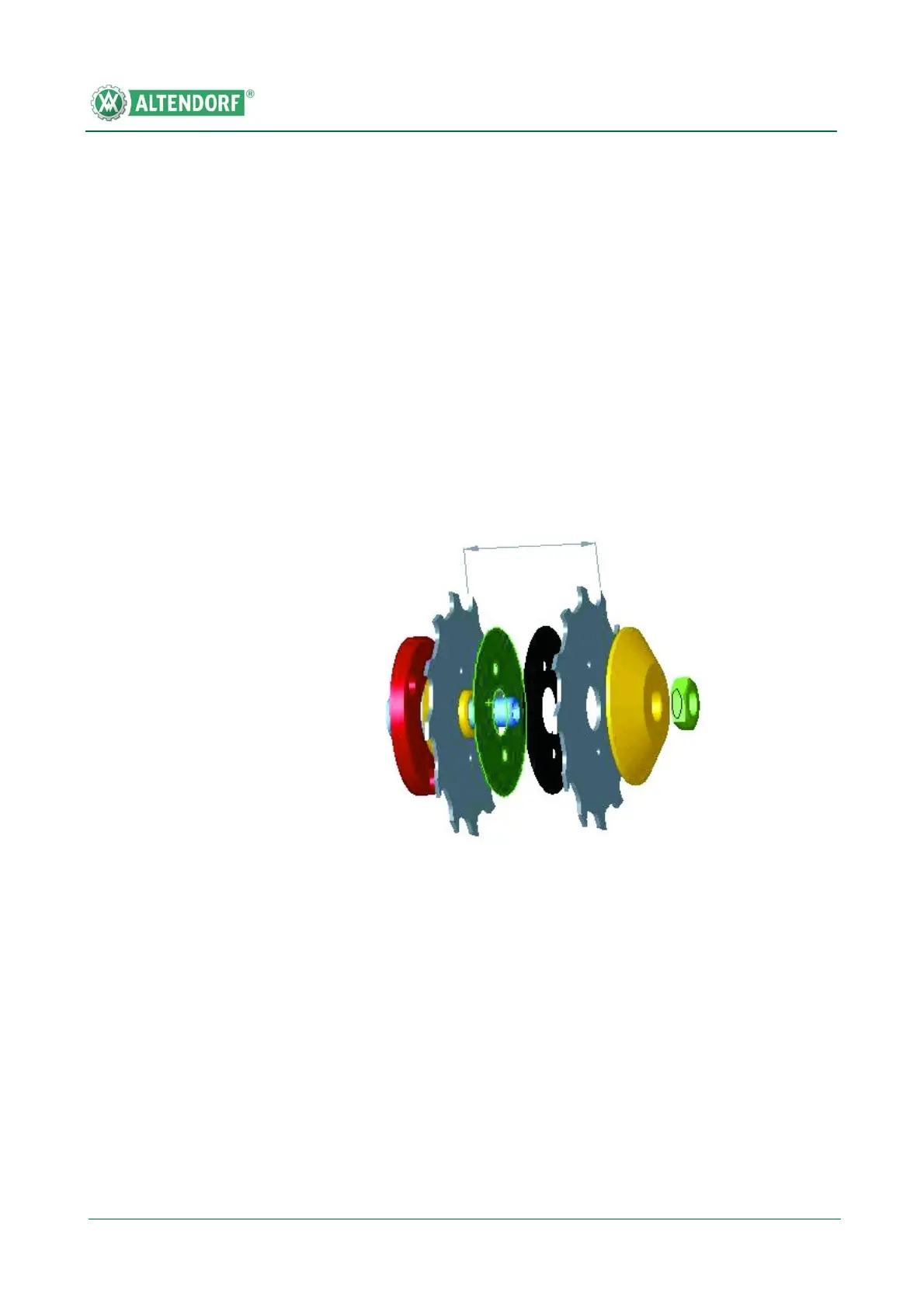
We recommend using two-part scoring blades which can be set to the required
blade thickness by inserting spacer discs. The cutting line of the scoring blade
should be approx. 1/10 mm wider than the main saw blade, i.e., 5/100 mm to
each side. In addition, the two scoring blades should have carrier pins and their
thickness should be marked on the spacer discs.
The RAPIDO scoring tool facilitates and accelerates cutting width adjust-
ment. Compared with two-part scoring blades, this represents a potential sa-
ving of up to 30 minutes since the cutting width can (without removing the saw
blades) be adjusted infinitely to the cutting width of the main saw blade.
Fig. 6-61 Two-part scoring blade


 To Next Page