Operating
129
0000010038-003- GB
Operating
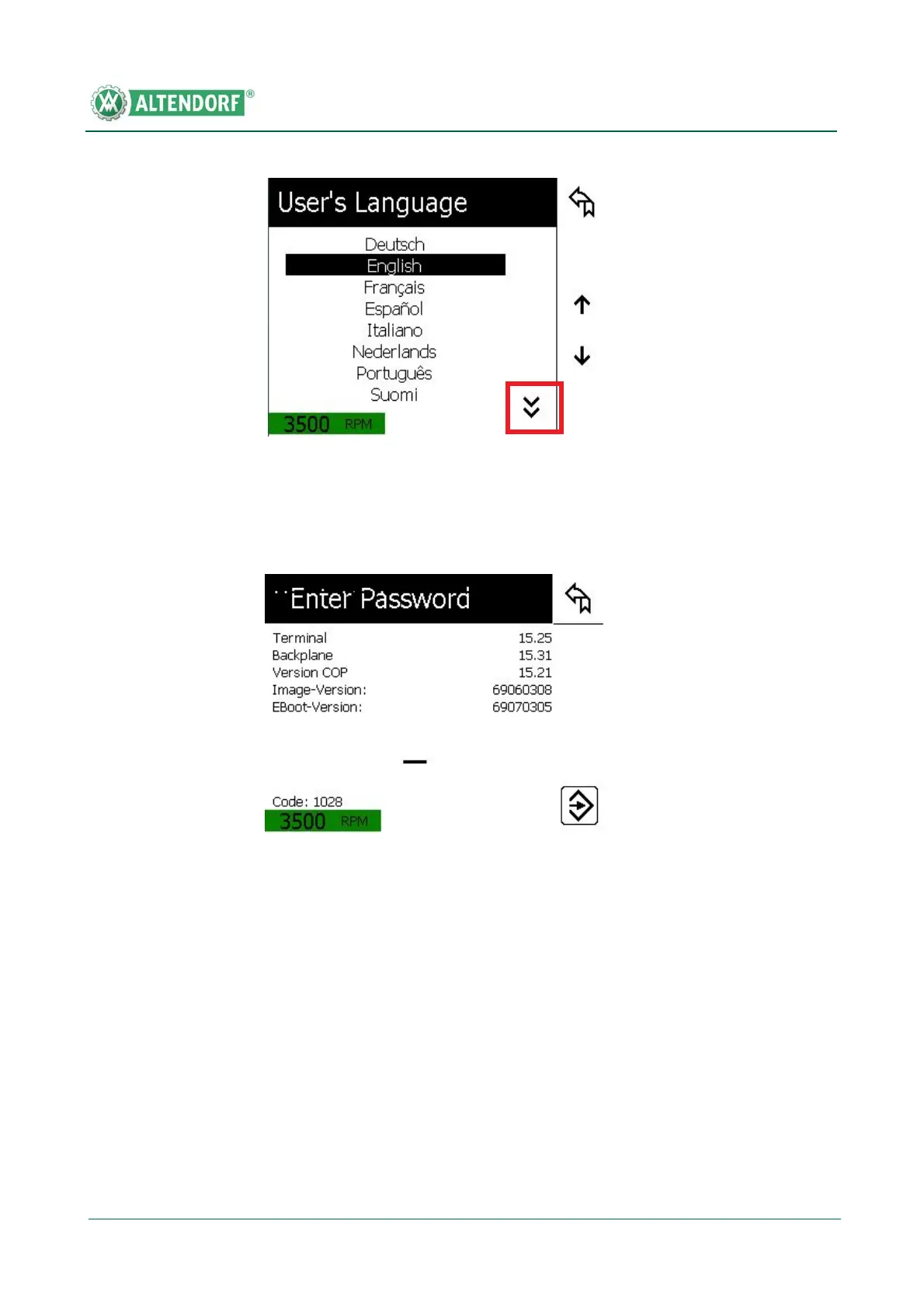
When the function key Select language is pressed, the respective mask ap-
pears. Use the Down arrow button to display additional languages that can be
selected.
When the function key Technician level is pressed in the user menu, the res-
pective mask appears.
The technician level is password protected and is not required for operating the
machine!
Fig. 6-51 Selecting a language
Fig. 6-52 Technician level


 To Next Page