3.9 Audio Analyzer Function
3-101
3
Measurement
[1]
[2] [5]
[4]
[3]
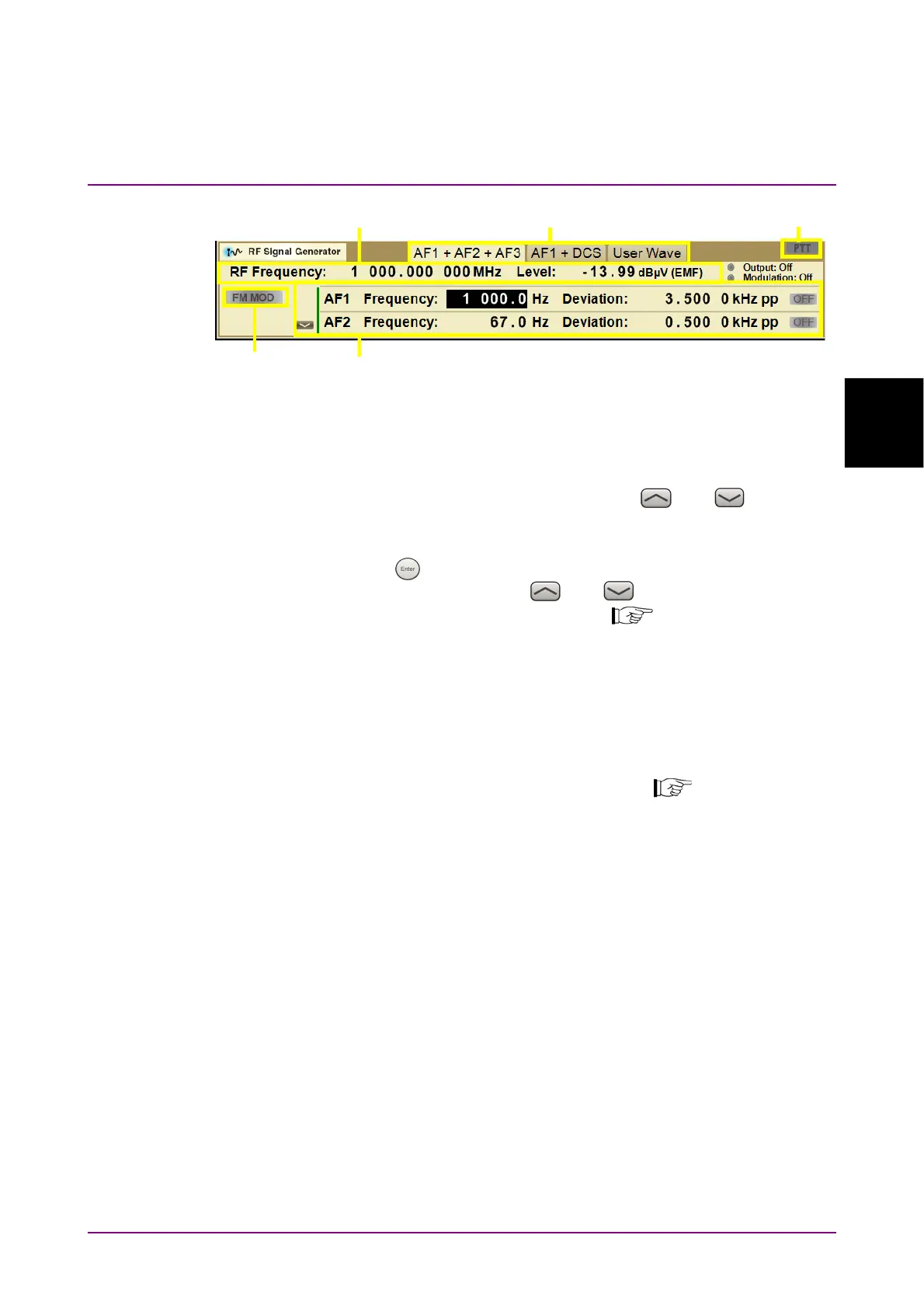
Figure 3.9.8-2 RF Signal Generator Window (RF Signal Setting Mode, a parameter
is selected)
[3]
RF Signal Setting
Selects AF signal setting mode by using
and . When the
green line is displayed at the left of AF signal parameters as in
Figure 3.9.8-2, AF signal setting mode is active.
Press
to select a parameter, and set frequency and level by
using the rotary knob or
and .
3.7.4 “Setting AF signal”
[4] Modulation
Displays modulation type of output signal. When Signal Modulation
is On, it is highlighted in green. When it is Off, it is gray.
[5] PTT state
Displays whether PTT is On or Off. It is highlighted in orange when
PTT is On, and it is in grey when PTT is Off.
3.5.2 “Setting PTT”



 To Next Page