Chapter 2 Preparation
2-6
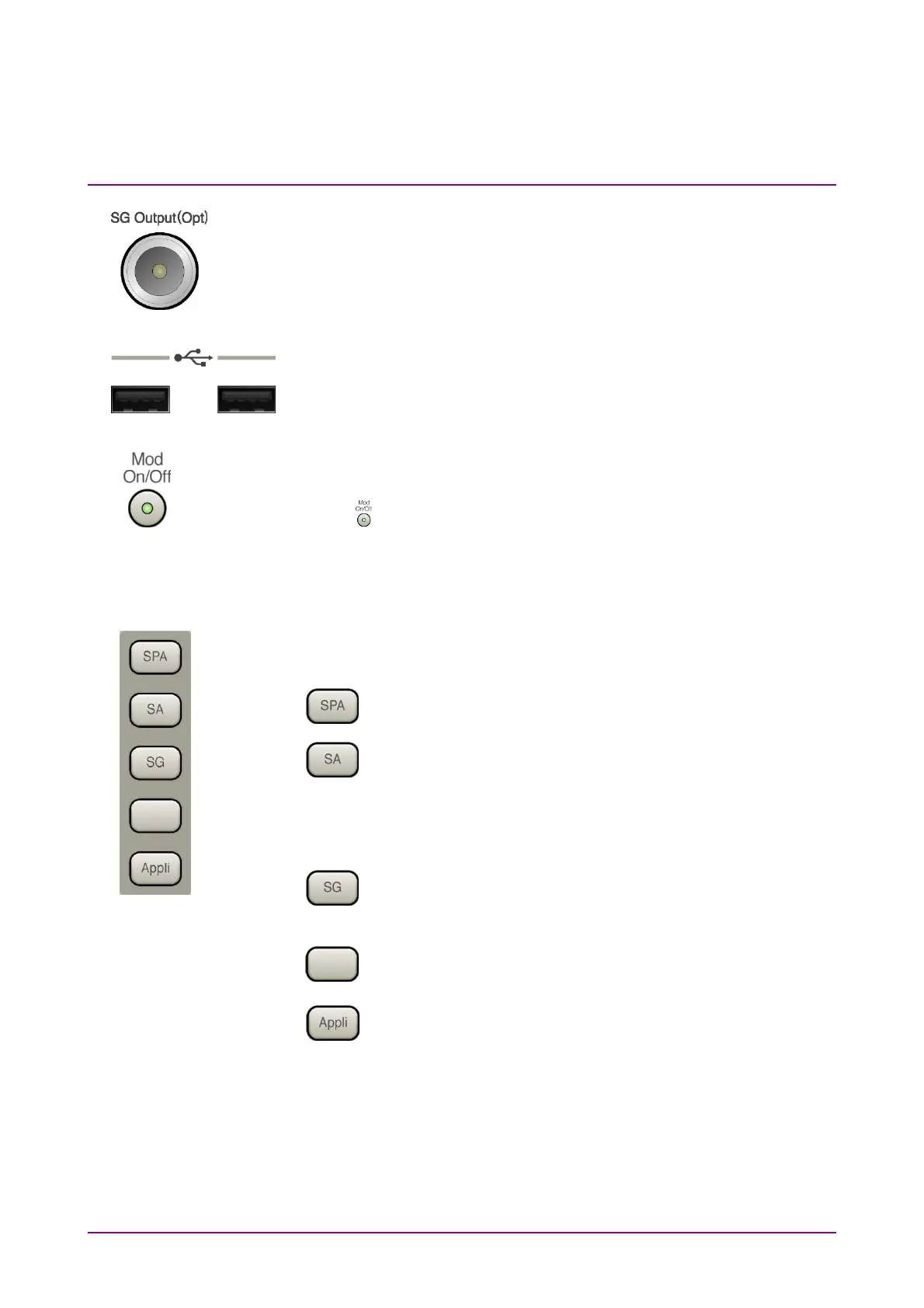
18 RF Output connector (MS2830A-020/120/021/121,
MS2840A-020/120/021/121)
Outputs RF signal, when the Vector Signal Generator option is installed.
This is not available when the MS2830A-044/045, MS2840A-044/046 is
installed.
19 USB connector (type A)
Connect the accessory USB keyboard, mouse or USB memory.
20 Modulation control key (MS2830A-020/120/021/121,
MS2840A-020/120/021/121)
Press to switch on/off the modulation of RF signal when the Vector
Signal Generator option is installed. When modulation is on, the key lamp
lights up green.
This is not available when the MS2830A-044/045, MS2840A-044/046 is
installed.
21 Application key
Press to switch between applications.
SPA key
Press to display the Spectrum Analyzer main screen.
SA key
Press to display the Signal Analyzer main screen, when
MS2830A-005/105/007/006/106/009/109/077/078 or
MS2840A-005/105/006/106/009/109/077/177/078/178 is
installed.
SG key
Press to display the Signal Generator main screen, when
Vector Signal Generator option is installed.
Blank key
Not used.
Appli key
When Auto is specified, the application selected by using
the Application Switch is displayed. When Manual is
specified, the pre-specified Application is displayed.
For details, refer to 3.5.4 “Changing application layout” in
MS2830A Signal Analyzer Operation Manual (Mainframe
Operation) or MS2840A Signal Analyzer Operation
Manual (Mainframe Operation)
.



 To Next Page