2.1 Part Names
2-5
2
Preparation
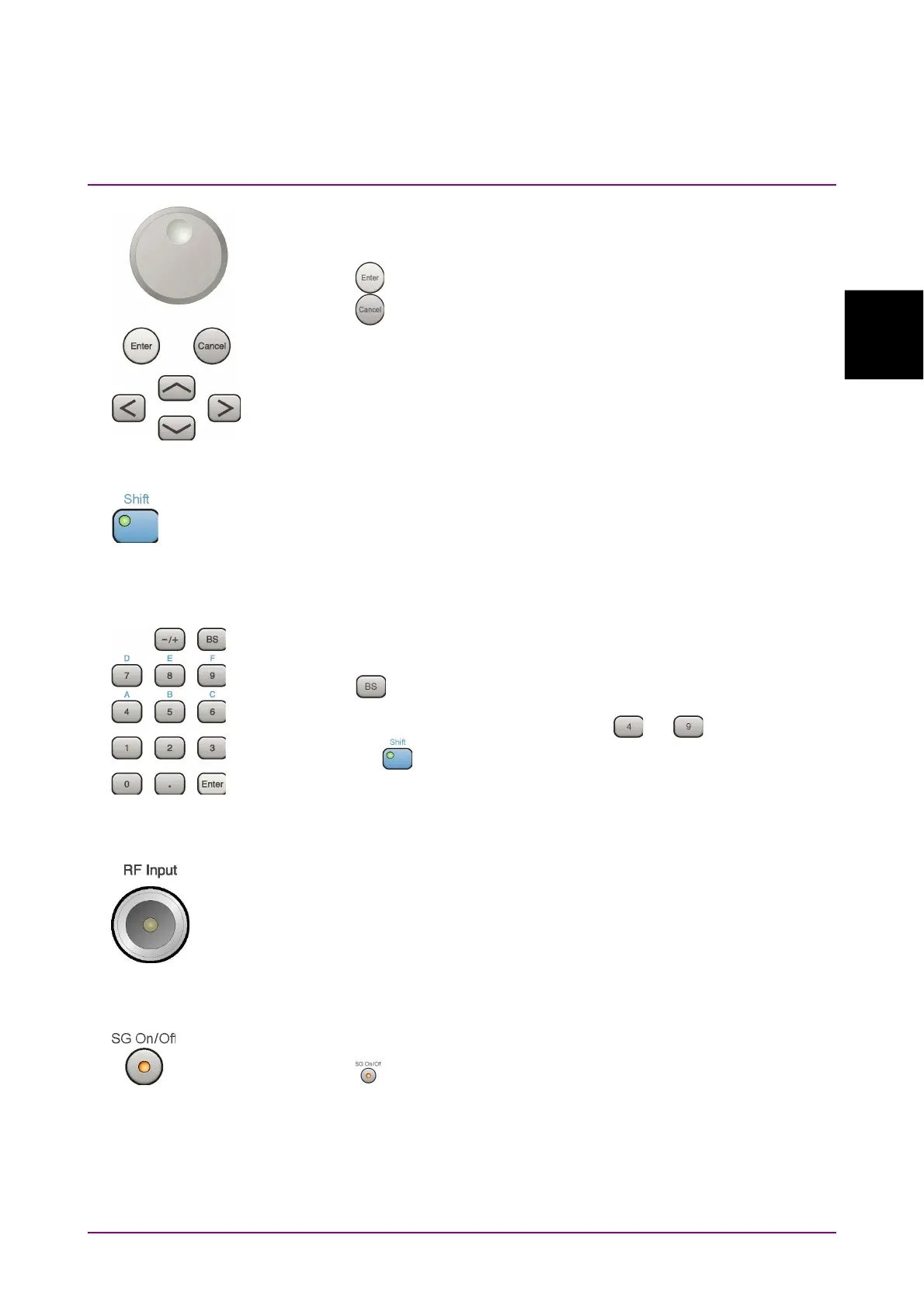
13 Rotary knob/Cursor keys/Enter key/Cancel key
The rotary knob and cursor keys select display items or change settings.
Press
to set the entered or selected data.
Press
to cancel input or selected data.
14 Shift key
Operates keys with functions in blue characters on panel. Press the Shift
key so the key lamp is green and then press the target key.
15 Numeric keypad
Enters numbers on parameter setup screens.
Press
to delete the last entered digit or character.
[A] to [F] can be entered by pressing keys
to while the Shift
key lamp
is green.
16 RF Input connector
Inputs an RF signal. Type N connector.
When MS2830A-045 or MS2840A-046 is installed: Type K connector
17 RF Output Control key
(MS2830A-020/120/021/121, MS2840A-020/120/021/121)
Press
to switch on/off the modulation of RF signal when the Vector
Signal Generator option is installed. The RF output control key lamp
lights orange when the RF signal output is set to On.
This is not available when the MS2830A-044/045, MS2840A-044/046 is
installed.



 To Next Page