Chapter 3 Measurement
3-8
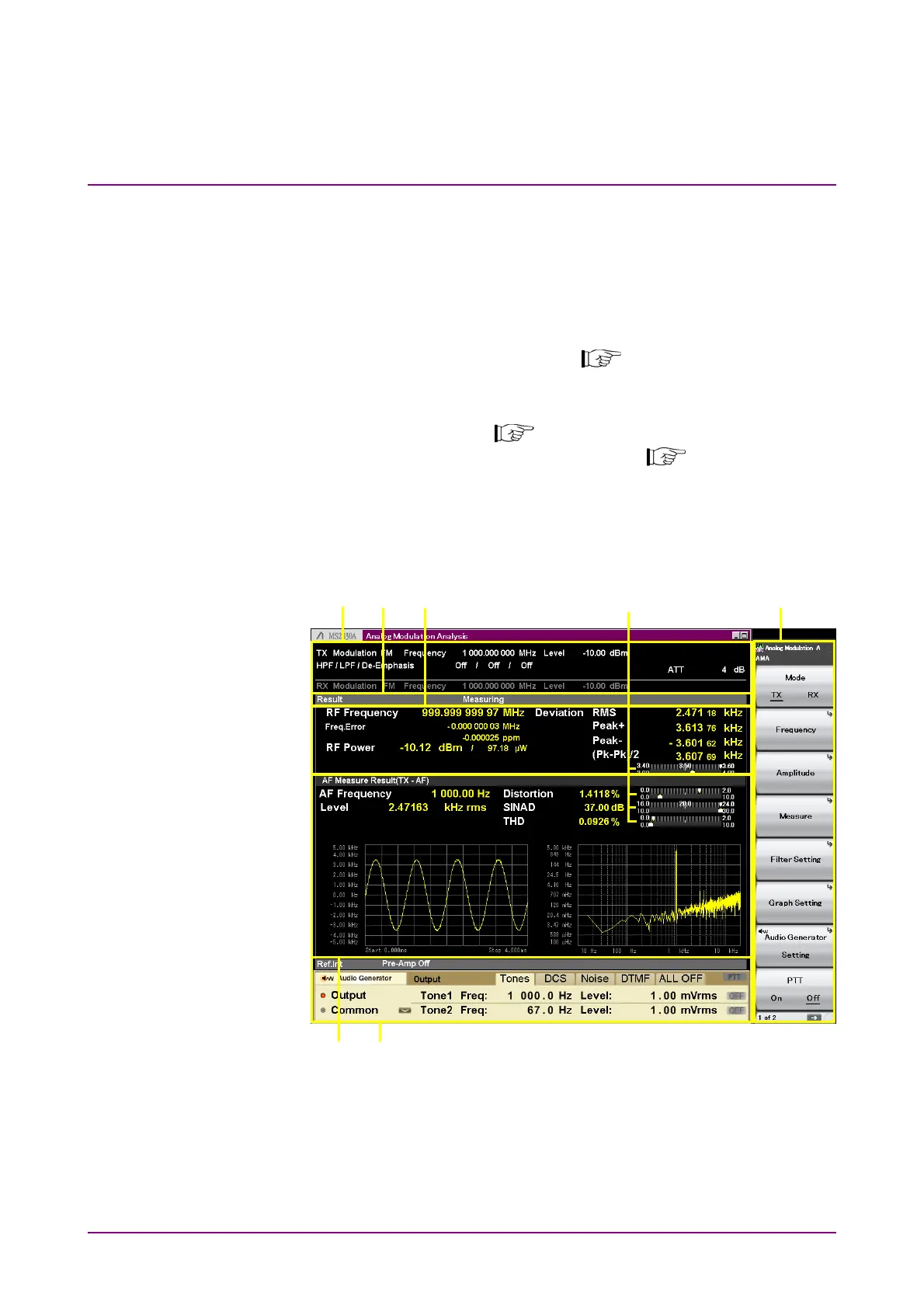
[4] Function menu
Displays the functions executable with function keys.
[5] AF Measure Result (TX-AF) window
Displays the frequency, level, distortion factor, and graph of
demodulated AF signals.
Setting Display Mode can narrow down the items to display.
3.4.8.3 Setting Display Mode
[6] Meter
Displays the measurement results.
Figure 3.2.1.2-2 Examples of Setting Meter
3.4.3.2 Setting Meter
3.2.1.2 TX mode + Audio Generator Screen
When the MS2830A-018/118 Audio Analyzer is installed, selecting TX
mode displays the screen below.
[1] [2] [3] [4]
[7]
[5] [6]
Figure 3.2.1.2-1 TX Mode + Audio Generator Screen



 To Next Page