3.2 Basic Operation
3-13
3
Measurement
[4] AF Measure Result window
Displays the frequency, level, distortion factor, and graph of AF
input signals.
[5] Function menu
Displays the functions executable with function keys.
[6] RF Signal Generator window
Displays the specified AF signals and the specified frequency, level,
modulation rate of RF output signals.
[7] Meter
Displays the measurement results.
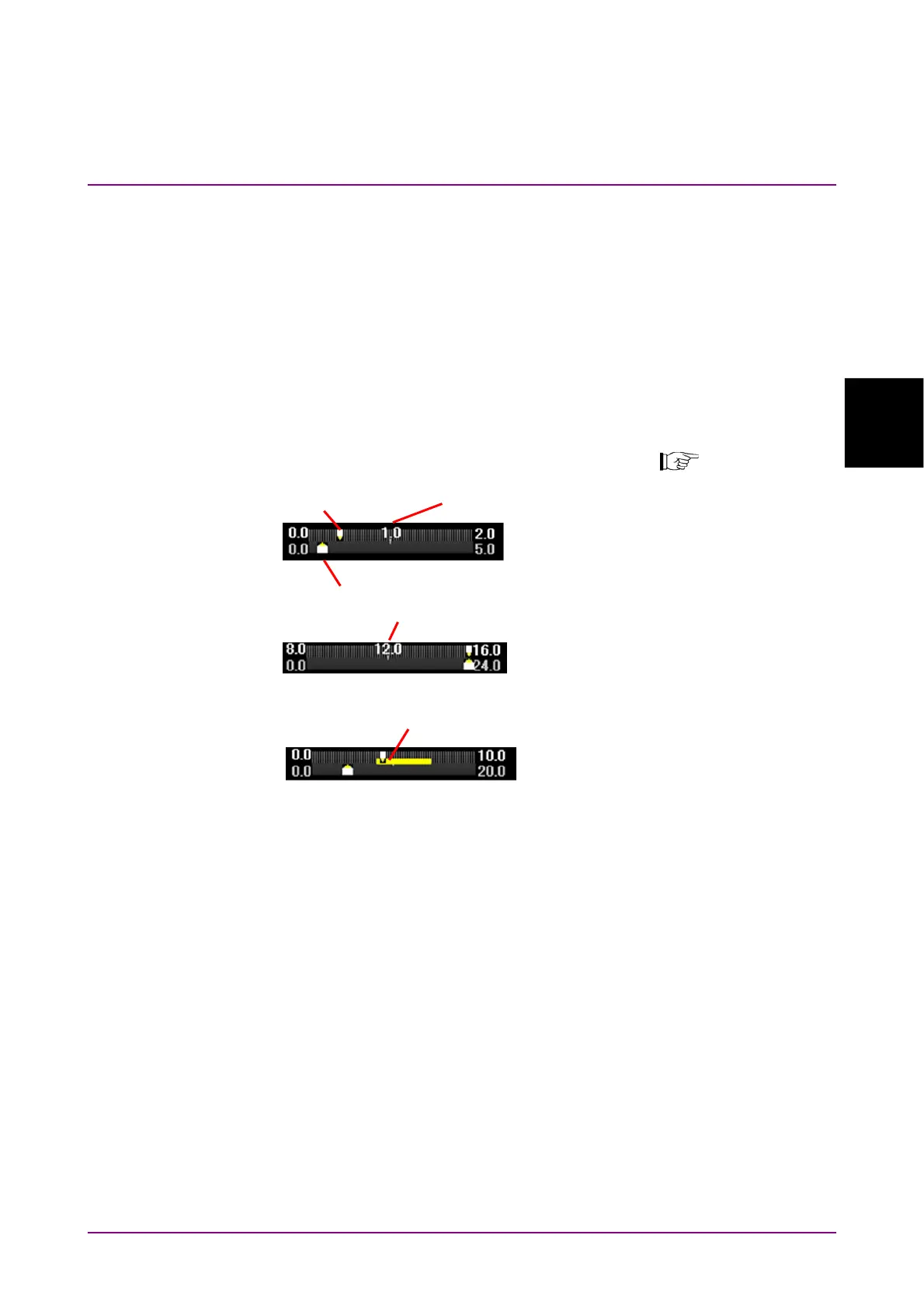
3.9.4 Setting Meter
Figure 3.2.1.5-2 Examples of Setting Meter
Upper: Range 1
Lower: Range 2
Measurement result
Measurement result
Deflection View
When unit is %, Meter cente
value of Range1 is not displayed.
Setting: Unit = dB
Reference = Center
Reference Value = 12
Range1 = 8
Range2 = 24
Meter center value of Range1
Setting: Unit = mV
Reference = Minimum
Reference Value = 0.0
Range1 = 2
Range2 = 5
Setting: Unit = %
Reference = Minimum
Reference Value = 0.0
Range1 = 10
Range2 = 20
Deflection View = On
Meter center value of Ran
e1



 To Next Page