Instrument Overview 2-3 Front Panel Overview
MS20xxB UG PN: 10580-00301 Rev. D 2-5
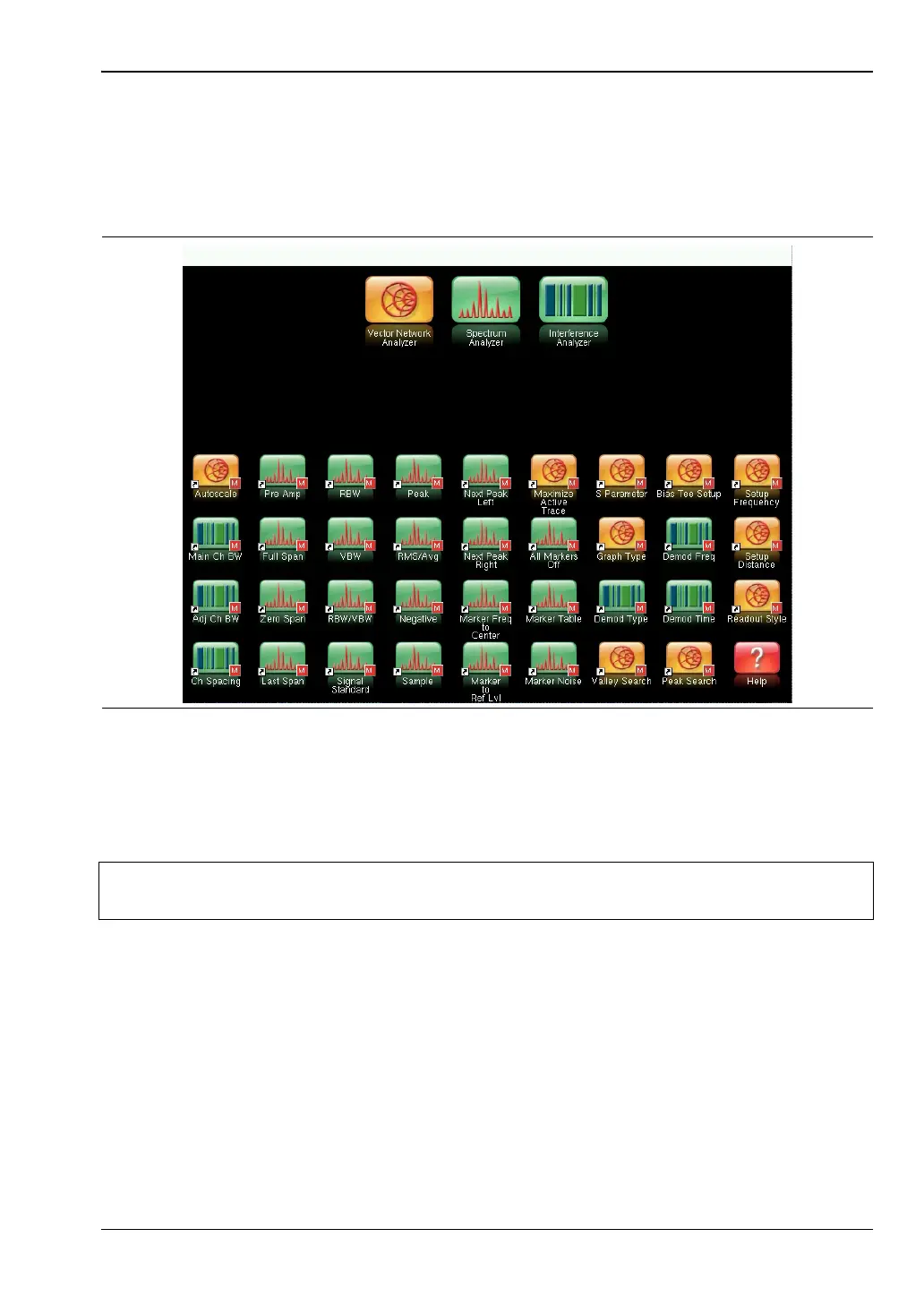
Figure 2-3 shows the Menu key screen with shortcut icons for the installed measurement
modes plus four rows of user-defined shortcuts to menus and setup files.
Press and hold down any touch-screen key for a few seconds to add a shortcut of that key to
this screen. To add shortcut setup files (*.stp), open the recall menu and hold down on the
file name for several seconds. Then select the location for the shortcut.
User-defined shortcuts stay in memory until deleted. To delete or move a shortcut button,
press the Menu key, then press and hold the shortcut for approximately 3 seconds. The
Customize Button dialog box opens to allow a button to be deleted or moved. Press Esc to exit
the Menu shortcut display.
Figure 2-3. Menu Key Screen
Note
The Factory Default reset deletes all user-created shortcut icons from the Menu
screen. Refer to the “Reset Menu” on page 5-10 for additional information.














 To Next Page