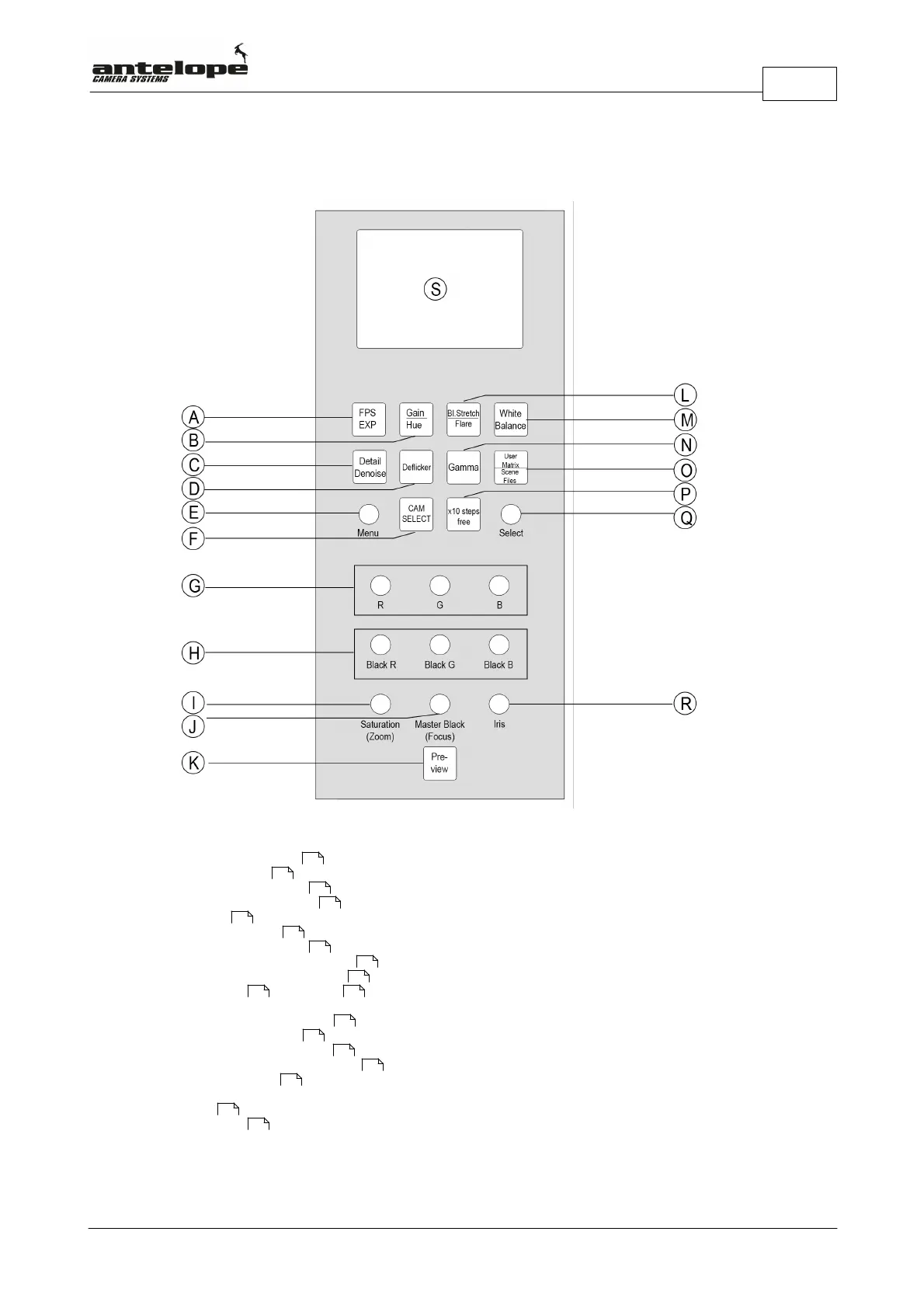
Operational Control Panel (OCP)
25
Antelope Camera Systems
4.3 Overview
A. FPS/Exposure Button
B. Gain/Hue Button
C. Detail / Denoise Button
D. Deflicker Options Button
E. Menu Dial
F. Cam Select Button
G. RGB Color Matrix Dials
H. RGB BLACK Color Matrix Dials
I. Saturation / Zoom Control Dial
J. Master Black / Focus Dial
K. Preview Button
L. Black Stretch / Flare Button
M. White Balance Button
N. Gamma Adjustment Button
O. User Matrix / Scene Files Button
P. X-10 Steps Button
Q. Selecting Dial
R. Iris Dial / Minimotor Adjust Dial
S. OCP Display
40
41
44
44
32
29
54
54
30
48 30
41
43
46
26
26
30
67



 To Next Page