Operating Guide 78
Antelope Camera Systems
5.8 Operating the RCP
5.8.1 Memory Bank
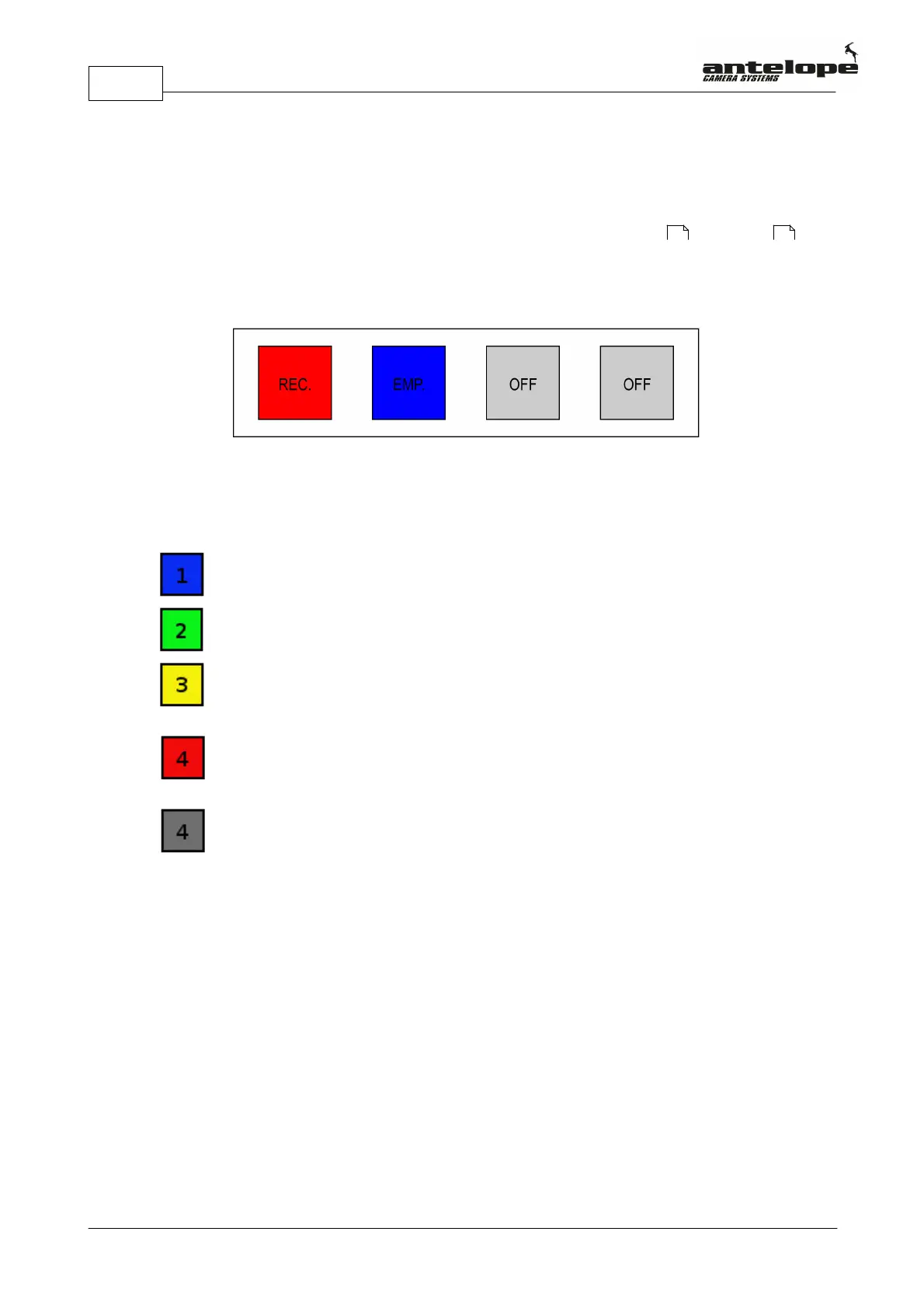
The Antelope Pico has a user configurable number of memory partitions, they are referred to as
“banks”, from 1 up to 4. These banks are represented in the top row of the display (N) by 4
squares (O). These squares change their color depending on their state.
Memory Bank States
Blue indicates an empty memory bank, ready for recording.
Green indicates the currently selected bank with a captured clip ready for playback.
Yellow indicates a captured clip ready for playback.To play it back, select the
corresponding memory bank and push play.
Red indicates live recording, until triggered or until the current recording bank has changed.
After pushing the trigger button this bank is ready for playback
Gray indicates that this bank is not activated or not capturing or there is no playback
available on this bank.
5.8.2 Bank Selection
To select a bank, press the Select Memory Bank button (A) with the corresponding number (1,2,3
or 4).
If a triggered (green) bank is selected, it will become “browsing” (yellow).
If a recording (red) bank is selected, it will reset the recording of this bank and display the live
output to the replay channel.
If an empty (blue) bank is selected, it will become the current recording (red) bank. If there are no
browsing (yellow) bank and there is a recording (red) bank, the user will see the live output on the
replay channel.
67 67



 To Next Page