Operating Guide 76
Antelope Camera Systems
5.7.10 Pre-Trigger Mode
If a Pre-Trigger value is set, after pushing the Trigger Button (E) the clip keeps on recording for a
defined time. Then this clip is saved and immediately available for playback. Setting a pre-trigger
value allows you to trigger a recording in the middle of a sequence.
Select the respective item by turning the Select dial (K), then press the Select dial (K) once. The
arrow indicates the active item. By turning the Select dial (K) you can switch the Pre-Trigger
function on. Confirm your settings by pressing the Select dial (K) once.
Values are ON / OFF
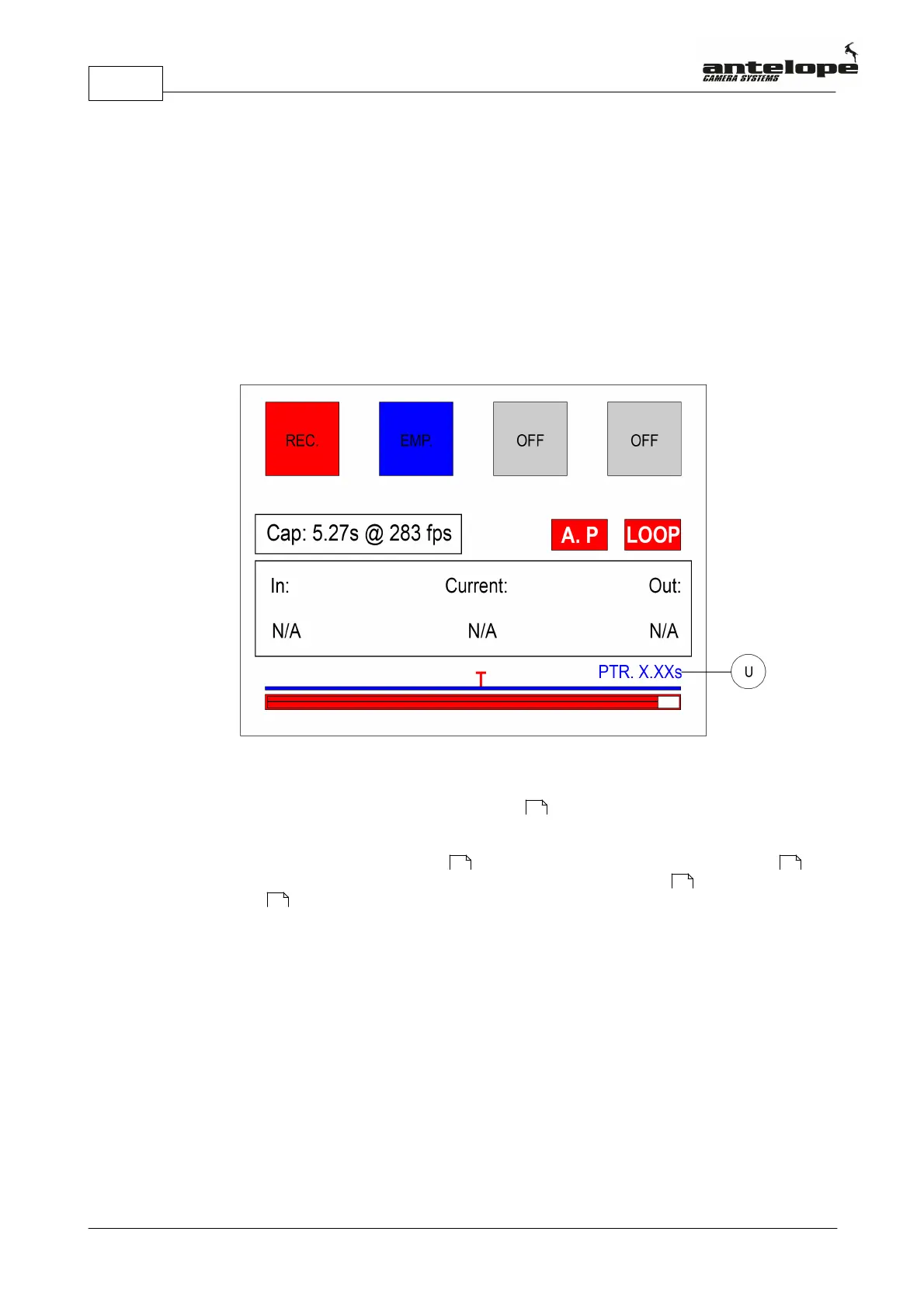
A red T above the timeline (R) in the RCP Display (N) indicates the activated Pre-Trigger mode.
The ratio between the duration of the sequence to be recorded before and after pushing the
Trigger Button (E) is selected in increments of 25% by pressing the Select dial (K). This ratio is
indicated by the Pre-Trigger indicator (U) with the letters PTR in the RCP Display (N). The
remaining recording time (in Seconds) after pushing the Trigger Button (E) is indicated above
the timeline (R) behind the letters PTR (Pre-Trigger). It counts down the remaining recording
time until this clip is saved and available for playback.
PTR 0
In this mode, after pushing the Trigger Button (E) a sequence of the last seconds is captured (end
trigger). This clip is then saved and immediately available for playback
PTR 25
In this mode, when pushing the Trigger Button (E) 75% of the previous buffered video sequence
(duration depends on the available capture time) in the actual memory bank are stored and an
additional 25% will be recorded before this clip is then saved and available for playback.
PTR 50
In this mode, when pushing the Trigger Button (E) 50% of the previous buffered video sequence
(duration depends on the available capture time) in the actual memory bank are stored and an
additional 50% will be recorded before this clip is then saved and available for playback.
67
67 67
79
68



 To Next Page