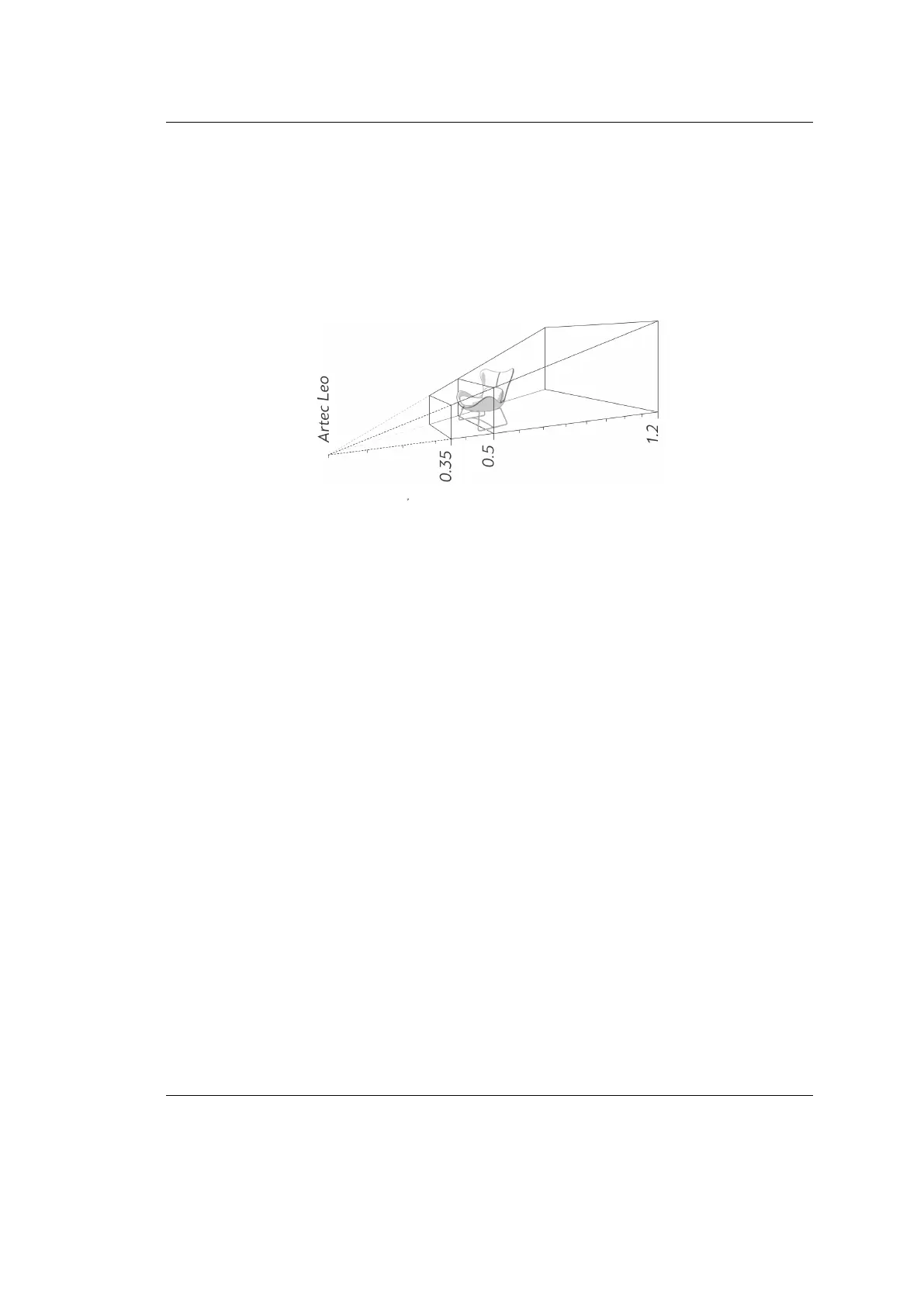
Artec Leo
2.3.6 Scanning Range
Leo’s default scanning range is from 0.35 to 1.2 meters. Optimal distance for most
objects is about 0.5 meters (1.5 ft) which corresponds to the middle of this range.
Surfaces recorded at the far distances might be of bad quality. You may want Leo
to cull these distant surfaces, i.e. shrink its eld of view by adjusting position of
the farthest plane:
1. Press start/stop button
file:///C:/Users/admin/ld/_build/latex/red_but.svg
to enter Preview mode.
2. Move the Range slider left and right to set an optimal value.
Texture frames of the object (or parts of the object) scanned from a distance of
more than 1.2 meters are not recorded in Leo. These missing texture frames then
appear as black empty spaces when the scan is opened in Artec Studio.
2.3.7 Quality Overlay
Once you start scanning (after a preview), the scene will color indicating the scan
suciency.
24 Chapter 2. Scan



 To Next Page