iHP Manual 100 | P a g e
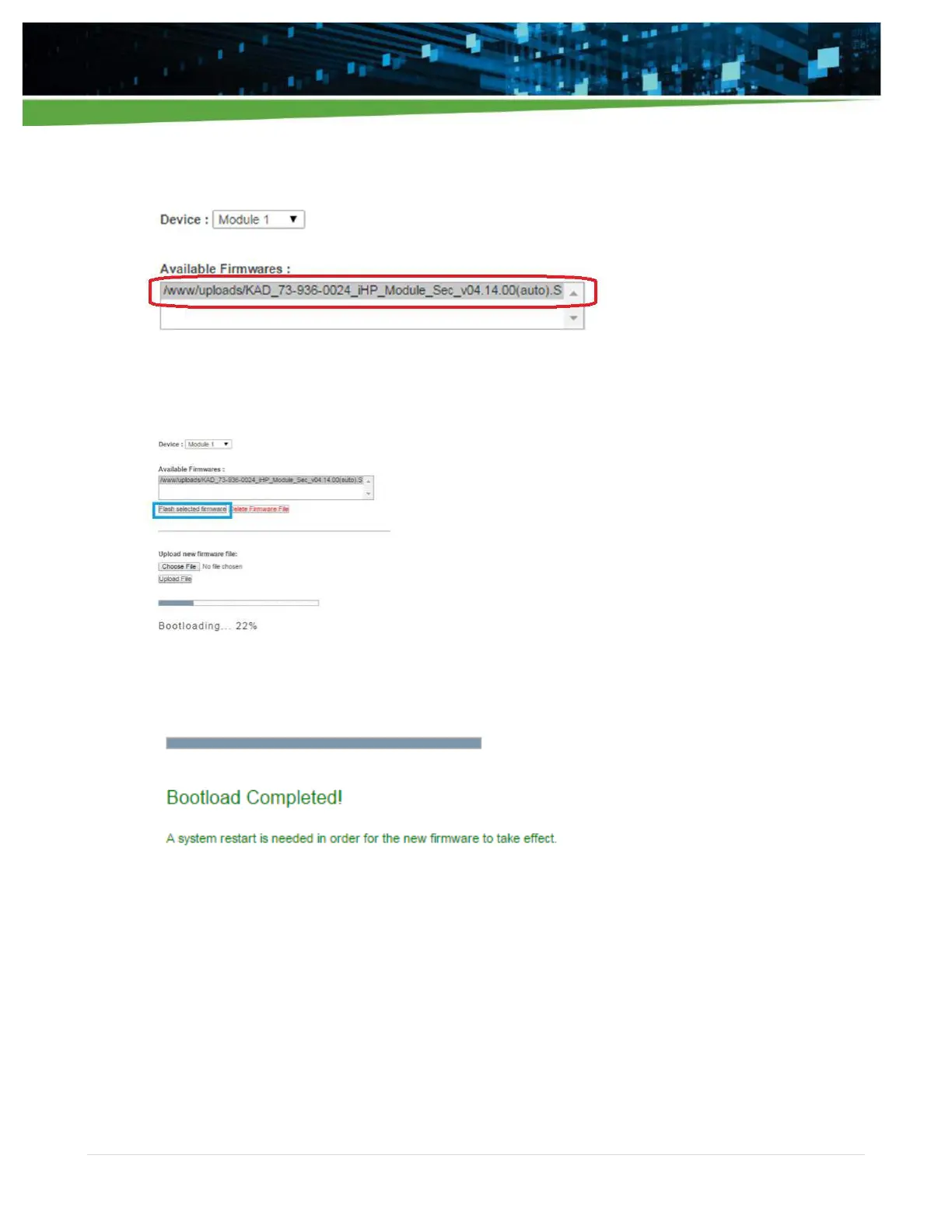
10. Select the desired firmware to be bootloaded at the Available Firmware box. It should be highlighted
as below.
11. Click “Flash selected firmware” to start the bootloading. Bootloading progress will be displayed.
12. The WebTool will notify the user once the bootloading is completed.
13. To perform FW updates for other modules,
a. If FW file is present in the “Available Firmware” box section, repeat instructions 13-16.
b. If FW file is not yet present in the “Available Firmware” box section, repeat instructions 7-
16.
When user completes the bootload, proceed to instruction 18.
14. Turn-off Input AC for 10 seconds.
15. FW update finished.
16. Power-up Input AC again to check FW version.


 To Next Page