iHP Manual 99 | P a g e
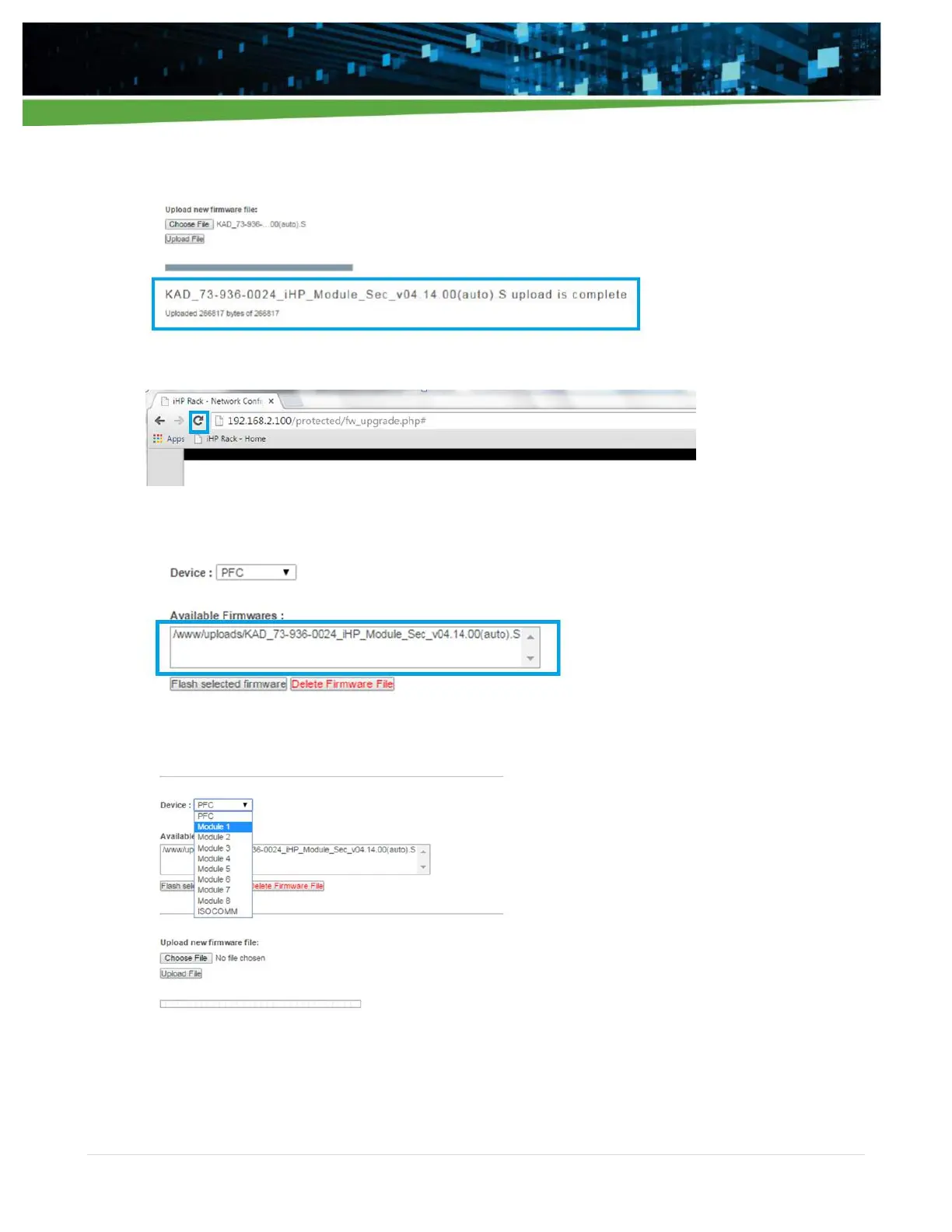
6. Once uploaded successfully, confirmation will be display as below.
7. Refresh WebTool.
8. The uploaded file should now be visible in the Available Firmware box.
9. Select the preferred device (i.e., PFC or Module 1 or Module 2, … or Module 8) to upgrade.
Module bootloading should be done per module, so you can only select one module at a time.


 To Next Page