Conguring Client Settings
Conguring Network Settings
93
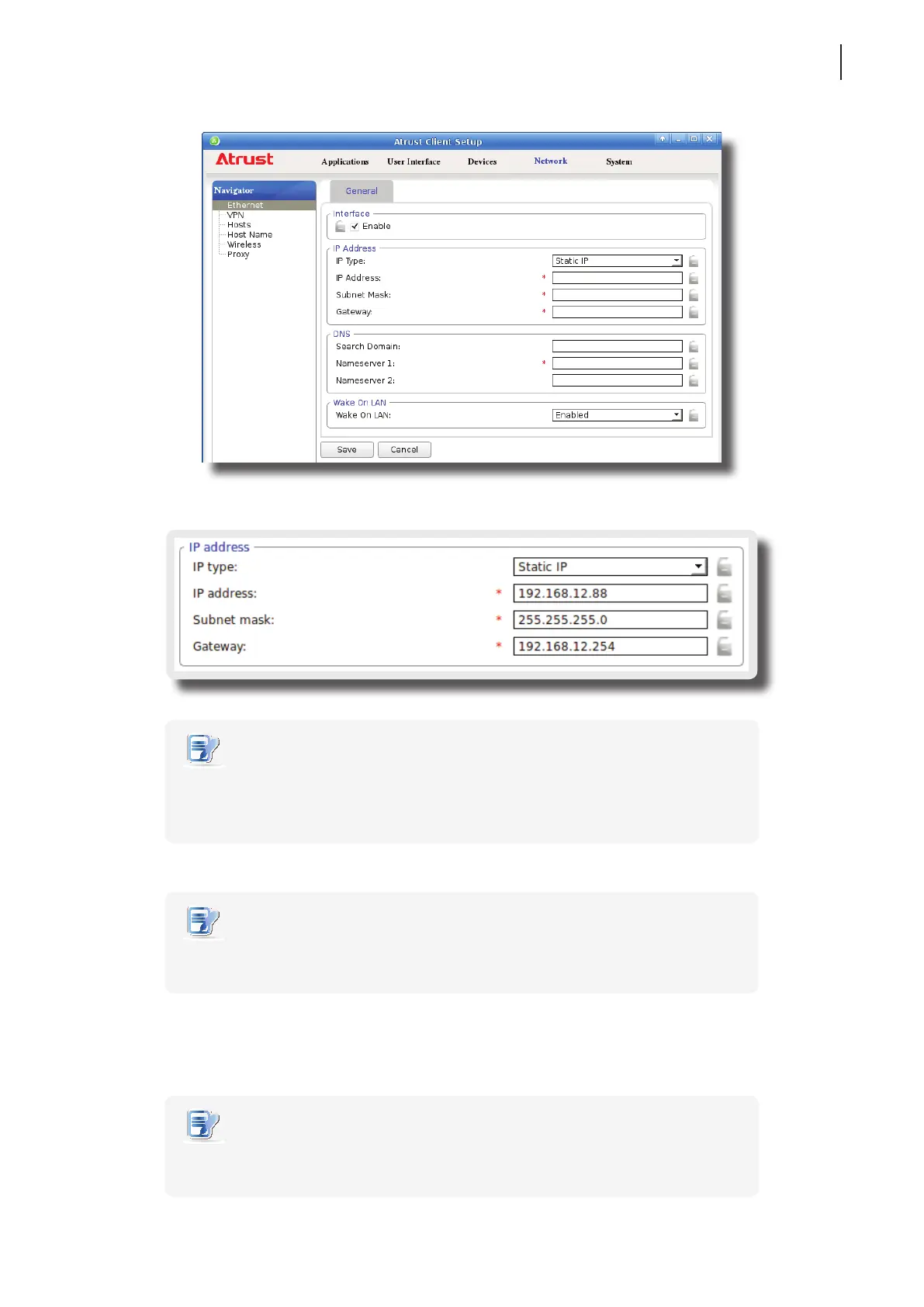
4. Type in the IP address, subnet mask, and gateway for your t180L/t180LB thin client.
NOTE
• Consult your network administrator for a free IP address and other required data
about the network to which your t180L/t180LB connects. The red asterisks indicate
the required elds.
5. Click Save to apply.
NOTE
• You need to further specify DNS server addresses manually if you choose to use a
static IP address.
Obtaining DNS Server Addresses Automatically
To obtain DNS Server addresses automatically, please do the following:
NOTE
• You cannot obtain DNS server addresses automatically through the DHCP server if
you choose not to get the IP address via the DHCP server.



 To Next Page