Conguring Client Settings
Conguring Network Settings
99
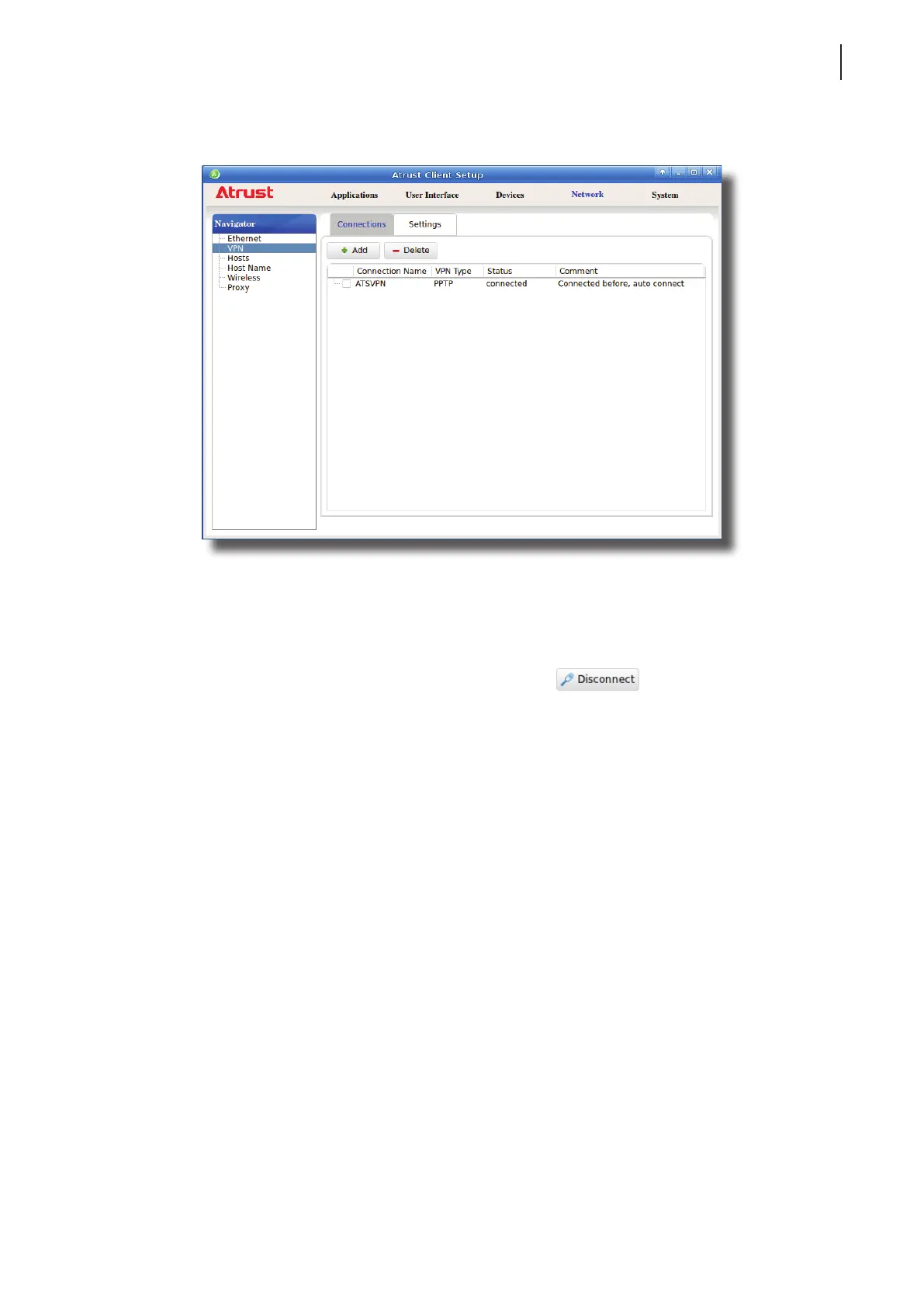
4. Upon completion, the Status column of the virtual private network will show connected.
Stopping a Virtual Private Network Connection
To stop a virtual private network connection, please do the following:
1. On Atrust Client Setup, click Network > VPN to open the Virtual Private Network list.
2. Click to check the desired virtual private network. The Disconnect
button appears on the top of
the Virtual Private Network list.
3. Click Disconnect to stop the virtual private network connection.
Deleting a Virtual Private Network
To delete a virtual private network, please do the following:
1. On Atrust Client Setup, click Network > VPN to open the Virtual Private Network list.
2. Click to check the desired virtual private network.
3. Click Delete to remove the selected virtual private network.



 To Next Page