219
TIP
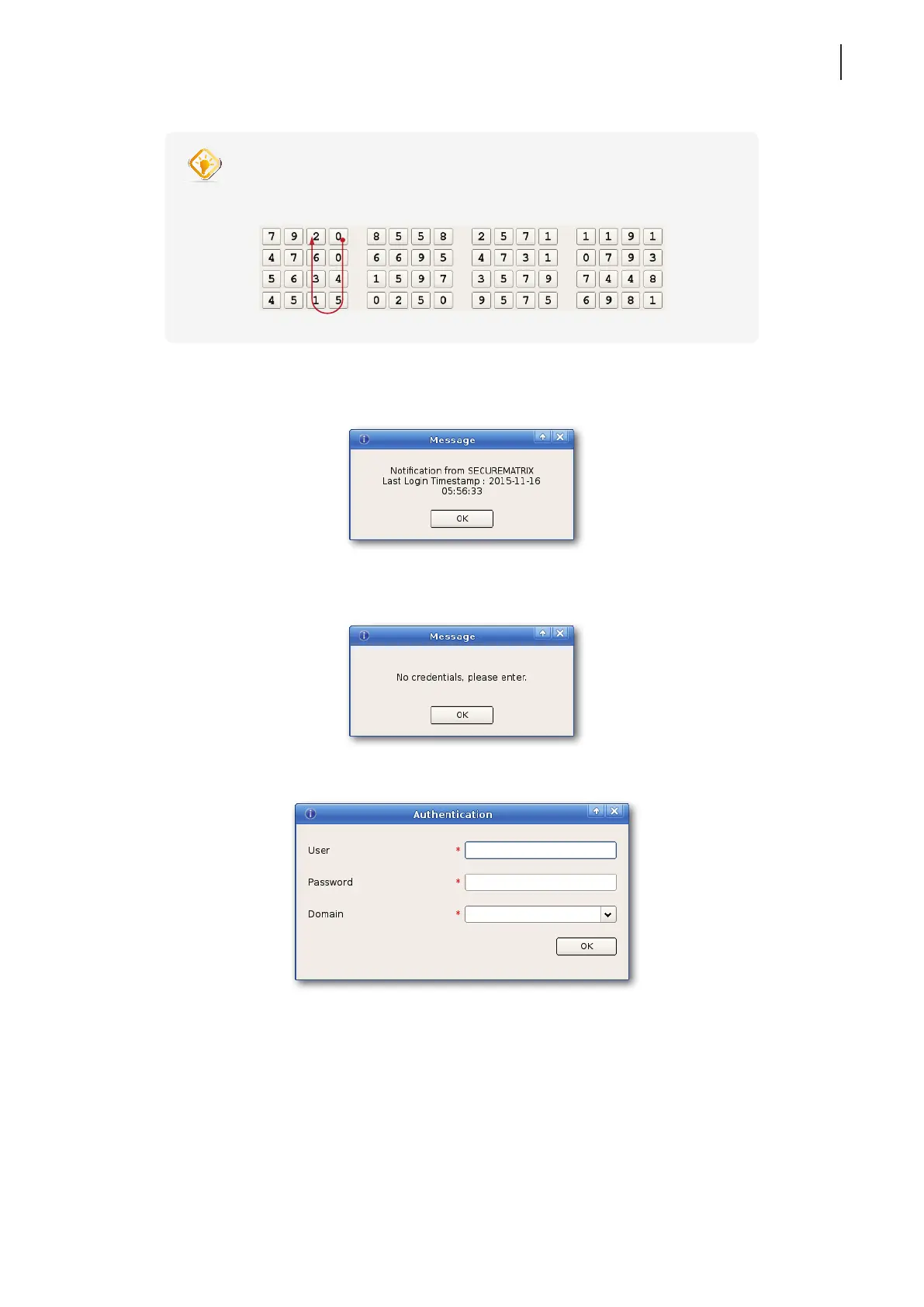
• For example, if your password pattern is shown as below, type or click numbers,
0, 0, 4, 5, 1, 3, 6, 2, in sequence.
6. A message appears when SECUREMATRIX authentication is completed. Click OK to continue.
7. A message appears prompting to provide credentials for access to VMware virtual desktops and applications.
Click OK to continue.
8. Type your credentials on the opened window, and then click OK to continue.
9. The Desktop and Application list appears. Double-click to select the desired desktop or application.



 To Next Page