Getting Started
Learning the Basics
21
Topic 2: Conguring the Time Zone
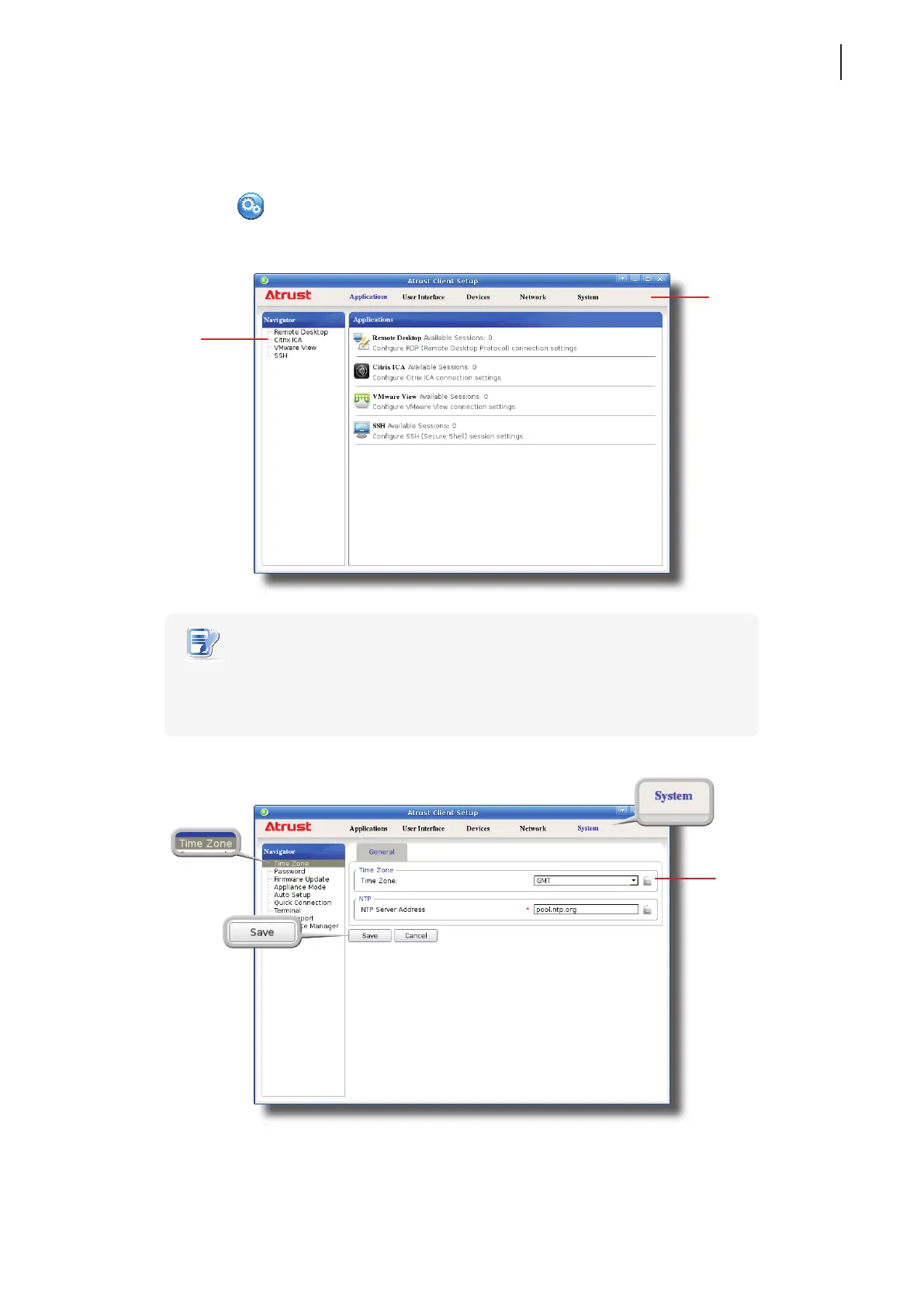
To set the time zone for your t180L/t180LB, please do the following:
1. Click the Setup
icon to launch Atrust Client Setup.
NOTE
• For detailed instructions on how to congure client settings and customize your
t180L/t180LB with Atrust Client Setup, please refer to chapter 4 “Conguring Client
Settings” on page 37.
2. On Atrust Client Setup, click System > Time Zone.
3. Click the Time Zone drop-down menu to select the desired time zone.
4. Click Save to apply, and then close Atrust Client Setup.
Atrust Client Setup
Navigation Area
Click to select
a setting item
or entry.
Category Tabs
Click a tab to select
a setting category.
Time Zone
drop-down menu



 To Next Page