Conguring Client Settings
Conguring System Settings
58
Citrix ICA Option
Item Description
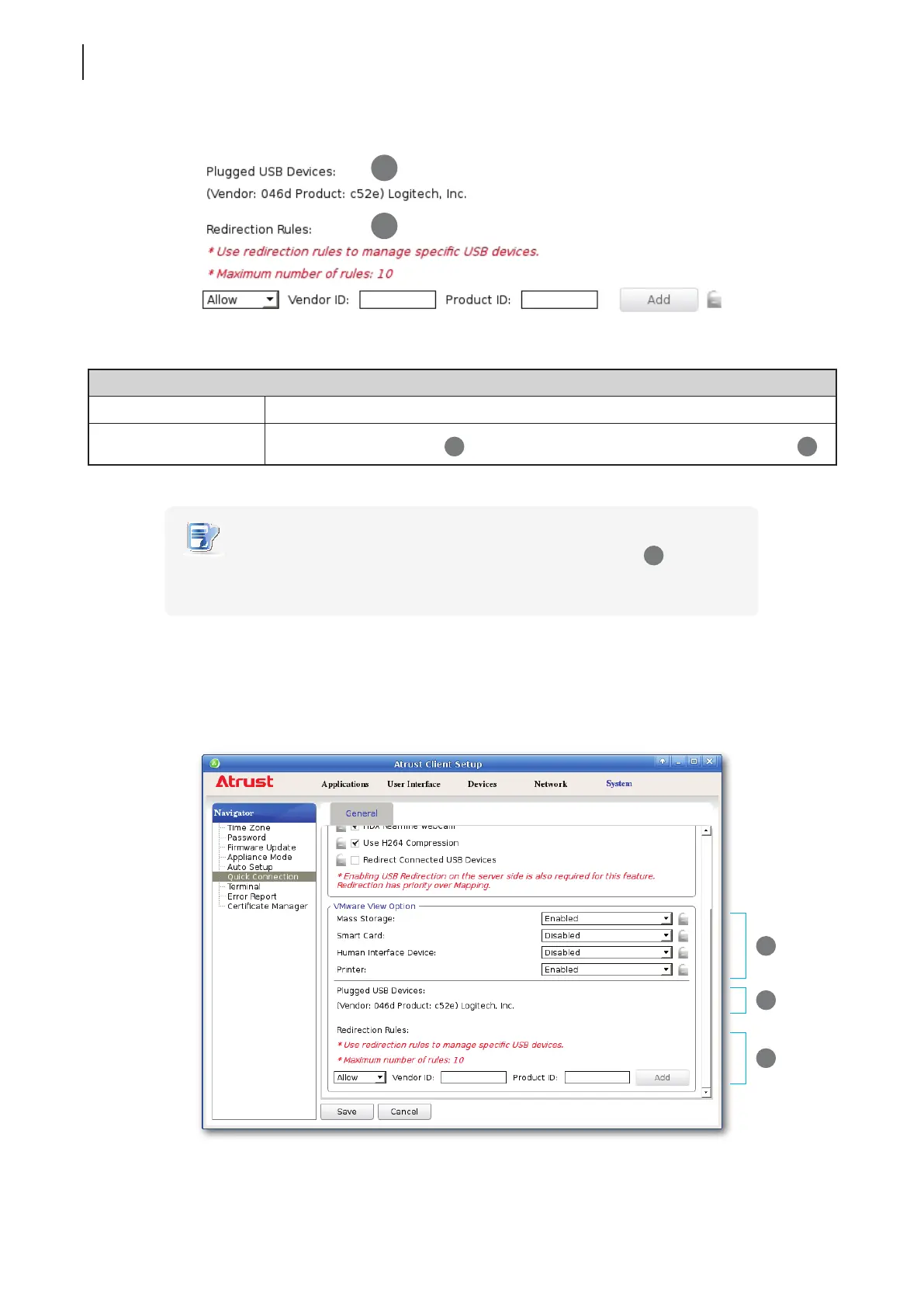
Redirection Rules
Create redirection rules on
2
to manage specic USB devices with information on
1
.
NOTE
• All attached USB devices will be listed under Plugged USB Devices (
1
) with vender
and product information needed for creating rules.
Advanced Quick Connection Settings for VMware View Sessions
To congure advanced Quick Connection settings for VMware View sessions, please do the following:
1. On Atrust Client Setup, click System > Quick Connection.
1
2
1
2
3



 To Next Page