Conguring Client Settings
Conguring System Settings
59
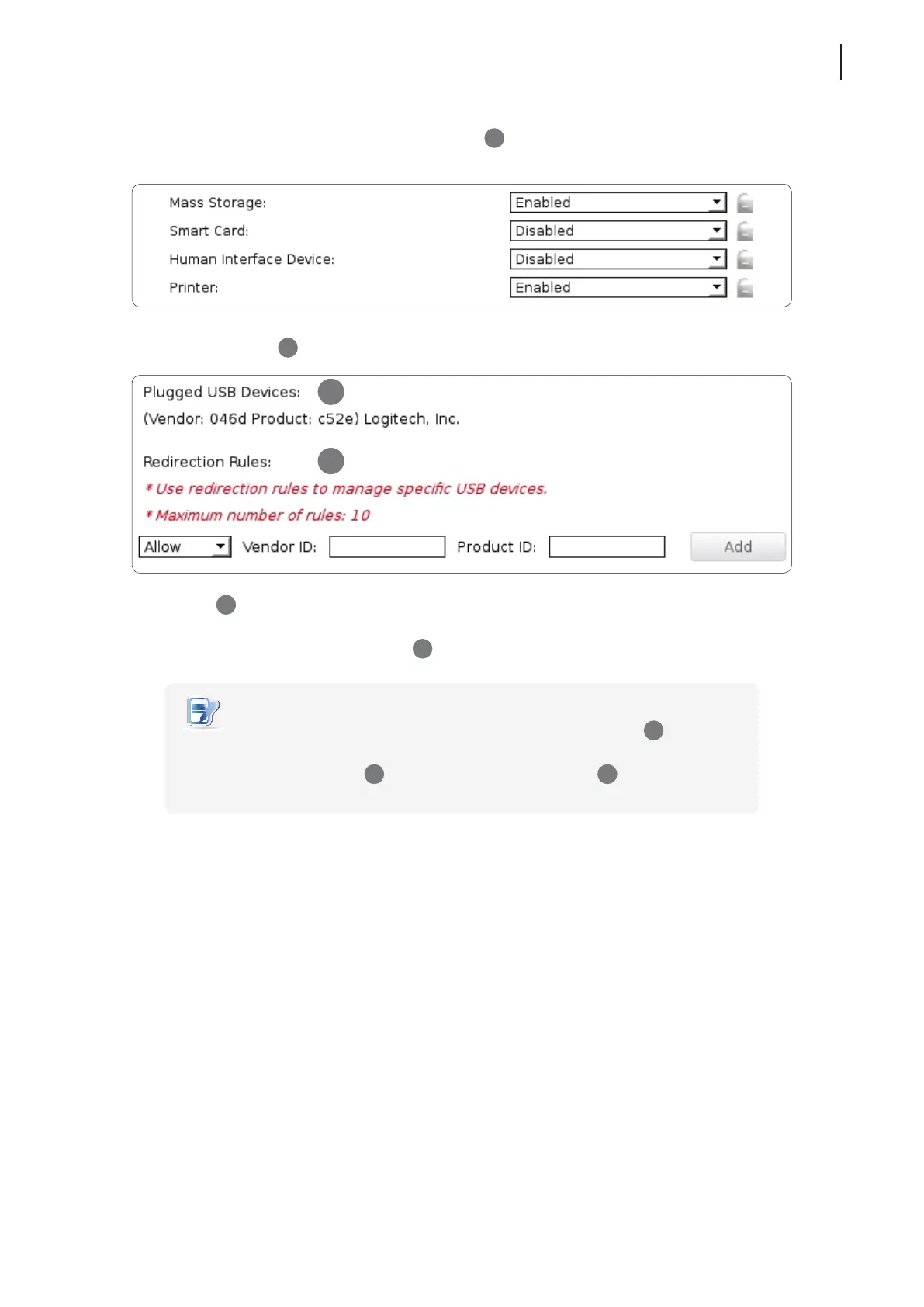
2. Click drop-down menus to congure Generic Settings (
1
) for mass storage devices, smart cards, human
interface devices, and printers. Two options are available: Enabled or Disabled.
3. Use Redirection Rules (
3
) to manage specic USB devices:
• Refer to (
2
) to ll in the Vender and Product IDs for a specic device, click the drop-down menu to select
Allow or Deny.
• Click Add on the right to add a rule on (
3
).
NOTE
• All attached USB devices will be listed under Plugged USB Devices (
2
) with vender
and product information needed for creating rules.
• Redirection Rules (
3
) have priority over Generic Settings (
1
).
4. Click Save to apply.
2
3



 To Next Page