60
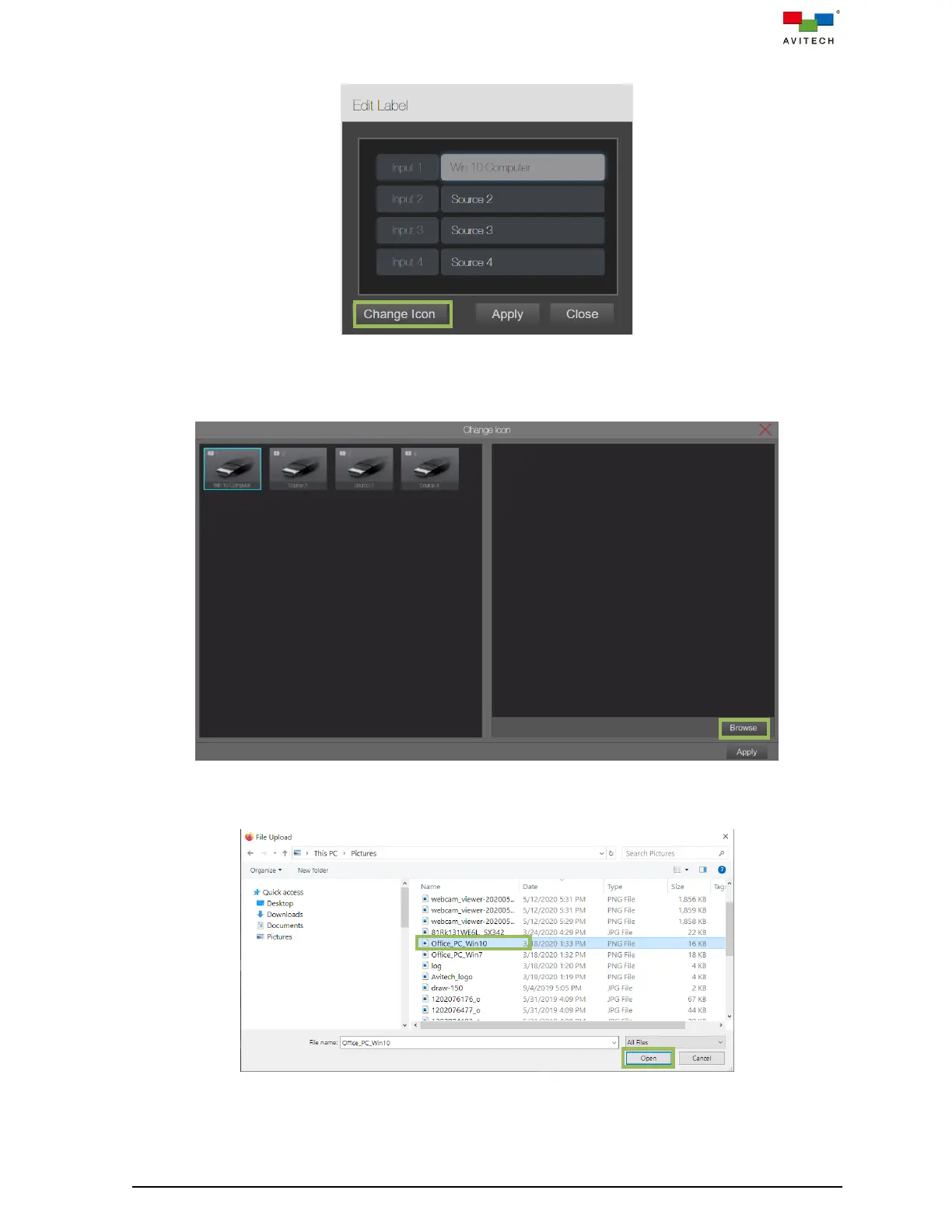
Step 2. Click Change icon.
Figure 4.2.1.1 Edit Label: Change Icon
Step 3. The Change Icon window appears. Click the input signal that you wish to replace, and then click
Browse.
Figure 4.2.1.2 Click Browse Belonging to an Input Signal Icon
Step 4. Navigate to the file’s directory, select the image file and click Open.
Figure 4.2.1.3 Load Icon File



 To Next Page