81
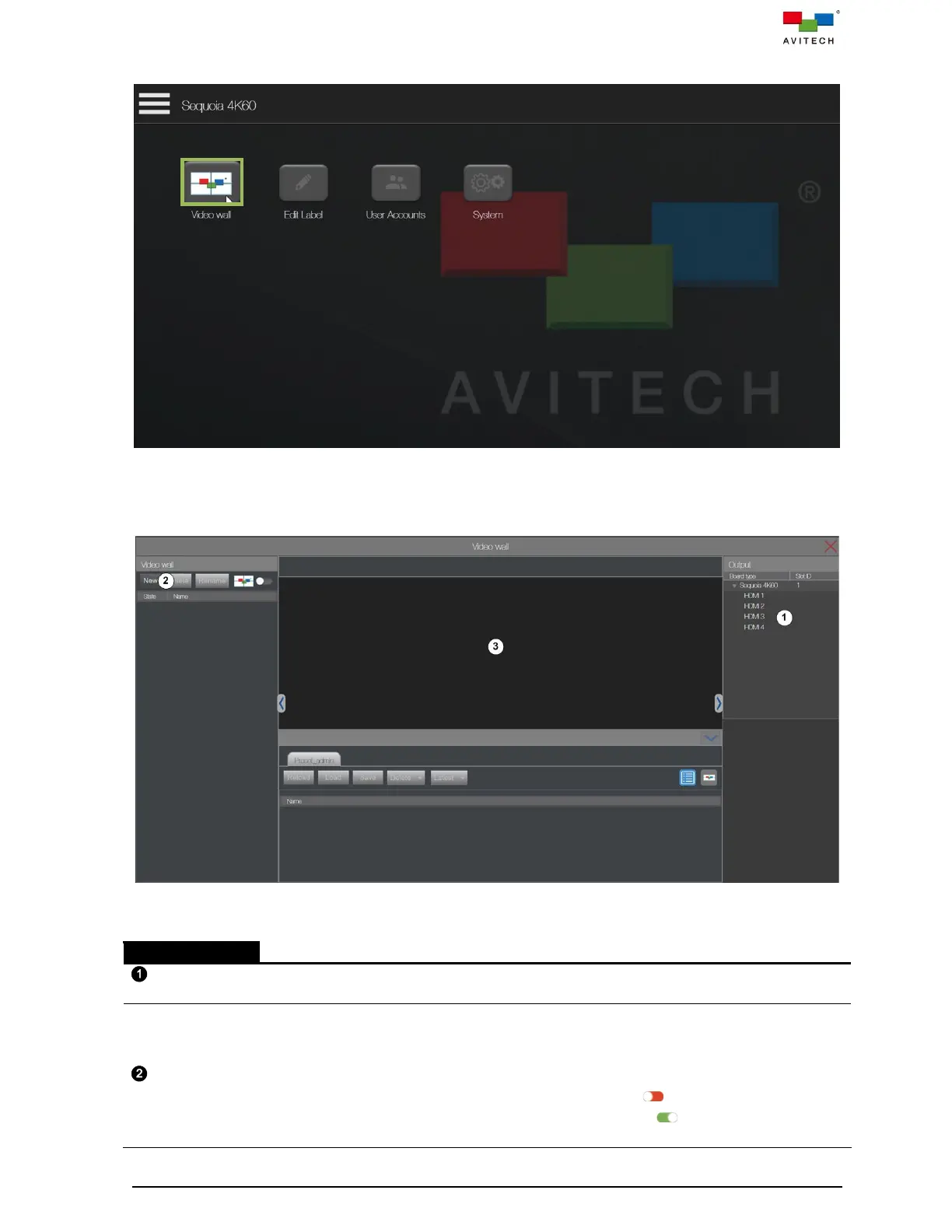
Step 6. Locate Video wall icon on the main page and click it.
Figure 5.2.6 Web Browser-based GUI Main Page
Then the Video wall page will appear. The table below provides information on each
component of Video Wall Initial page.
Figure 5.2.7 Video Wall Initial Page Components
Shows the detected HDMI OUT ports of Sequoia 4K60.
Allows user to instantly:
New = click New to create the video wall in the video wall design area.
Delete = click Delete to delete the designed video wall.
Rename = click Rename to modify the video wall name.
Edit mode = click Wall Editor switch to slide it to the left ( ) to modify the wall settings.
Take mode = click Wall Editor switch to slide it to the right ( ) to forbid modify the wall
settings and only allow to load presets.



 To Next Page