87
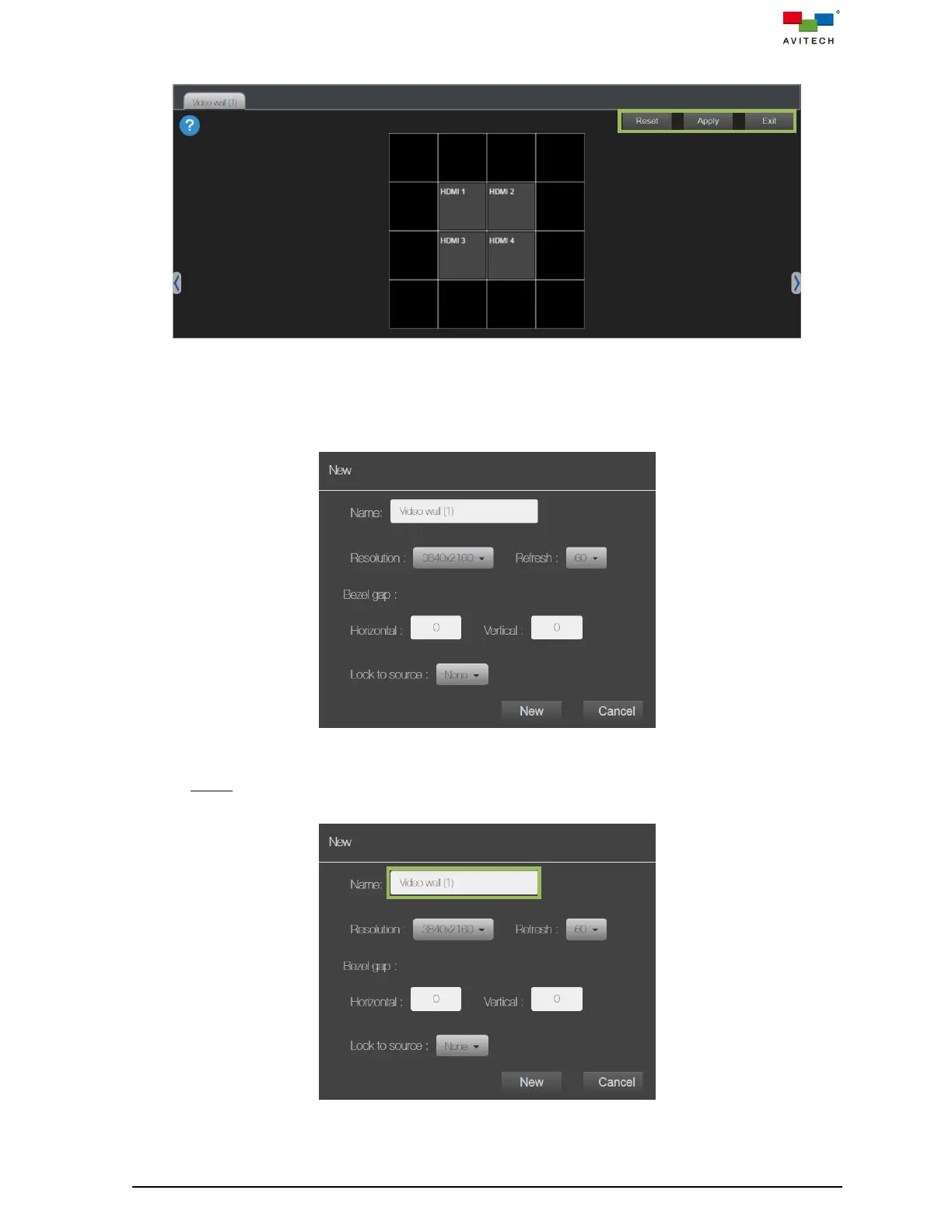
Step 12. Upon completing the video wall configuration,
Figure 5.2.17 Video Wall Configuration Completed
Click Reset to clear the currently video wall configuration in the design area.
Click Exit to leave the video wall design area window with designed wall configuration.
Click Apply, a New window will be prompted for setting the property of the video wall.
Figure 5.2.18 New Video Wall Property Setting Window
Name
Enter the text to modify its name from default.
Figure 5.2.19 Rename the Video Wall



 To Next Page