Use
56
7990044_030_10 – 2078511 – 2023-01-19
– Do not stick any sharp-edged objects into the pad. Avoid
placing sharp objects on the pad. Do not attach any adhesive
film.
4.2 Unpacking and setting up the operating table
The operating table comes delivered in cardboard packaging, on a
pallet. Ordered tabletop sections and accessories are packed
individually on the pallet, or are connected to the operating table.
Attention: the packaging is not weatherproof. Take note of the
ambient conditions for storage and transportation (shipping).
Unpack the operating table in a room with a level floor and
sufficient open space to roll away the pallet.
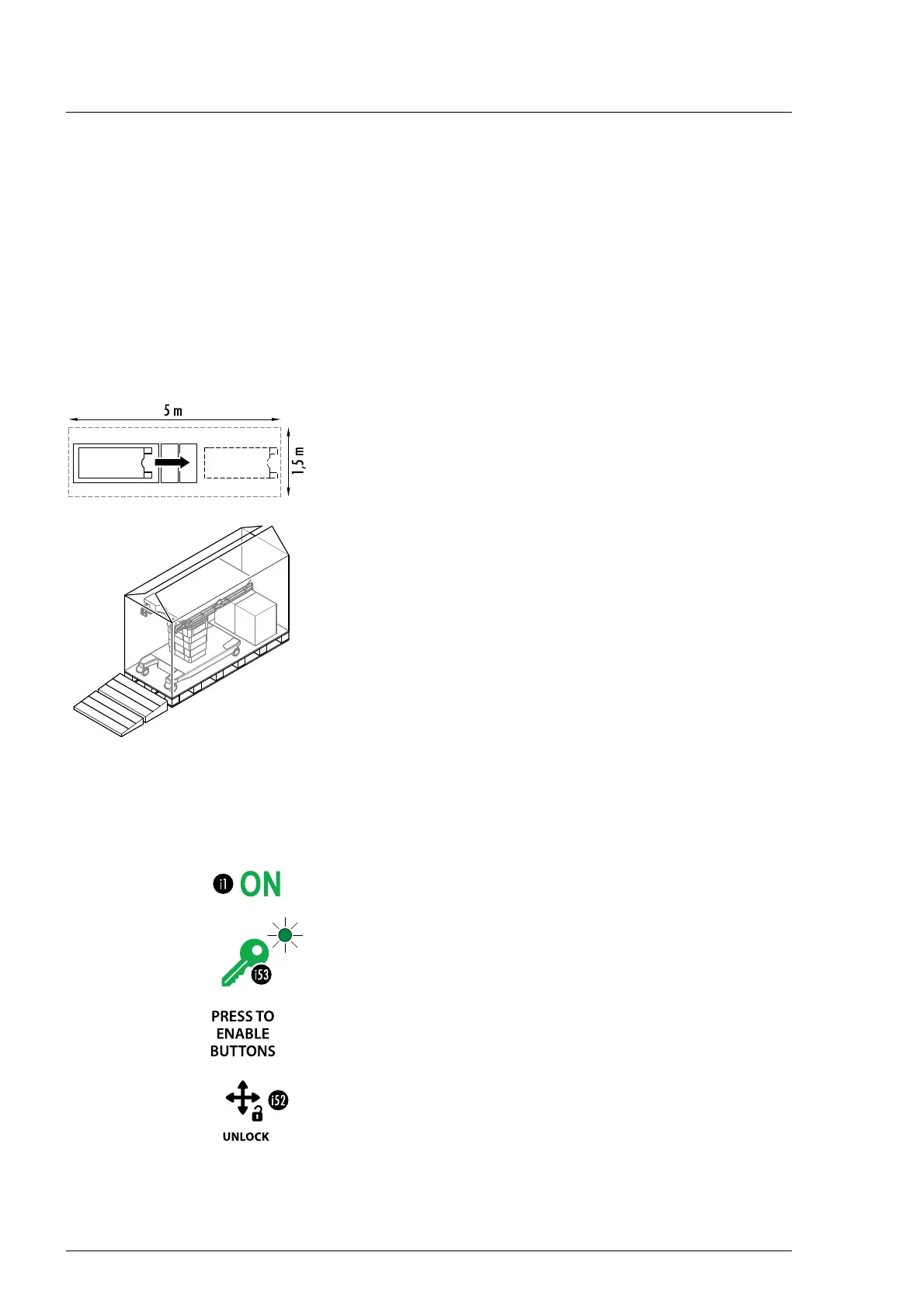
1. Position the pallet so that an area of approx. 1.5 m x 5 m
(59.06 inch x 196.85 inch) is available.
2. Open the top of the box.
3. Lift and remove the two-part ramp and position it at the front
edge of the pallet as shown.
4. Remove the box fasteners below at the pallet.
5. Lift and remove the box.
6. Remove the delivered parts.
7. Take off the straps.
8. Remove the wooden chocks.
9. NOTICE! Risk of material damage to electrical equipment due
to condensation! There is a risk of condensation forming
during transport, which could potentially damage electronic
components. After delivery of the operating table and before
it is switched on or connected to an external power source, it
is important to wait a certain period of time (at least 12 hours
is recommended). Place the operating table in an
environment with the same ambient temperature and
relative humidity as the room where the table will be used.
10. Switch on the operating table at the column keypad. Press
the ON key [i1] for this purpose.
11. Release the key lock. Press key [i53] for this. The release of
the keypad is indicated by an audible signal and the
associated indicator lights up. The keypad is released for
operation for 10 seconds.
12. Unlock the operating table (jacks retracted). Press key [i52]
until an intermittent audible signal is heard. This process is
complete when the audible signal no longer sounds.
13. CAUTION! Risk of injury. The operating table may tip over and
cause injuries if it is moved over the side edge of the pallet.
Carefully remove the operating table from the pallet using
the ramp. This requires at least 2 people.














 To Next Page