6 – Maintenance
131
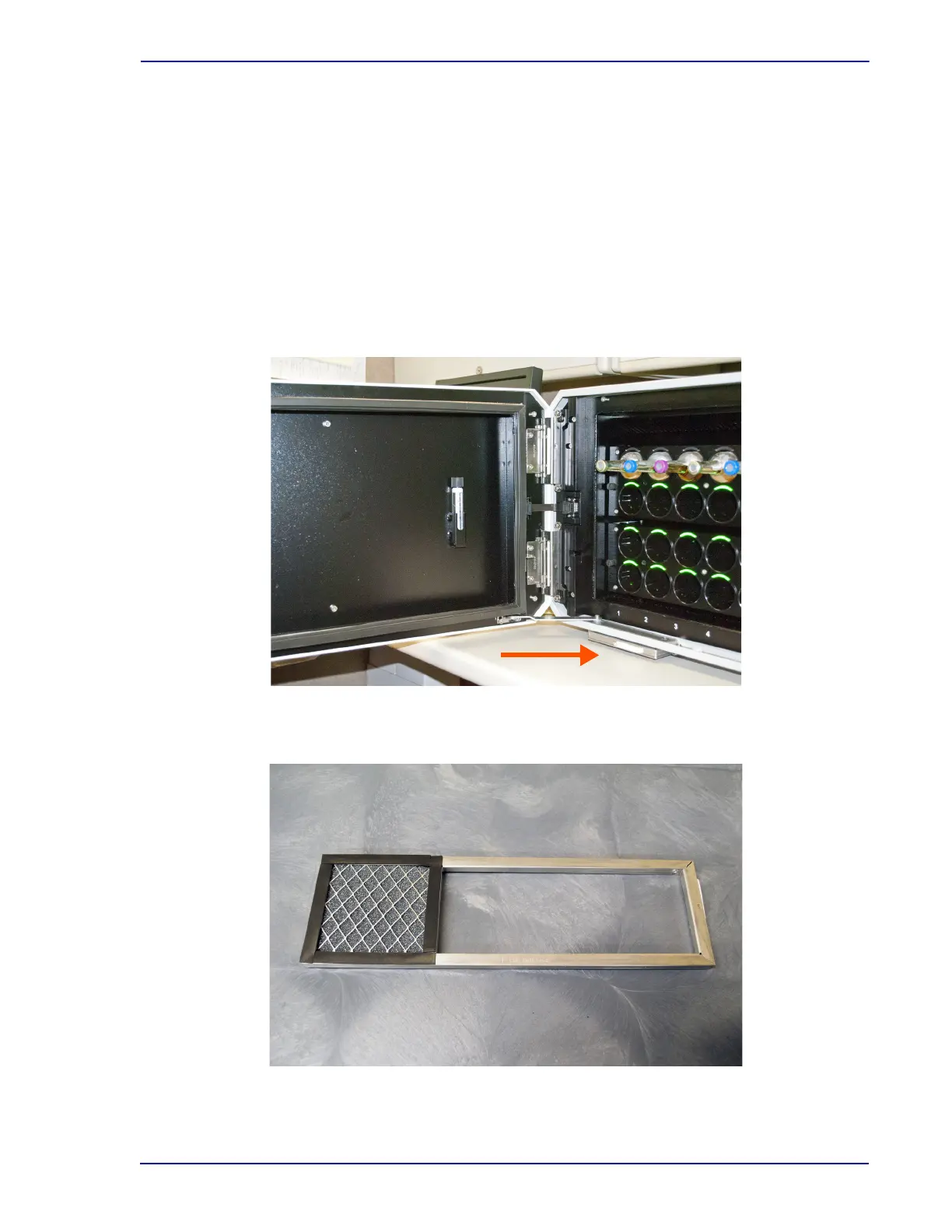
Removing the air filter (Figures 6-2 and 6-3):
1 Open the instrument door.
2 Slide the air filter’s removal tab upward to enable grasping it (Figure 6-2).
3 To remove the filter, pull the filter housing toward you by the tab. The housing is long, so
continue to pull in a level manner until the housing is free of the instrument.
4 Remove the old filter and clean and dry it before replacing in the instrument, or, place a new
filter in the housing while the old one is cleaned and dried. To insert a clean filter, place the top
edge under the top lip of the housing. Slide the filter up, pivot the bottom in toward the housing,
and lower the filter into place.
5 Align the filter housing with the mounting bracket and push the housing back into place.
Figure 6-2 – Air Filter Location
Filter removal tab is the white tab on the front of the filter housing.
Figure 6-3 – Air Filter in Housing











 To Next Page