BD BACTEC™ FX40 Instrument User’s Manual
60
Anonymous activity.
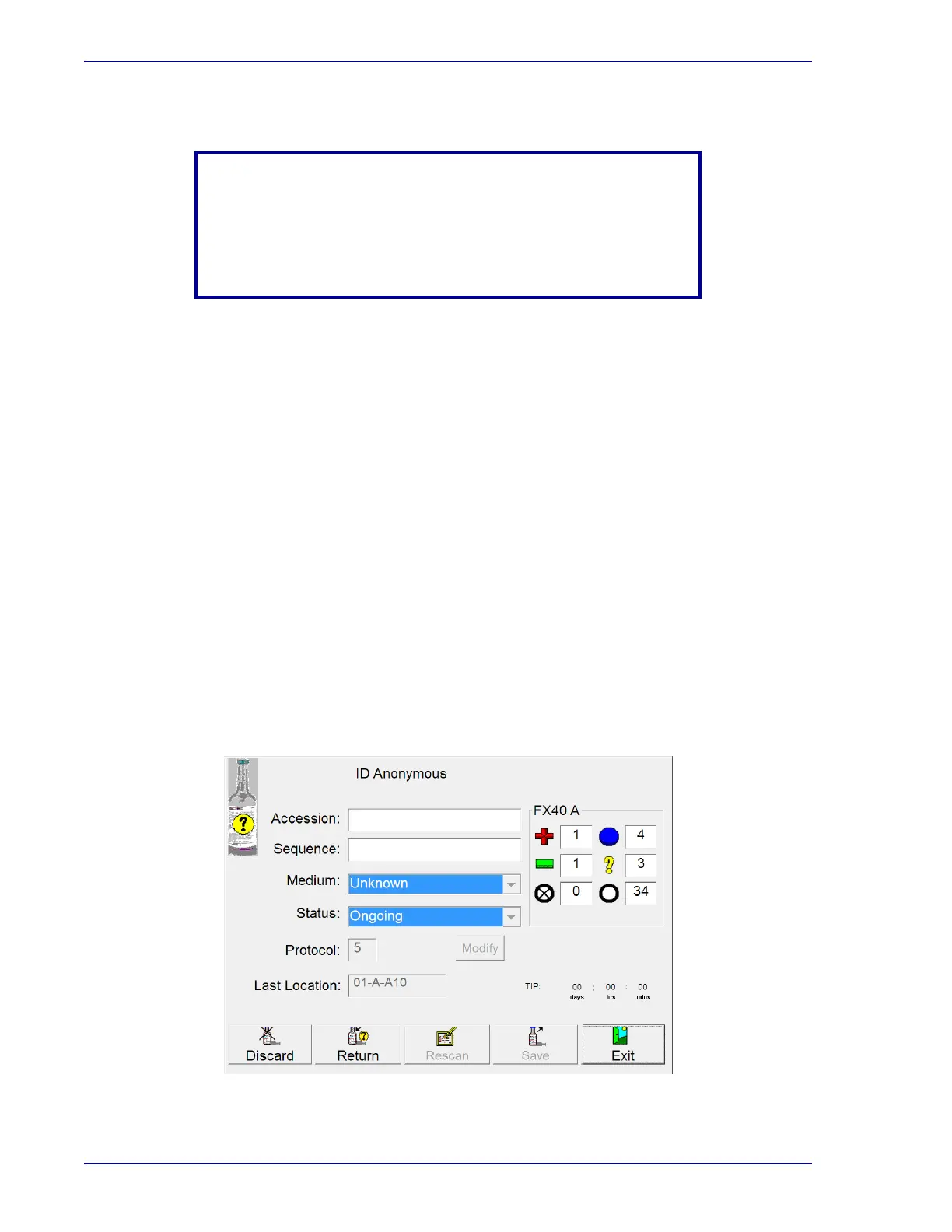
To identify anonymous vials:
• Select an instrument that has anonymous stations, and open the door.
• Remove a vial from a FLASHING YELLOW or FLASHING YELLOW/FLASHING RED
(alternating) station, or select identify anonymous on the Status display.
• The ID Anonymous display (Figure 4-5) appears and the barcode scanner turns on;
Station and Status information for the vial are shown.
• Scan the vial sequence barcode label.
• The Sequence, Medium, default Protocol, and TIP (Time in Protocol) or TTD (Time to
Detection) are automatically entered.
• Scan or enter the Accession (if accession barcoding is enabled).
• To change the protocol select Modify, then tap the Up Arrow to increase or Down Arrow
to decrease the protocol length.
• If you are returning the vial to the instrument, place it in the FLASHING GREEN station
(station from which the vial was pulled). If you are not returning the vial to the instrument,
select Save button. You must do one or the other to retain the vial information.
• Go to the Culture display(s) to add the desired demographic information.
You cannot identify anonymous vials in an instrument that is in Isolation mode or degraded
mode.
Figure 4-5 – ID(entify) Anonymous Display
NOTE
Once an anonymous vial has been placed in the instrument, do not
remove the vial and reenter it without identifying it the ID
Anonymous activity. All test readings are discarded if you remove
the vial without identifying it.











 To Next Page