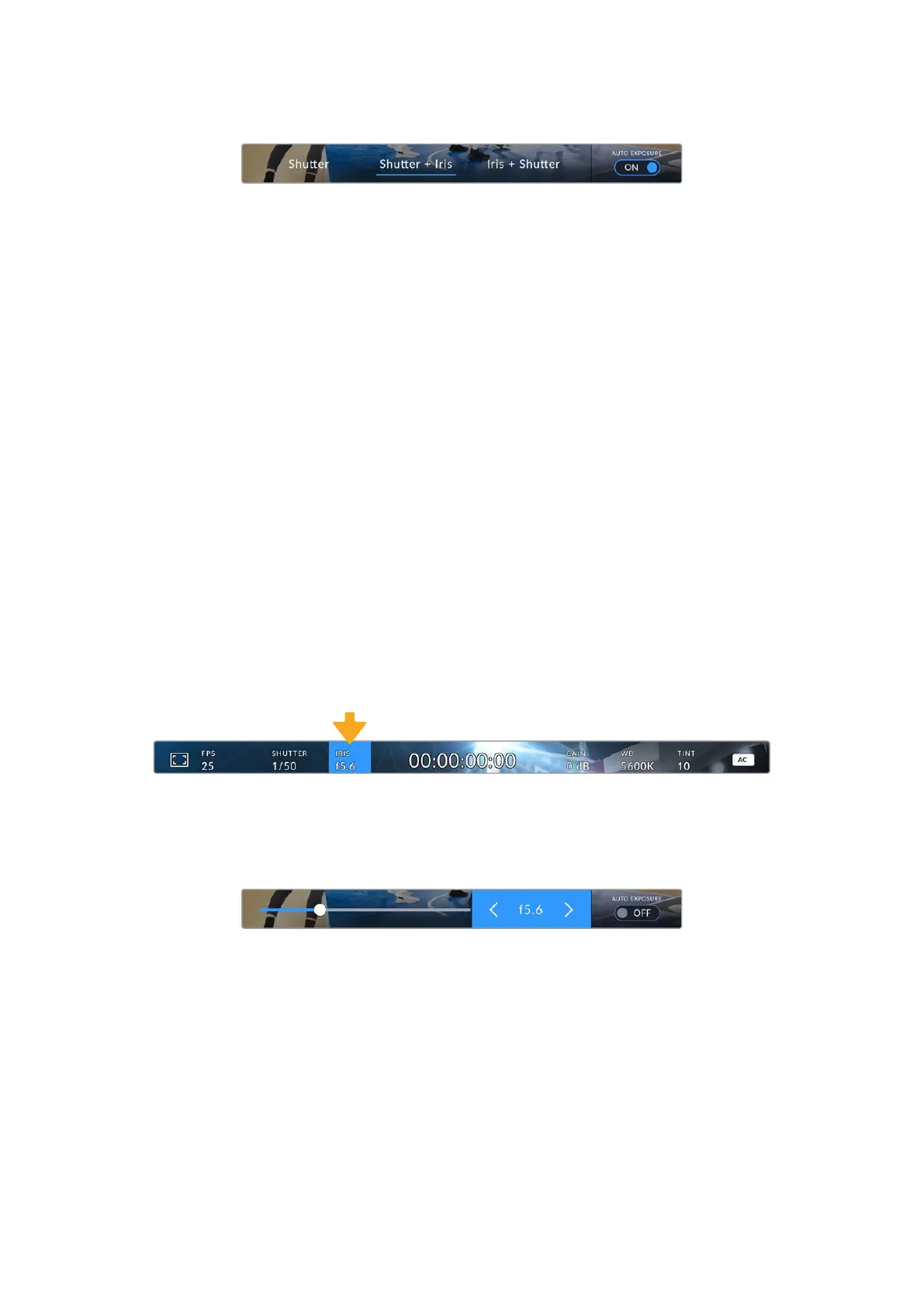
Toggle ‘auto exposure’ to ‘on’ to access shutter based auto exposure modes
Shutter
This setting automatically adjusts shutter value to maintain a constant exposure while keeping
iris aperture consistent. If you want to maintain a fixed depth of field, this is the setting to
choose. It’s worth mentioning that the subtle automatic adjustments of the shutter may have an
effect on motion blur. It’s also worth keeping an eye out for any flicker that may be introduced
from various light fixtures on indoor shoots. The auto iris feature is not available when the
‘shutter’ auto exposure mode is selected.
Shutter + Iris
Maintains the correct exposure levels by adjusting the shutter, then the aperture. If the
maximum or minimum available shutter value is reached and exposure still cannot be
maintained, your camera adjusts the aperture to keep exposure consistent.
Iris + Shutter
Maintains the correct exposure levels by adjusting the aperture, then the shutter value. If the
maximum or minimum available aperture is reached and exposure still cannot be maintained,
your camera adjusts the shutter value to keep exposure consistent.
When an auto exposure mode that affects the shutter or iris is enabled, a small ‘A’ appears next
to the shutter or iris indicator at the top of the HDMI display.
Iris
The ‘Iris’ indicator displays your current lens aperture. By selecting the indicator and pressing
‘set’, you can change the aperture of compatible lenses and configure iris based auto
exposure modes.
Use the iris indicator to access the iris settings
The iris menu is shown at the bottom of the HDMI display. To change the aperture, use the
arrow buttons to select the current aperture and press ‘set’, then use the arrow buttons to
select a new aperture setting.
Use your camera’s arrow buttons to adjust the aperture
Enabling the ‘auto exposure’ switch icon at the far right of the iris menu opens the iris auto
exposure menu.
This gives you the following auto exposure options.
Iris
This setting automatically adjusts the aperture to maintain a constant exposure while
keeping shutter speed consistent. This will keep motion blur unaffected, but may affect your
depth of field.
19Using the HUD Controls


 To Next Page
 Loading...
