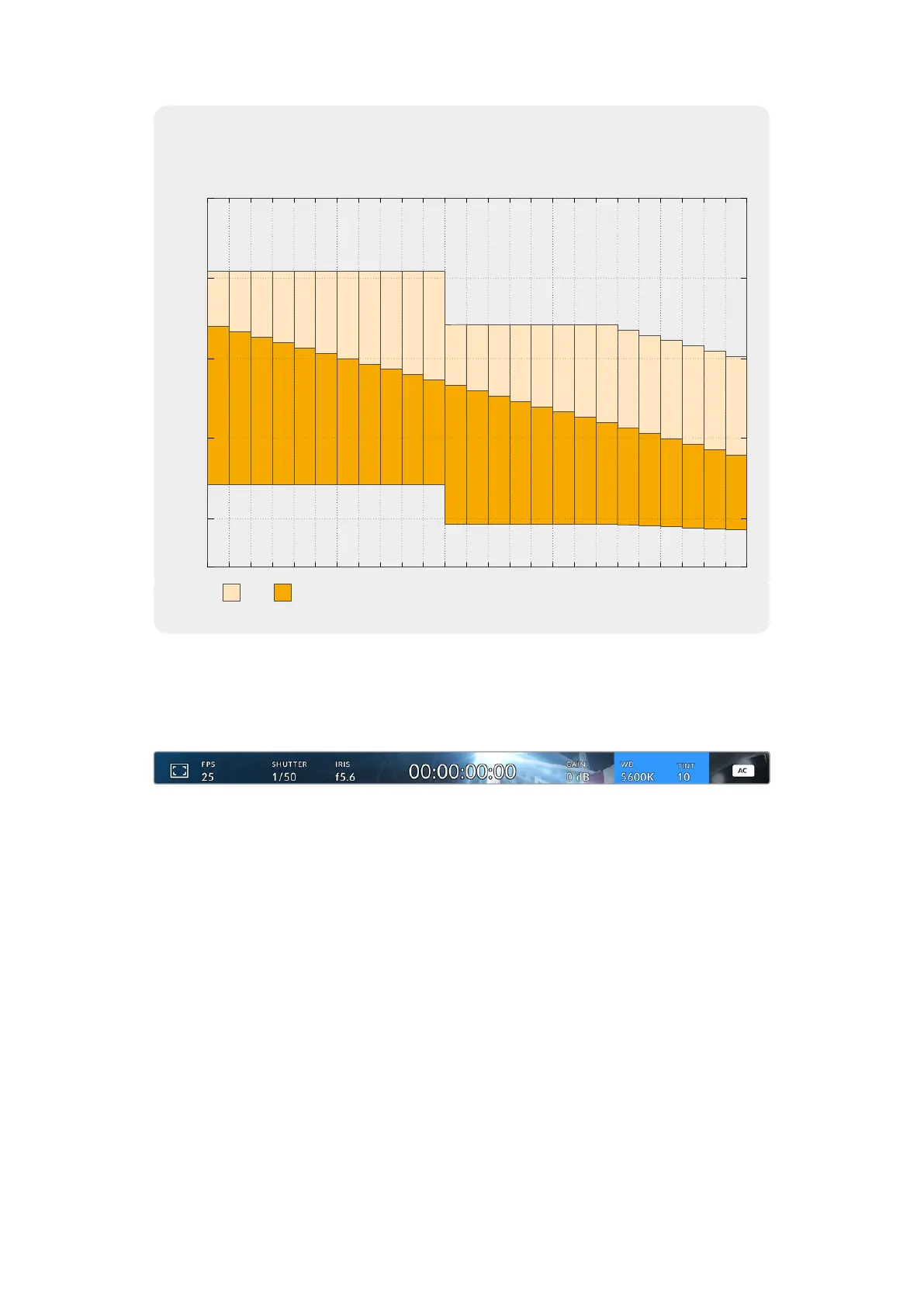
Dynamic Range
3.5
9.8
3.8
9.5
4.1
9.2
4.5
8.8
4.8
8.5
5.1
8.2
5.5
7.8
5.8
7.5
6.1
7.2
6.5
6.8
6.8
6.5
3.9
8.5
4.1
8.3
4.5
7.9
4.9
7.5
5.2
7.2
5.5
6.9
5.9
6.5
6.2
6.2
6.2
6
6.2
5.7
6.1
5.5
6.2
5.2
6.2
4.9
6.1
4.7
stops
-10
-5
5
10
0
-12dBGain
Total Stops
-10dB -8dB -6dB -4dB -2dB 0dB 2dB 4dB 6dB 8dB 10dB 12dB
14dB
16dB 18dB 20dB 22dB 24dB 26dB 28dB 30dB 32dB 34dB 36dB
13.3 13.3 13.3 13.3 13.3 13.3
13.3
13.3 13.3 13.3 13.3 12.4 12.4 12.4 12.4 12.4 12.4 12.4 12.4 12.2 11.9 11.6 11.4
11.1
10.8
White Balance
The ‘WB’ and ‘TINT’ indicators display your camera’s current white balance and tint.
Selecting these indicators lets you adjust your camera’s white balance and tint to suit varying
lighting conditions.
Select the white balance and tint indicators to access white balance and tint settings
Every light source emits a color. For example, a candle flame emits a warm color, and an
overcast sky emits a cool color. White balance settings are used to color balance your image
so white stays white by adjusting the mix of orange and blue in your image. For example, when
shooting under tungsten lamps which emit a warm, orange light, selecting 3200K adds some
blue to the image. This balances the color so white is accurately recorded.
22Using the HUD Controls


 To Next Page
 Loading...
