Trigger Record
Blackmagic Micro Studio Camera 4K G2 automatically sends a signal via the HDMI output that
will trigger recording when connected to equipment that supports the trigger record feature,
such as Blackmagic Video Assist.
This means that when you press record on your camera, your external recorder also starts
recording and stops when you stop recording on the camera. Your camera also outputs
timecode via HDMI, which means the clips recorded on your external recorder has the same
timecode as the clips recorded in your camera.
If your external recorder supports trigger recording, you will need to enable it. This can usually
be enabled via its settings menu.
Triggering Record using ATEM Mini or ATEM SDI
When recording ISO files from an ATEM Mini
or ATEM SDI Extreme or Pro model switcher,
you can also trigger record on all connected
Blackmagic Micro Studio 4K G2 cameras.
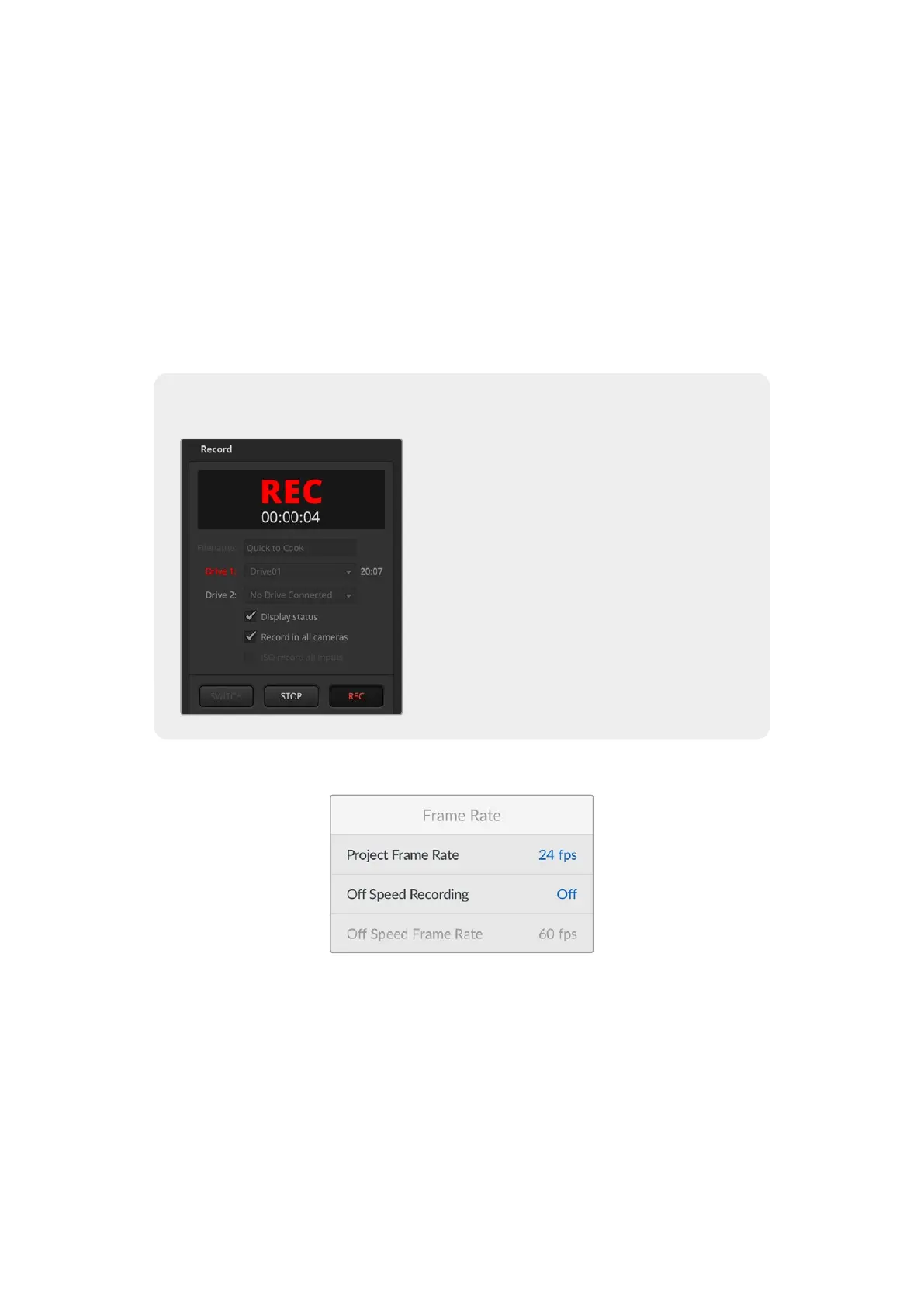
For example, the ‘record stream’ palette in ATEM
Software Control has a checkbox labeled ‘record
in all cameras’. When this checkbox is enabled
and you click or press record, all connected
cameras will start recording as well. This means
you only have to click or press one button to start
recording on all cameras simultaneously.
Refer to the ATEM Mini or ATEM SDI manual for
more information.
Frame Rate
Project Frame Rate
The project frame rate provides a selection of frame rates commonly used in the film and
television industry. For example, 23.98 frames per second. This frame rate is normally set to
match your playback speed and audio sync used in your post production workflow and delivery
requirements.
Eight project frame rates are available, including 23.98, 24, 25, 29.97, 30, 50, 59.94 and
60 frames per second.
40Settings


 To Next Page
 Loading...
