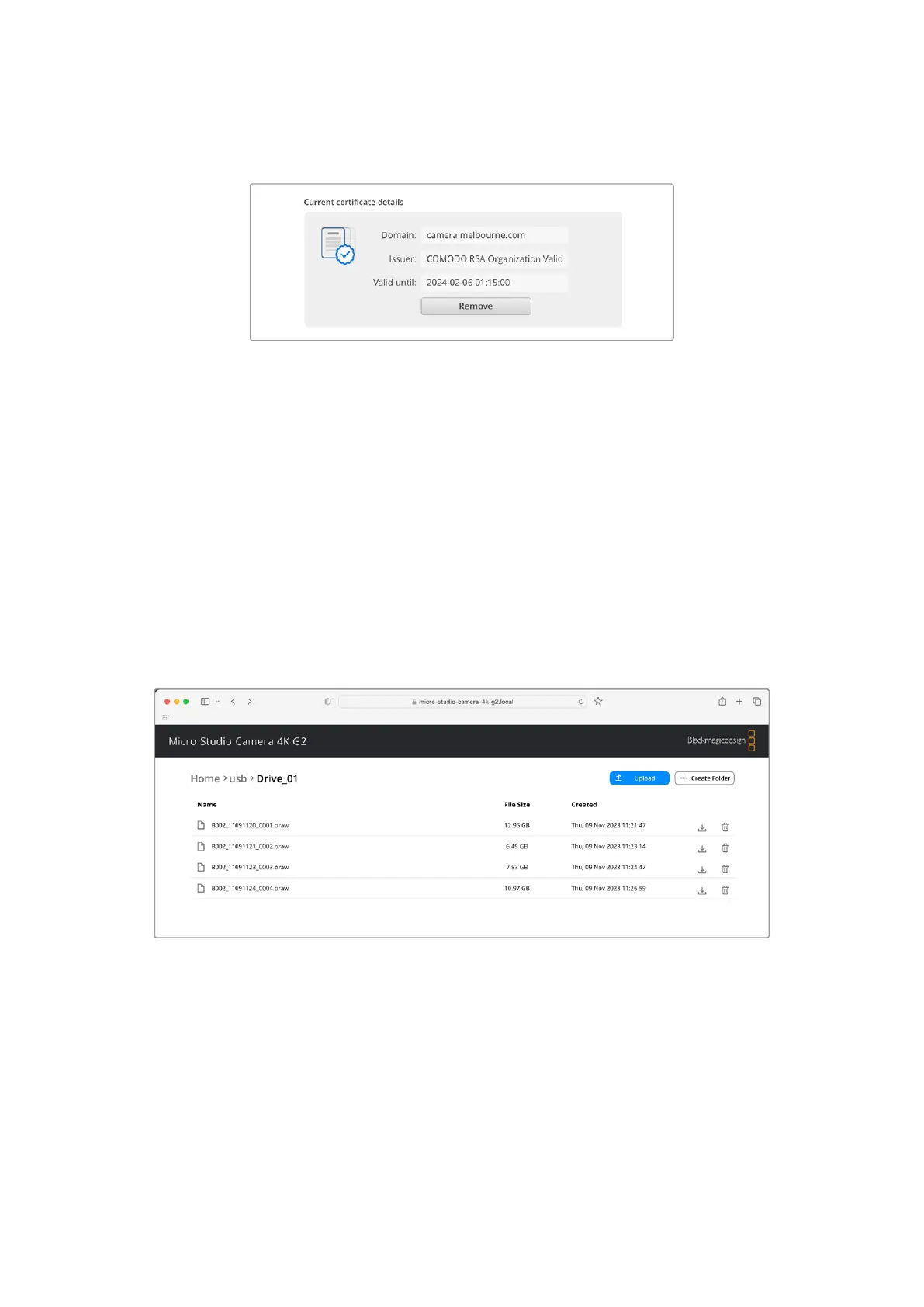
3 If you have imported a certificate signed by a CA or IT department, copy and paste the
address in the domain field for the current certificate.
Copy the domain address and paste into a browser
4 Open your web browser and paste the address into a new window. If you have enabled
access with security only you will be prompted to enter the username and password set in
Camera Setup.
When using a self signed certificate, a browser warning will appear regarding the
privacy of the connection. This means a trusted signed certificate has not been imported
via the Camera Setup utility
To continue without a valid and trusted certificate, follow your browser prompts to acknowledge
the risks and proceed to the website.
Transferring Files Using Web Media Manager
When you first open the web media manager browser view you will see the USB drives listed
with the prefix USB/.
Double click the media to reveal the contents.
Click the download button to download files or the trash icon to delete them
To download files, use the arrow icon on the far right. Your browser may prompt you to allow
downloads from the site. Click on ‘allow’. To delete a file, click the trash can icon and a delete
file window will appear. Click ‘delete’ to proceed.
Transferring Files via FTP
With you computer and Micro Studio Camera 4K G2 on the same network, all you need is an
ftpclient and your camera’s IP address or the FTP URL in the Camera Setup utility.
82Transferring Files over a Network


 To Next Page
 Loading...
