1 Download and install an FTP client on the computer you want to connect your camera
to. Werecommend Cyberduck, FileZilla or Transmit but most FTPapplications will work.
Cyberduck and FileZilla are free downloads.
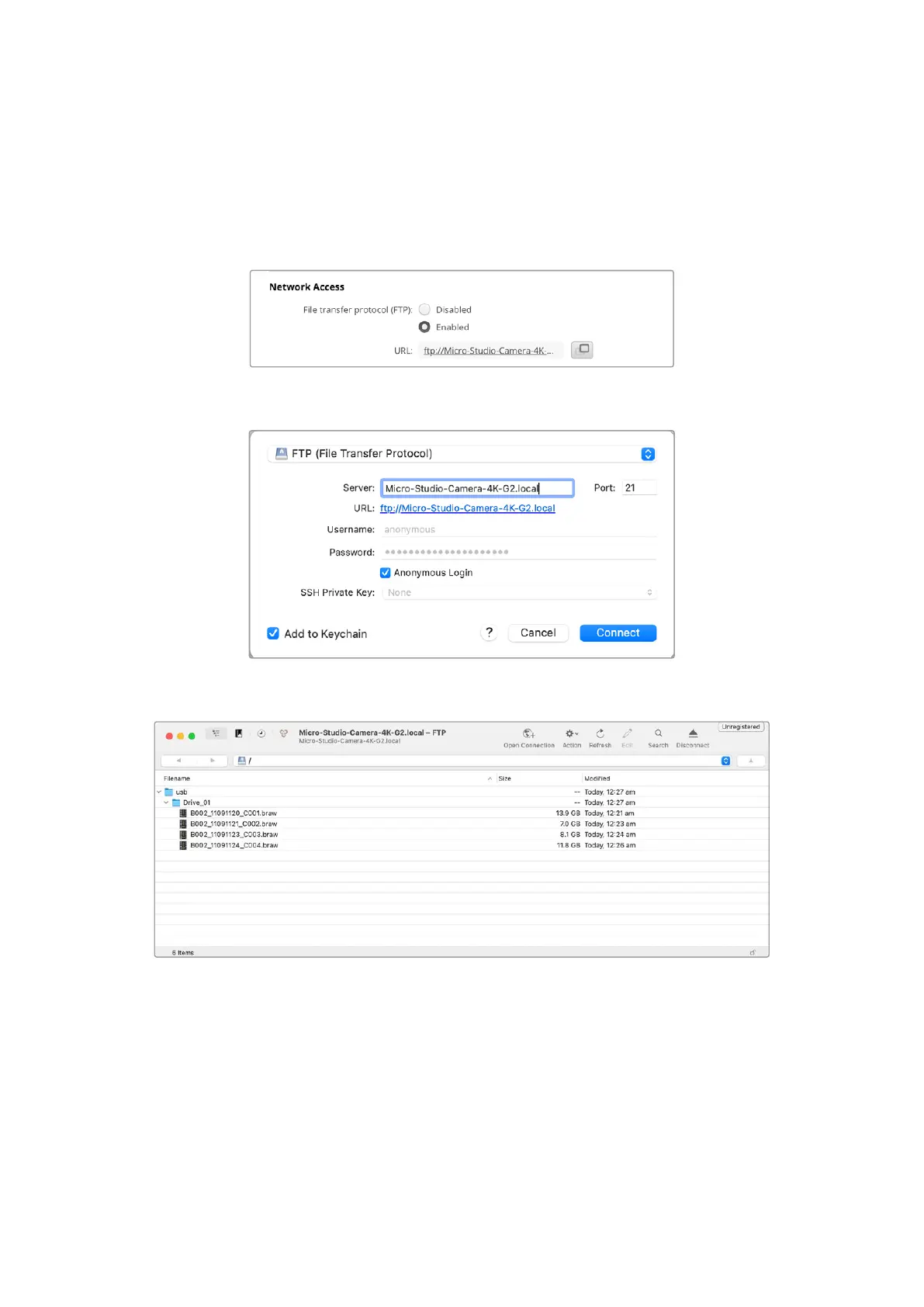
2 With your camera connected to a network, open Camera Setup and click on URL or press
the copy icon to paste it manually. You may need to click the link a second time if the FTP
program doesn’t open a connection.
3 If you are manually opening an FTP connection, paste the URL into the client’s server field.
Check ‘anonymous login’ if available.
4 Expand the usb folder and any connected USB drives will appear in the list. You can now
drag and drop files using the FTP interface.
83Transferring Files over a Network


 To Next Page
 Loading...
