M710 User Manual 28
General Operation
Using the Touchscreen
Settings Screens
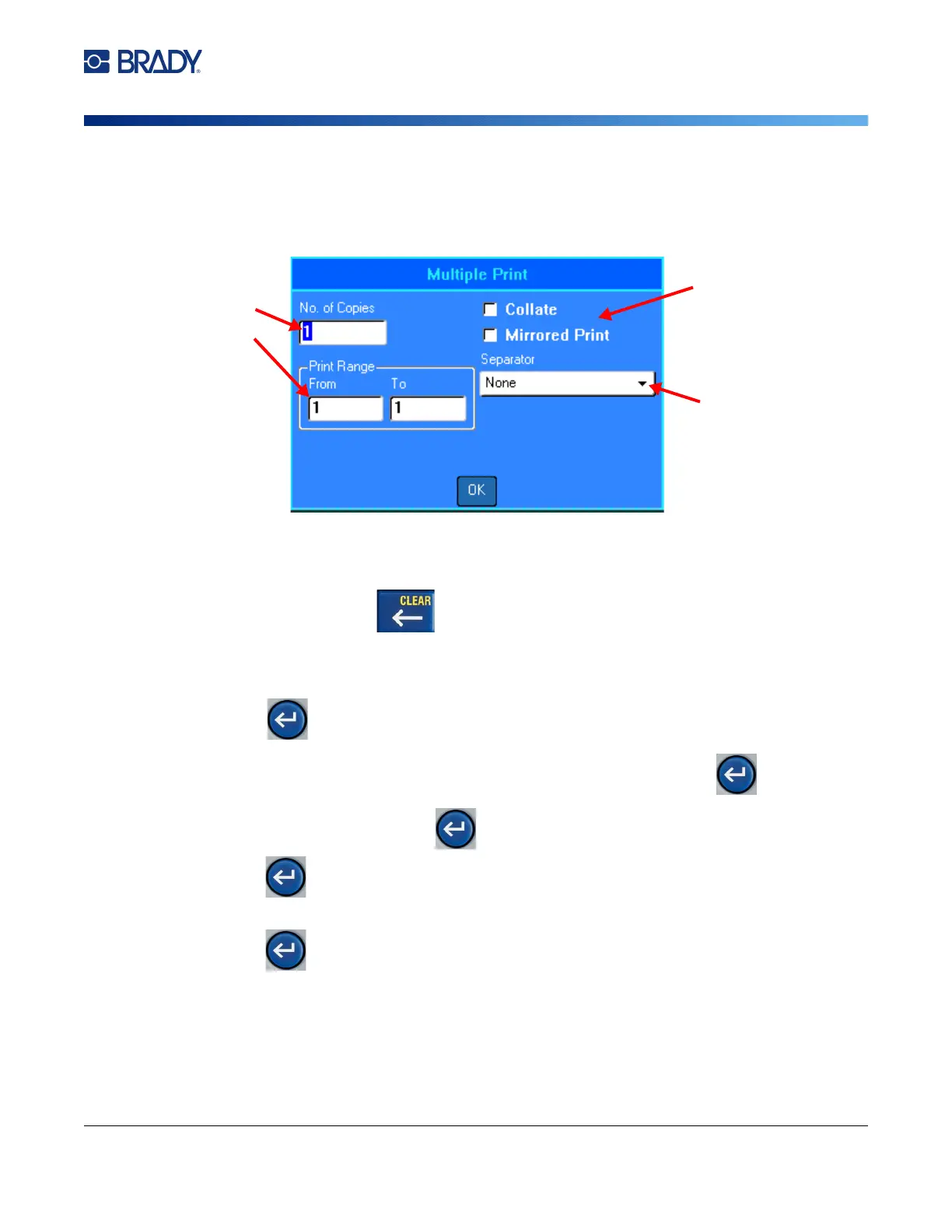
Some menu items open a screen with controls to set.
To make selections using the touchscreen:
To save the changes, tap OK.
To cancel the changes, press on the keyboard.
To make selections using the keyboard:
• Use the navigation keys to move between settings and highlight the desired setting.
• Press to choose a highlighted selection.
• To enter data type on the keyboard or use the number pad, and then press .
• To open a list, highlight it, press , use the navigation keys to make your selection, and then
press again.
• To save the changes, use the navigation keys to highlight the
OK
button on the screen and then
press .
For more details on using the keyboard to make selections, see “Using the Keyboard” on page 29.
To enter data in text
fields, tap the field and
then type the data.
Tap options to select or
clear them.
Tap list boxes to
expand the list and
then tap the desired
setting. If the list is
long, drag your finger
up or down the list to
scroll.



 To Next Page