M710 User Manual 59
Editing Labels on the Printer
List (Importing Data)
8. Repeat steps 5 and 6 for each field in which you want to enter data. For information on moving
between rows, and on adding and removing rows, see “Working with Rows of Data” on
page 59
9. Select Save when finished. The printer offers the following options.
•
Internal:
Save the file on the printer. For details on providing a file name and navigating folders,
see
“Saving a File” on page 79
.
•
External:
Save the file to a USB drive inserted in the printer.
•
Cancel:
Cancels saving the file and returns you to the data editor with the data intact.
10. To exit the data source, press backspace.
A message displays asking if you want to exit without saving.
• If you have just saved the file, or if you want to start over without saving, tap
Yes
. The file closes
without saving.
• If you have not yet saved the file, tap
No
. The printer will return to the Save function. See step 9.
Note: If you cannot recall if you saved the file, tap No. Then, if you see the file name in the list of
files, select the name (to highlight it) and press Enter. A message indicates the file already
exists. Tap Yes to overwrite the file. This will ensure that your file has been saved. You are
returned to the editing screen.
• Tap
Cancel
if you do not want to exit the database.
Working with Rows of Data
To move between the rows of data:
• Select
Next
to move forward or
Prev
to move backward through the rows of data.
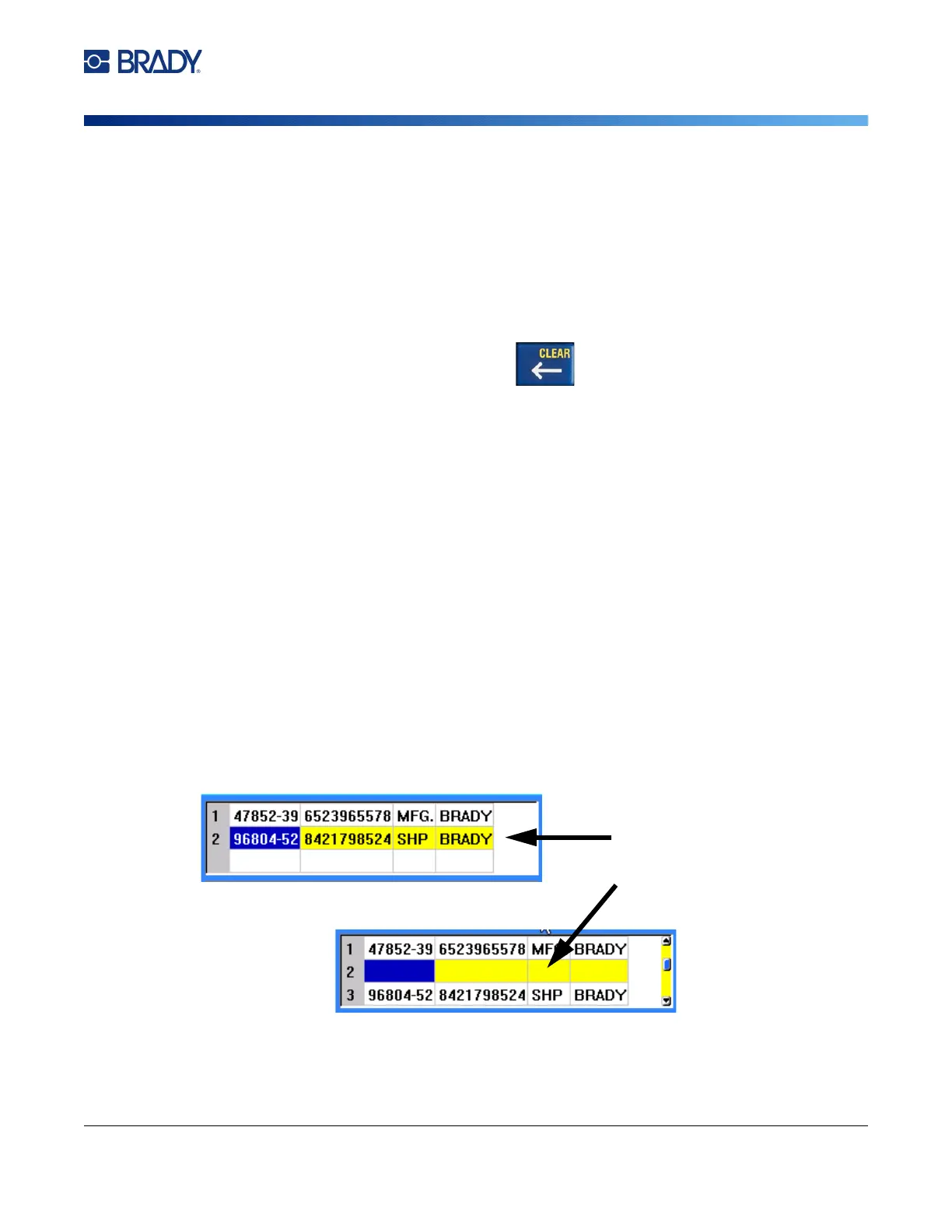
To insert a row between two rows of data:
1. Select any field in the row below the row that will be inserted.
2. Select Insert.
The row selected moves down and a new, blank row is inserted above it.
To remove a row in the data source:
1. Select any field in the row you want to delete.



 To Next Page