M710 User Manual 49
Editing Labels on the Printer
Symbols
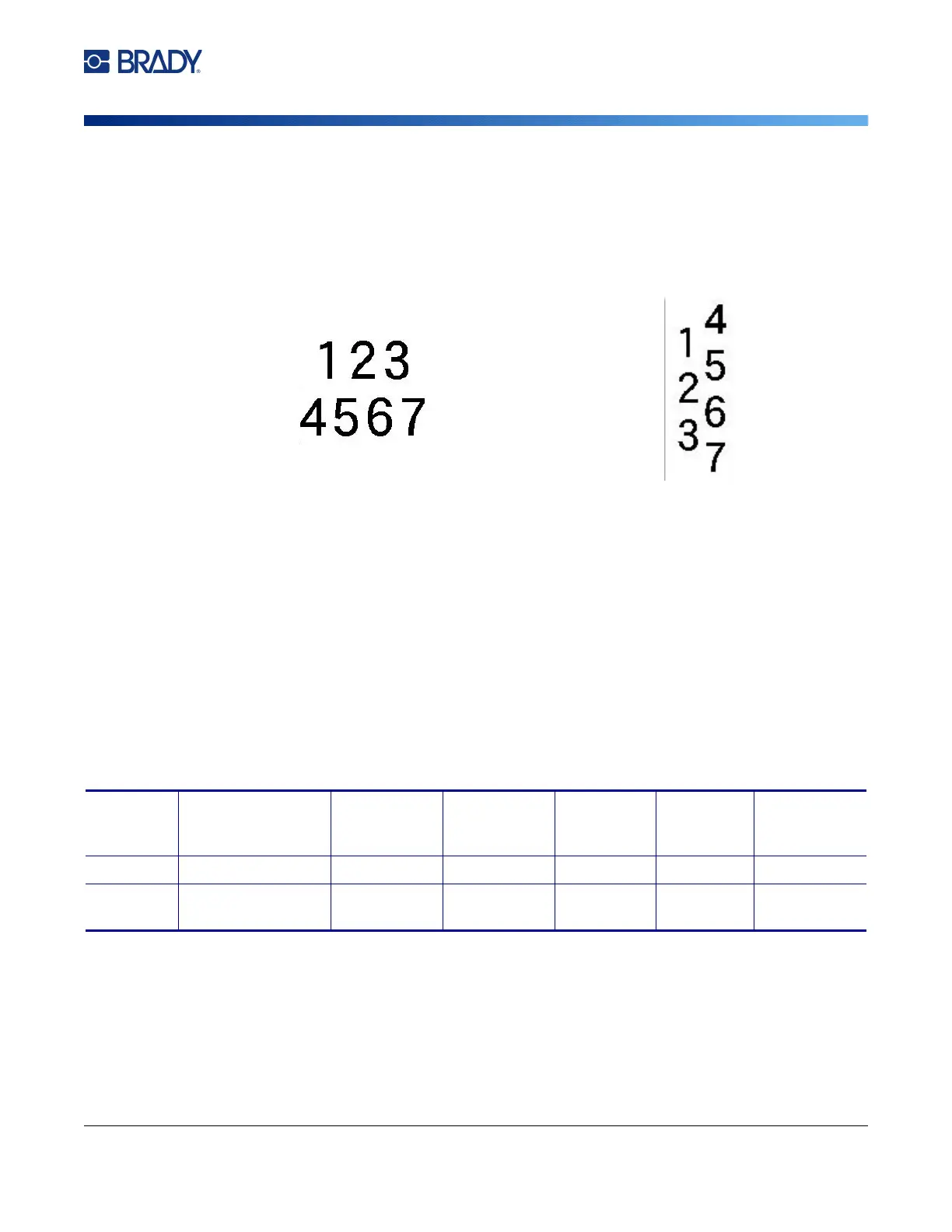
Multiple Vertical Lines of Text
If more than one line of text is present, subsequent lines of text display vertically to the right of the first
line of text.
Note: The horizontal and vertical justification set before applying vertical formatting is carried over
to the vertical lines of text.
Errors with Vertical Text
If a barcode is in the line of text to be placed vertically, or if the height of the label cannot
accommodate the vertical placement of text, an error message displays. Press ENTER to clear the
error message. The editor then displays the text in its original format, without applying the vertical text
option.
Symbols
The M710 printer contains hundreds of symbols that can be used for a variety of applications. The
symbol categories available are:
To add a symbol to the label:
1. Position the cursor at the point where you want the symbol to display.
2. Press SYMBOL.
3. Select the symbol category.
A symbols grid displays. Some of the grids are lengthy and may require scrolling to view all of
the symbols.
Multiple lines, before applying Vertical text
(autosized)
Multiple lines, after applying Vertical text
(autosized)
Arrows Data
Communications
(Datacomm)
Electrical Exit Fire First Aid CLP/GHS
Greek Home Electrical HSID International Laboratory Mandatory Miscellaneous
Packaging Personal Protective
Equipment (PPE)
Prohibition Public
Information
Safety Warning WHMIS



 To Next Page