M710 User Manual 38
4 Editing Labels on the Printer
This chapter discusses the General label type and provides information on the following editing and
formatting tasks.
• Changing text that you’ve already entered. See
“Editing Text” on page 39
.
• Formatting text. See
“Formatting Text” on page 40
.
• Including multiple labels and multiple areas on a label.
“Labels and Areas” on page 43
.
• Adding symbols. See
“Symbols” on page 49
.
• Adding graphics. See
“Graphics” on page 50
.
• Adding the date and time. See
“Date and Time” on page 51
.
• Adding international characters. See
“International Characters” on page 51
.
• Typing letters with diacritical marks. See
“Letters with Diacritical Marks” on page 51
.
• Adding barcodes. See
“Barcode” on page 52
.
• Adding sequential data. See
“Serialization (Sequential Data)” on page 54
.
• Adding lists.
“List (Importing Data)” on page 57
.
Note: For information about creating labels for specific applications, such as pipemarkers or safety
labels, see Chapter 5: “Label Types” on page 62.
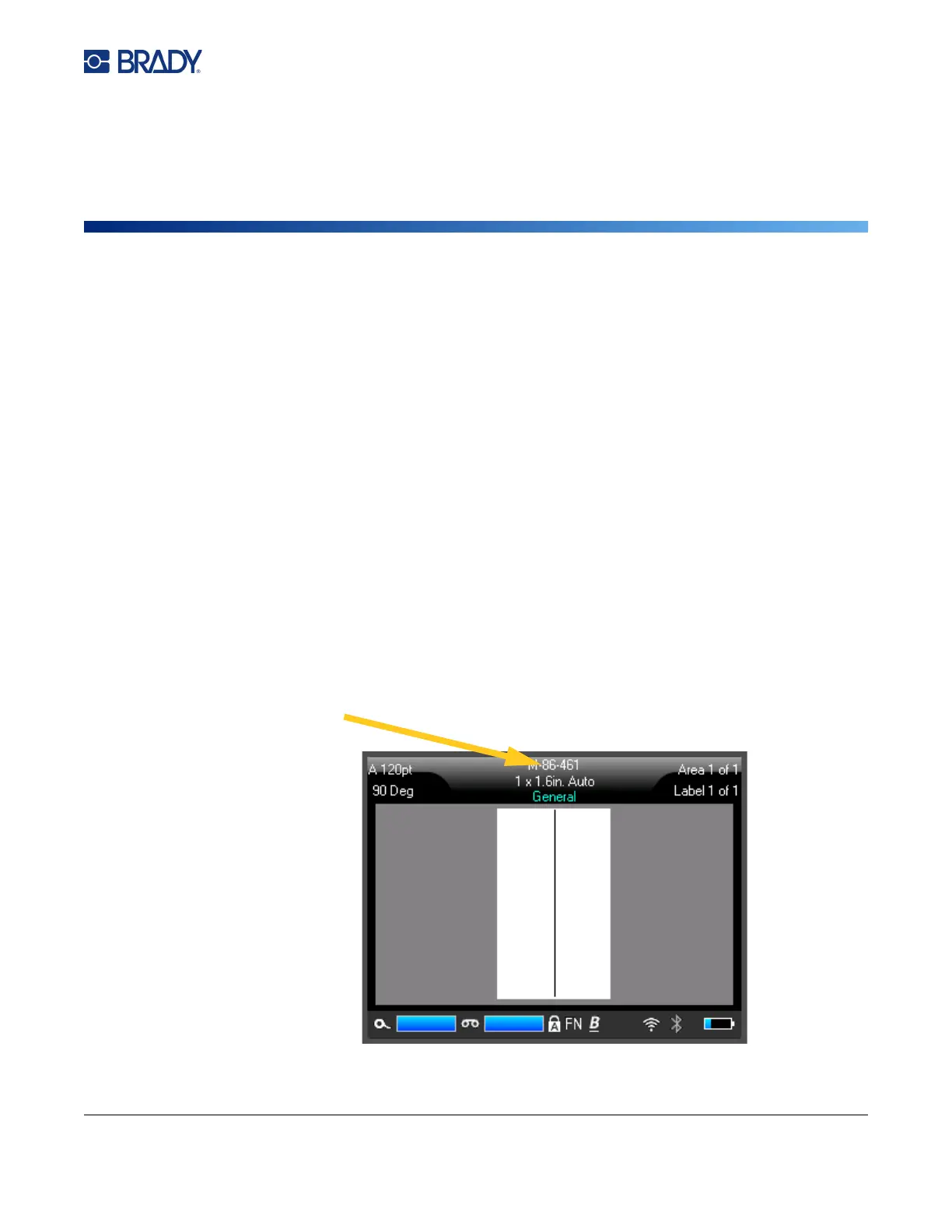
Tip: A shortcut for entering symbols, graphics, sequences, international characters, and the date and
time, is to tap the top center of the touchscreen, where the label supply is shown.
Tap here to open
an insert menu.



 To Next Page