Scan Using Your Computer
87
5
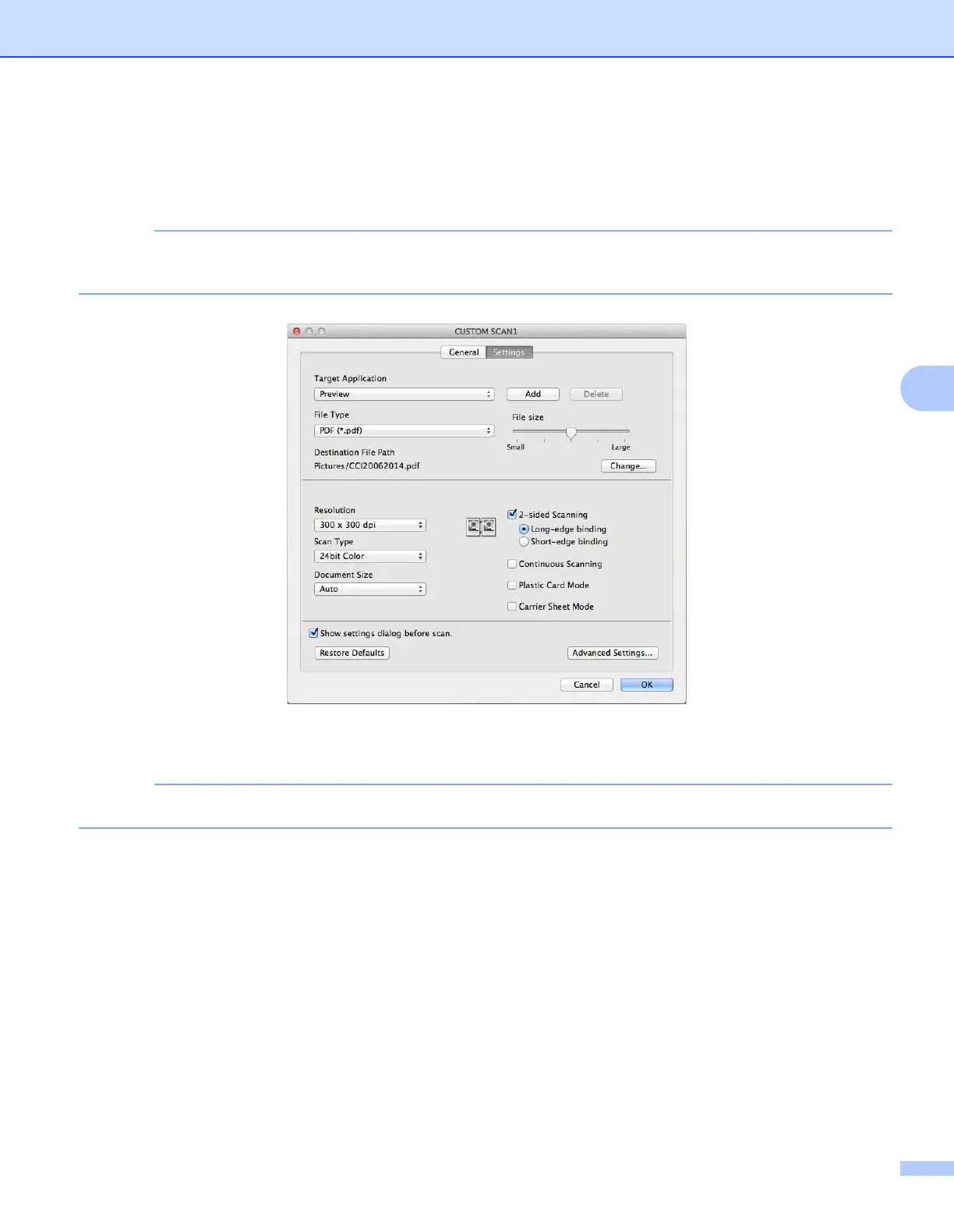
Settings tab (Scan to Image/OCR/ E-mail)
Choose the Target Application, File Type, Resolution, Scan Type, Document Size and 2-sided
Scanning settings.
The Scan to E-mail feature does not support Webmail services. Use the Scan to Image or Scan to File
feature to scan a document or picture, and then attach the file of the scanned data to an email message.
If you choose Secure PDF (*.pdf) from the File Type list, the Set PDF Password dialog box appears.
Enter your password in the Password and Re-type Password box and then click OK.
Secure PDF (*.pdf) is available for Scan to Image, Scan to E-mail and Scan to File.


 To Next Page
 Loading...








