Scan Using Your Computer
88
5
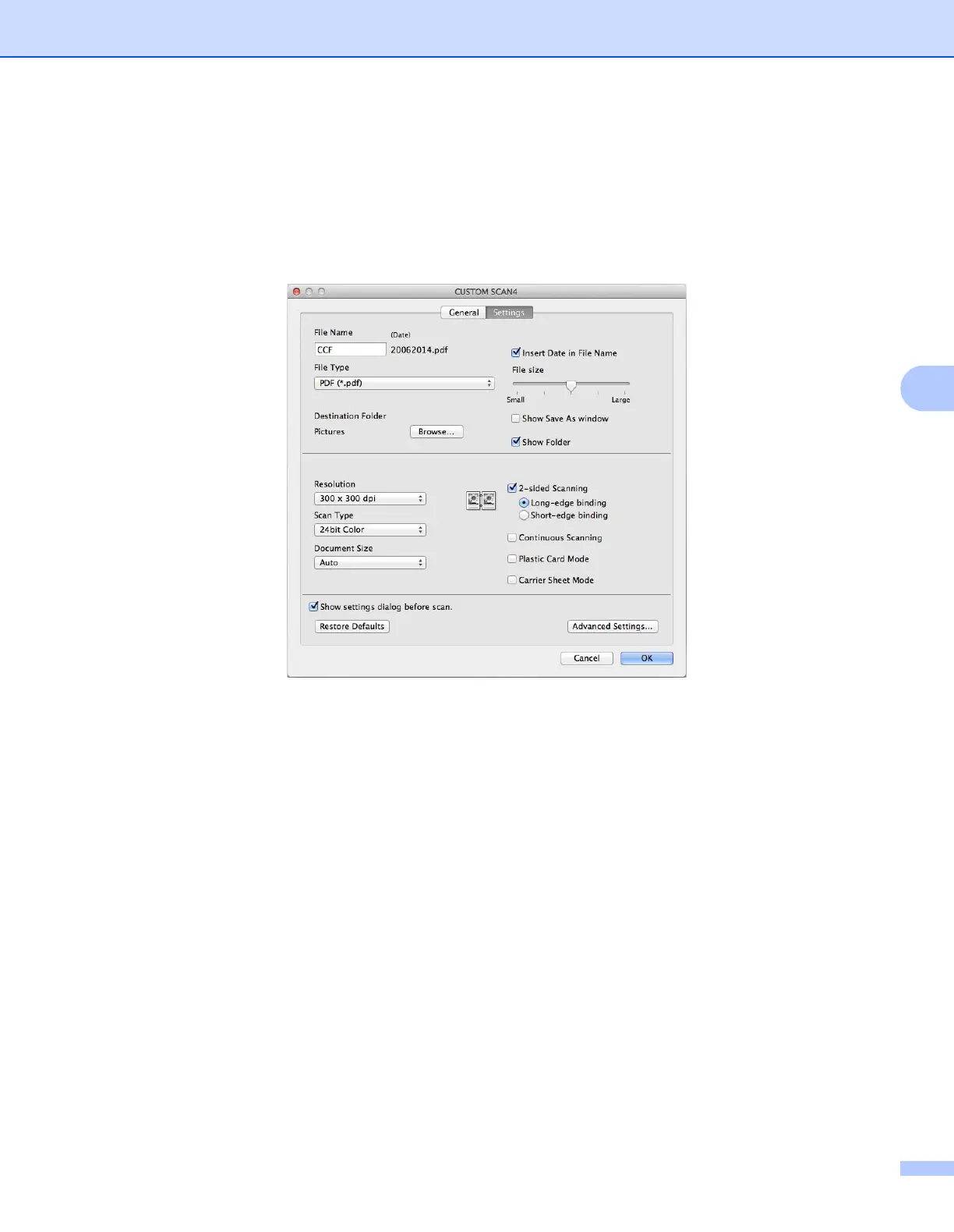
Settings tab (Scan to File)
Choose the file format from the File Type pop-up menu. Save the file to the default folder or choose your
preferred folder by clicking the Browse button.
Choose the Resolution, Scan Type, Document Size and 2-sided Scanning settings.
If you want to specify the destination of the scanned image, select the Show Save As window check box.


 To Next Page
 Loading...








