Routine Maintenance
187
8
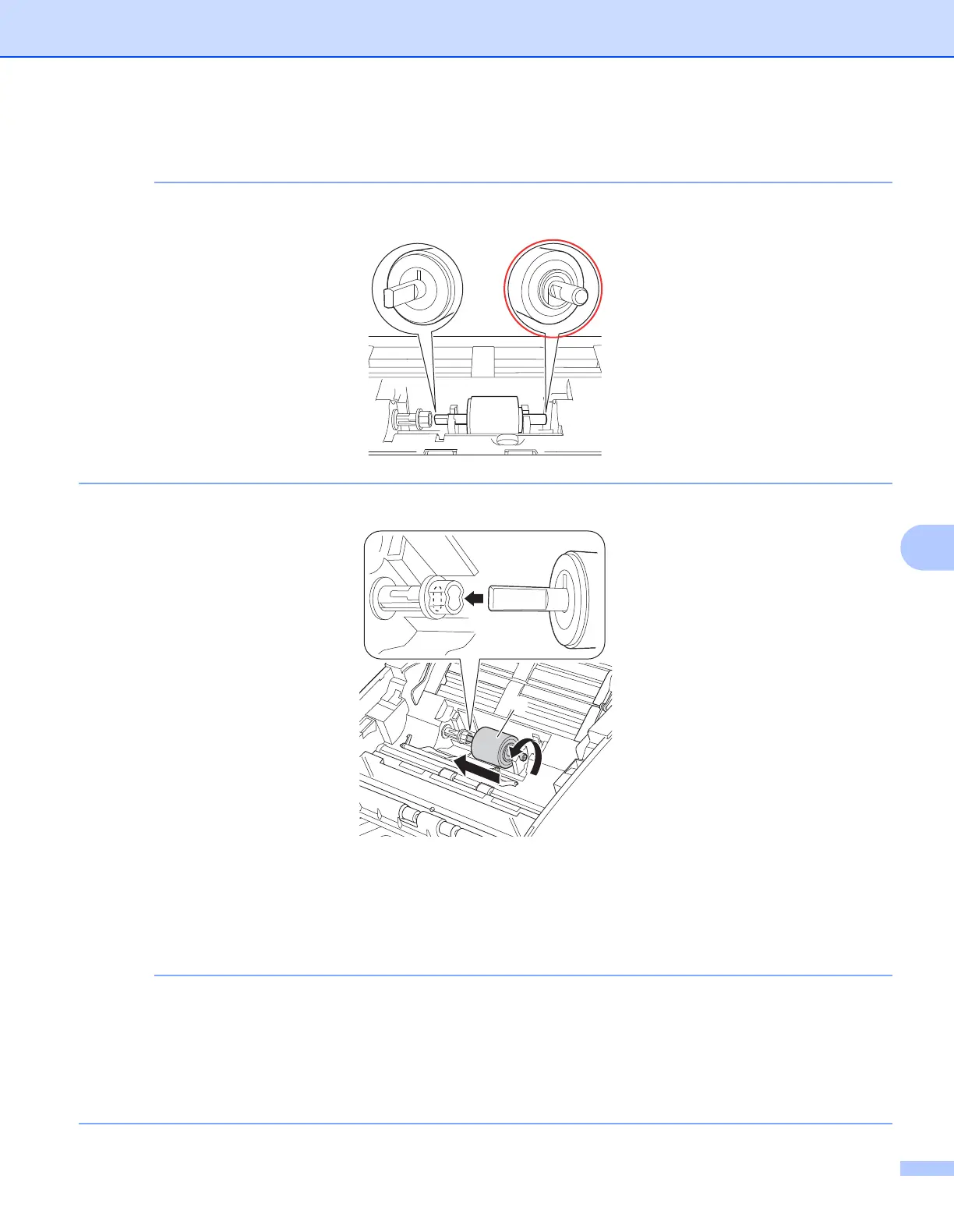
6 Place a new Pick-up Roller into the machine.
Identify the left and right sides of the Pick-up Roller before attaching it.
7 Slide the Pick-up Roller a to the left edge while turning the Pick-up Roller.
8 Close the Pick-up Roller Cover.
9 Close the Front Cover and the Top Cover.
0 Reset the counter (see Reset the Usage Counters (ADS-2000e) on page 188).
Confirm the following:
• The value of Pick-up Roller Count is 0 (see Check Supplies Replacement Cycle (ADS-2000e)
on page 181).
• The error message on the Status Monitor has been cleared.
• The LCD or LED indications does not indicate Replace Roller and Replace Parts.
LR
a


 To Next Page
 Loading...








