Printing a Tube or Label Using the P-touch Keyboard
53
2
b Select [Label Adjustment] using the or key, and then press the OK or Enter key.
c Select [Cut Options] using the or key, and then press the OK or Enter key.
d Select the setting using the or key, and then press the OK or Enter key to apply the settings.
New settings are NOT applied unless you press the OK or Enter key.
• To return to the previous step, press the Esc key.
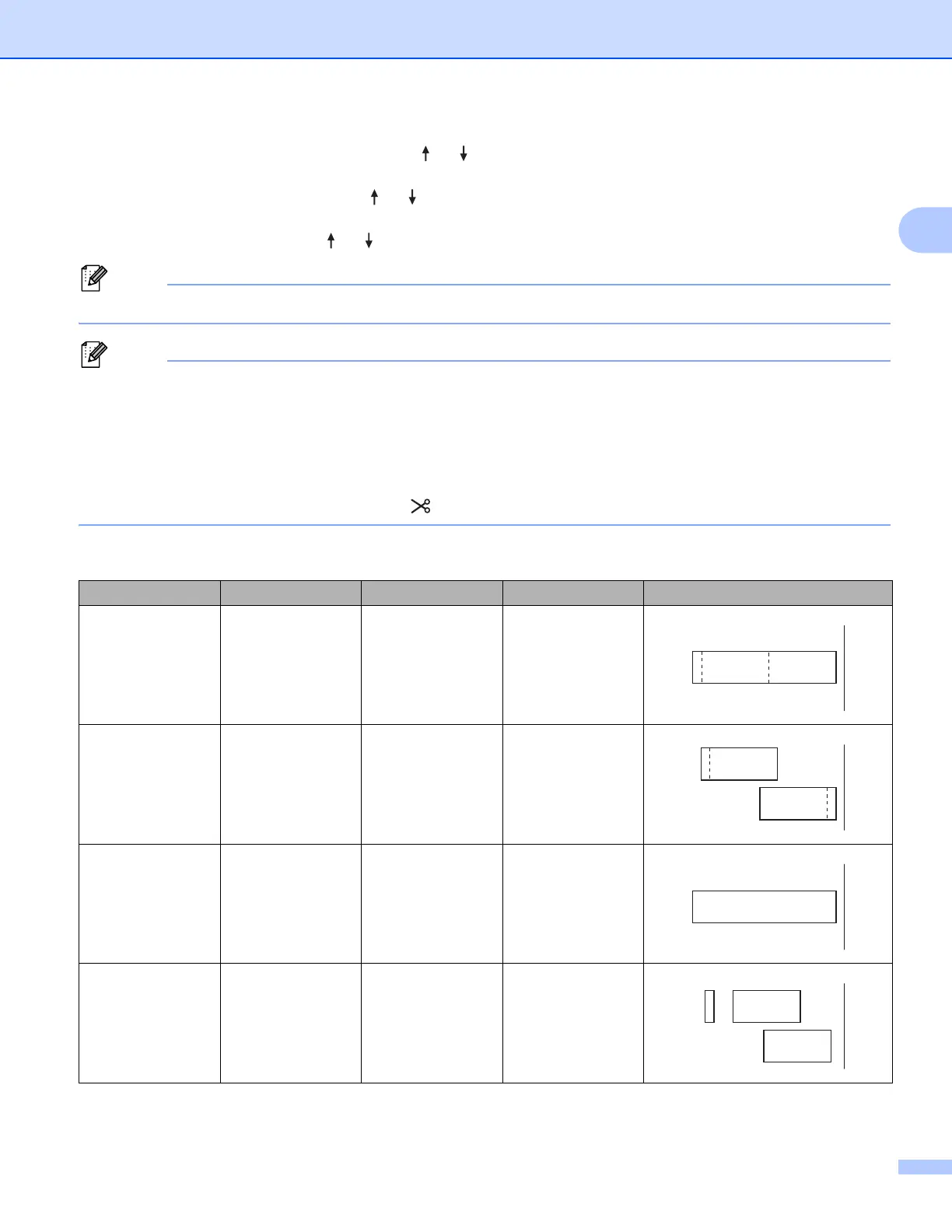
• See the following table for a list of all available settings.
• When printing multiple copies of different labels, you can select the chain printing to reduce the blank
space between the labels. The chain printing is used for cutting option numbers 5-8. (See the following
Cut Option Table.)
• When using the chain printing, press the (Feed and Cut) button after the last label is printed.
Cut Option Table
Cut Option No. Auto Cut Half Cut Chain Printing Image
1NoYesNo
2YesYesNo
3 NoNoNo
4 Yes No No
ABCABC
ABC
ABC
ABCABC
ABC
ABC












 To Next Page